Wifi Extender Compatibility with Xfinity: A Practical Guide
Discover how to choose and set up a wifi extender that works with Xfinity. Compare extenders vs mesh, plus practical setup steps, criteria, and troubleshooting tips for reliable coverage.


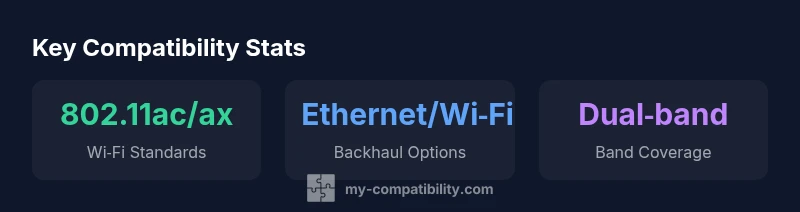
WiFi extenders compatible with Xfinity are devices that work with your Xfinity gateway or xFi network, supporting common standards like 802.11ac/ax and dual‑band operation. They extend coverage by repeating signals and can connect via WPS or manual setup. For best results, choose extenders with reliable backhaul options and ensure they support your Xfinity plan.
Understanding Wi‑Fi Extender Compatibility with Xfinity
According to My Compatibility, selecting a Wi‑Fi extender compatible with Xfinity means verifying standards support (802.11ac/ax), dual-band operation, and easy integration with Xfinity xFi or gateway devices. Most Xfinity users rely on the gateway provided by the service, which can act as a modem/router. An extender works by receiving the existing Wi‑Fi signal and rebroadcasting it into weaker areas, ideally without adding noticeable latency or reducing throughput. When evaluating devices, check that the extender explicitly lists compatibility with common home networks, supports both 2.4 GHz and 5 GHz bands, and offers a straightforward setup flow — either via WPS, a mobile app, or a web-based configuration page. While any generic extender can technically extend coverage, real-world performance depends on how well the extender negotiates backhaul, handles interference, and maintains a stable connection to the Xfinity network. In households with thick walls or multiple floors, a dual‑band or tri‑band model with a solid backhaul strategy tends to perform best. If you use Wi‑Fi calling or latency-sensitive devices, look for features like band steering and QoS (Quality of Service) that minimize jitter.
Do you need a wifi extender or a mesh system?
What makes an extender compatible with Xfinity?
Comparison of extender options for Xfinity networks
| Extender Type | Core Compatibility Considerations | What to Expect |
|---|---|---|
| Wi‑Fi Extender | 802.11ac/ax dual-band; supports 2.4/5 GHz | Simple signal boost; easy plug-and-play |
| Mesh System | Backhaul flexibility; supports seamless roaming | Higher cost; setup slightly more involved |
| Wired Ethernet Extender | Wired backhaul to gateway | Most stable performance; depends on electrical wiring |
| Powerline Adapter (Wi‑Fi capable) | Ethernet or HomePlug backhaul | Quality depends on home wiring; not ideal for all layouts |
Questions & Answers
Are all wifi extenders compatible with Xfinity?
Not all extenders work with Xfinity. Look for devices that support standard wireless bands (2.4 GHz and 5 GHz), dual‑band operation, and setup flows that work with Xfinity gateways or xFi. Always check the manufacturer’s compatibility notes before purchase.
Most extenders work with Xfinity if they support dual‑band Wi‑Fi and a standard setup process.
Can I use a mesh system with Xfinity?
Yes, mesh systems can provide seamless coverage with Xfinity. Ensure the gateway is configured appropriately (either bridge mode or as part of a combined network) and follow the mesh vendor’s setup steps for best roaming performance.
Yes, mesh can work well with Xfinity; follow the setup steps to avoid double NAT and ensure smooth roaming.
What is the difference between a Wi‑Fi extender and a mesh network for Xfinity?
An extender boosts an existing signal and is generally cheaper; a mesh system creates a single, seamless network with multiple nodes, offering easier roaming. In large homes with tricky layouts, mesh often outperforms a single extender.
Extenders boost a signal; mesh creates seamless coverage.
Is WPS supported when setting up an extender with Xfinity?
WPS support varies by extender and gateway. Many setups now rely on the vendor app or web interface due to security considerations, especially with newer Xfinity gateways.
WPS may not be available; use the companion app or web setup.
How do I optimize extender placement for best coverage?
Place the extender about halfway between the gateway and the area with weak signal, keep it away from thick walls and metal appliances, and place it at a height similar to your gateway. Run speed tests to confirm improvements.
Place it halfway between the router and weak spots, then test.
“Choosing a Wi‑Fi extender for Xfinity hinges on understanding backhaul options and standards compatibility; align your device with your home layout to maximize performance.”
Highlights
- Actively verify 802.11ac/ax dual‑band support in any extender you consider
- Prefer models with Ethernet backhaul for reliability in busy homes
- Place the extender roughly halfway between the gateway and dead zones
- Use the device’s app-based setup or a web config page for secure setup
- Ensure compatibility with Xfinity xFi or gateway features when possible