Spectrum-Compatible WiFi Extenders: How to Choose and Set Up
Learn how to choose and configure a wifi extender compatible with Spectrum, with practical setup steps, performance expectations, and troubleshooting tips for reliable home coverage.


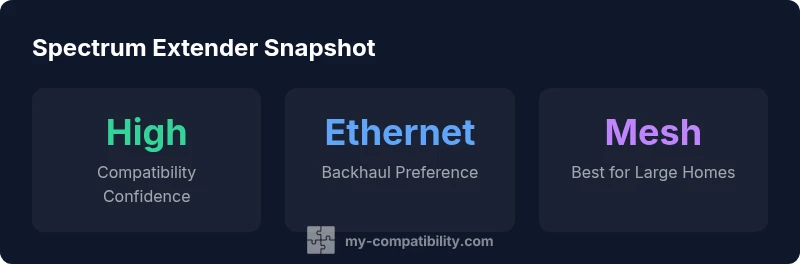
A wifi extender compatible with spectrum is possible when the extender supports the same wireless standards (802.11ac/ax) and can be configured behind your Spectrum gateway or as a separate access point. Choose dual-band models with AP mode for reliable coverage. If you have a large home, consider adding a second extender or a mesh system for consistent performance. Also verify you won't violate your provider's terms by replacing their router functionality, and ensure firmware updates are supported.
Why Spectrum Compatibility Matters
According to My Compatibility, ensuring your wifi extender is compatible with Spectrum is about matching wireless standards, backhaul options, and how you place the device within your network topology. In practical terms, you want an extender that can join your existing network without forcing a second SSID, supports the same bands, and can operate in AP or bridge mode when used with a Spectrum gateway. The goal is seamless roaming, stable speeds, and predictable coverage across rooms and floors. This means checking not just the extender’s advertised features, but also how it will interact with your Spectrum hardware in real-world layouts. By focusing on standards, backhaul, and setup mode, you can prevent frustrating dead zones and speed drops.
Key wireless standards to look for when shopping
The most relevant standards for a Spectrum setup are the common home Wi‑Fi protocols: 802.11ac (Wi‑Fi 5) and 802.11ax (Wi‑Fi 6), with dual‑band operation (2.4 GHz and 5 GHz). Modern extenders should explicitly support these bands and offer at least one of the following: AP mode, bridge mode, or mesh-capable backhaul. Favor devices that advertise ease of use with automatic channel selection, beamforming, and MU‑MIMO where available. Avoid outdated single‑band or 802.11n‑only devices for any home with multiple devices streaming video or gaming devices.
Backhaul options: Ethernet vs wireless
Ethernet backhaul generally yields the strongest, most stable performance because it eliminates wireless contention between the gateway, extender, and client devices. If your home has ethernet run or you can run a line to a central living area, an extender with a dedicated Ethernet port is worth the investment. Wireless backhaul (WDS/mesh) can work well in open floor plans or retrofit installations, but performance may vary based on wall materials and distance. When evaluating extenders, note whether the backhaul is explicitly labeled as Ethernet backhaul capable and whether the device supports robust wireless backhaul features.
Setup scenarios with Spectrum gateway
If you plan to use your Spectrum gateway as the primary router, choose an extender that can operate in AP mode or as a standard repeater. In many homes, using the gateway in gateway mode and the extender in AP mode gives the cleanest handoff and simplest management. In larger homes, consider a mesh system that can pair with or replace the gateway's function. Always update firmware on both devices to avoid known compatibility issues and ensure your extender can obtain a stable DHCP lease from the gateway.
Features that boost Spectrum compatibility
Look for AP/bridge/multi‑mode support and for extenders that advertise easy roaming, simultaneous dual-band operation, and batch firmware updates. Features like Smart Roaming, automatic channel management, and compatibility with Spectrum‑provided gateways can reduce buffering and improve consistency. A device with simple mobile app configuration often yields quicker setup and fewer misconfigurations. Finally, verify the extender’s manufacturer provides ongoing firmware support, since security and performance improvements often come through updates.
Step-by-step: setting up an extender with Spectrum
- Confirm the extender supports 802.11ac/ax and dual‑band operation. 2) Place the extender roughly halfway between the gateway and the dead zone you noticed. 3) Power on the extender and connect your computer or phone to its default network. 4) Open the extender’s setup page and choose AP mode or bridge mode if offered. 5) If using AP mode, disable DHCP on the extender and set the extender to obtain an IP from the gateway. 6) Give the extender the same SSID and password as your main network, or keep a separate SSID for troubleshooting. 7) Update firmware to the latest version. 8) Run a speed test from devices in the new coverage areas and adjust placement if needed.
Troubleshooting common issues
If you see no internet on devices connected to the extender, restart both devices, verify Ethernet cables if used, and confirm the extender is in the correct mode (AP vs repeater). If your devices don’t see the extender, relocate it closer to the gateway or check for strong signal indicators on the extender. In some cases, you may need to reset the extender to factory settings and start the setup again. Always ensure firmware is current and consult the user manual for model-specific steps.
Is upgrading worth it? When to replace and when to upgrade to a mesh
For small to mid-sized homes, a single high‑quality extender with Ethernet backhaul can be sufficient. In larger homes or spaces with thick walls, a mesh system often delivers more reliable roaming and fewer dead zones. If your current setup already uses Spectrum’s gateway, a mesh system designed for compatibility with third‑party routers may offer a smoother experience than stacking multiple extenders. The decision should consider your floor plans, device count, and streaming needs.
Comparison table: Spectrum-compatible extender setups
| Scenario | Recommended Extender Type | Notes |
|---|---|---|
| Gateway-only setup | Wi-Fi 5/6 extender with AP mode | Works behind Spectrum gateway; avoid bridging if you need Spectrum features |
| Mesh system with Spectrum gateway | Mesh extender or mesh system | Best for large homes; ensures seamless handoff |
| Standalone router + extender | Dual-band extender | Place closer to dead zones; connect via Ethernet where possible |
| WDS-capable extender | Wi-Fi 4/5/6 extender | Check vendor compatibility with Spectrum router |
Questions & Answers
What makes a wifi extender Spectrum-compatible?
Spectrum compatibility depends on using standard Wi‑Fi tech (802.11ac/ax) and being able to connect behind the gateway or as an AP. Most extenders are compatible as long as they support the same bands and have AP or bridge modes.
Most modern extenders work with Spectrum as long as they support the right Wi‑Fi standards and can operate in AP or bridge mode.
Do I need to replace my Spectrum router or gateway?
Not usually. You can add an extender behind your existing gateway or use a mesh system with the gateway, but verify any terms with Spectrum and ensure firmware updates remain available.
Usually you don’t need to replace your gateway; an extender or mesh can usually do the job.
Can I use any extender with Spectrum?
Most modern extenders will work if they support standard Wi‑Fi and backhaul options. Avoid older 802.11n‑only devices for best performance.
Most up-to-date extenders work if they support the common standards and backhaul options.
How do I set up an extender behind a Spectrum gateway?
Connect the extender to the gateway via Wi‑Fi or Ethernet, then configure it as AP or bridge mode. Ensure DHCP is handled by the gateway and firmware is up to date.
Connect to the gateway, pick AP or bridge mode, and update firmware.
What performance can I expect from a Spectrum-compatible extender?
Performance depends on layout and backhaul. Dual‑band extenders typically improve coverage, but real-world speeds vary with walls and distance. Run a speed test in each room to assess gains.
Expect better coverage, actual speeds depend on your space.
“Compatibility comes down to matching Wi‑Fi standards and selecting the right backhaul mode for your space.”
Highlights
- Start with the basics: ensure standards match
- Prefer Ethernet backhaul when possible
- Configure gateway as AP if needed
- Test coverage with a real-speed test
- Consider a mesh system for large spaces