Is Your WiFi Router Spectrum Compatible? A Practical Guide
Learn how to verify if your wifi router is Spectrum compatible, the difference between modems and routers, and setup tips for a reliable home network with Spectrum.


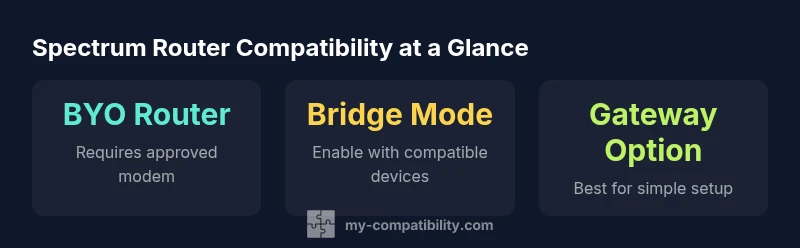
A wifi router spectrum compatible setup means a router that can work on Spectrum’s network when paired with an approved modem or gateway. In practice, you either use Spectrum’s own gateway, or BYO router connected to an approved modem, often with bridge mode enabled so your router handles the Wi-Fi. Always verify compatibility before buying.
Understanding Spectrum Compatibility
Spectrum compatibility is about making sure your network hardware can connect cleanly to Spectrum's service and deliver reliable Wi-Fi throughout your home. From a practical standpoint, that means two things: first, the modem or gateway provided or approved by Spectrum must connect to the internet without issues; second, the router you choose must effectively distribute that internet signal to your devices. According to My Compatibility, the most reliable setups come from using Spectrum approved equipment, or a well supported BYO pairing that uses a documented bridge or passthrough configuration. For readers seeking a quick takeaway, a wifi router spectrum compatible strategy often boils down to choosing an approved modem and a modern router with current security features and IPv6 support. The goal is a stable, fast, and secure home network that keeps pace with typical streaming, gaming, and work-from-home activity.
A key nuance is that Spectrum labeling of compatibility is not just about raw numbers. It hinges on whether the modem and gateway present a clean bridge to your router, whether the router can handle the desired speed tier, and whether the system can maintain stable connections across multiple rooms and devices. In practice, you will encounter two common paths: using Spectrum’s gateway for a simple, integrated solution, or using your own router with a separate modem in a BYO configuration. The My Compatibility team has found that when you properly configure either path, you gain more control over features like guest networks, device prioritization, and security updates while preserving overall performance. This article focuses on the BYO approach and how to optimize it for Spectrum users.
Finally, be mindful of your plan limitations. As you assess wifi router spectrum compatible options, ensure the chosen hardware can handle the speed tier you have with Spectrum and is equipped for future needs. The landscape evolves with new Wi-Fi standards, improved security protocols, and better mesh networking options that can extend coverage without sacrificing throughput. In short, compatibility is a balance between approved hardware, correct configuration, and practical expectations about home network performance.
The Difference Between Modems and Routers
A common source of confusion is the distinction between a modem and a router. A modem (or gateway when combined with routing features) connects your home network to your internet service provider's network. It translates the digital signal from Spectrum into a form that your devices can use. A router, on the other hand, distributes that internet signal wirelessly to computers, phones, TVs, and smart devices. When you see a device advertised as Spectrum compatible, you are evaluating how well it works in tandem with a modem or gateway to deliver reliable Wi-Fi inside your home. A key decision is whether to use a gateway provided by Spectrum, which bundles modem and router functions, or to adopt a BYO router and a separate modem. Spectrum generally supports both paths, but the user experience, setup steps, and support options differ. If you opt for BYO, you must ensure that the modem is on Spectrum's approved list and that you configure the connection properly, often in bridge mode or a passthrough state to let your router handle routing and Wi-Fi. A modern router can deliver stronger wireless performance, more flexible features, and easier guest network management, especially in homes with multiple floors or many devices. In this context, the idea of wifi router spectrum compatible expands to the full stack of devices and settings that create a stable home network.
Which routers work with Spectrum: Criteria
When evaluating routers for Spectrum compatibility, focus on several criteria that affect performance and reliability. First, ensure your router supports current Wi-Fi standards (preferably Wi-Fi 6 or 6E) to maximize efficiency and range as more devices connect concurrently. Second, look for robust security features such as WPA3 and automatic firmware updates, which protect your network over time. Third, verify that the router supports IPv6, multiple SSIDs, and guest network capabilities to keep your home network flexible and secure. Fourth, check the hardware capabilities like MU-MIMO, beamforming, and sufficient CPU power to handle high traffic in busy households. Fifth, confirm that the router can operate well in bridge mode or passthrough if you plan to use Spectrum's gateway as the primary modem, maintaining a clean path for your own router's features. Also verify that the modem or gateway you pair with the router is on Spectrum's approved list, which reduces activation issues and gives you access to official support. Keeping these criteria in mind will help you choose wifi router spectrum compatible options that deliver both speed and reliability across devices and rooms.
A practical suggestion is to match the router's speed tier to your Spectrum plan, especially if you use high-bandwidth applications like 4K streaming, video conferencing, or gaming. While a router with strong processing power helps, you also need to position it effectively and avoid physical barriers, which can degrade signal quality. Finally, remember that the true test of wifi router spectrum compatible setup is real-world performance: how stable the connection feels across the busiest parts of your home and how consistently you reach the speeds you expect on your devices.
BYO Modem vs. Renting from Spectrum
Choosing between BYO modem with your own router and renting Spectrum's gateway is a consequence of priorities like cost, simplicity, and control. Renting Spectrum hardware can simplify activation and troubleshooting because the provider offers integrated support and streamlined firmware updates. BYO setups require more hands-on management, including verifying a modem's compatibility, configuring bridge mode, and updating firmware on both the modem and router. The upside of BYO is potential cost savings over time and the ability to select a router that matches your preferred feature set such as advanced QoS controls, mesh networking, and guest networks. When considering wifi router spectrum compatible configurations, evaluate how much you value centralized support versus customization and long-term costs. Spectrum's official lists indicate which modems are approved for use with their service, and many households successfully use a separate router to enhance coverage and performance. Plan to invest time in initial setup and periodic maintenance, so your home network remains resilient as devices and usage patterns evolve.
Step-by-Step Verification and Setup
This section provides a practical, repeatable process to verify compatibility and set up a reliable wifi router spectrum compatible network. Step 1 is to check Spectrum's official list of approved modems or gateways. This ensures you can activate the connection smoothly and receive official support if issues arise. Step 2 is to decide whether you will use a Spectrum gateway or to implement a BYO router with a compatible modem. If you choose BYO, select a modem from the approved list and arrange a passthrough or bridge mode configuration so your router manages the network. Step 3 is to connect your modem to Spectrum's service, and then connect your router to the modem. If bridging, ensure the router obtains the public IP address and handles NAT, DHCP, and firewall duties. Step 4 is to configure your router: set up SSIDs, password protection, guest networks if needed, and QoS rules for priority devices. Step 5 is to update firmware on both devices and perform a basic speed check across the major rooms of your home. Step 6 is to optimize the network layout by placing the router away from obstructions, using extenders or mesh nodes if your space requires broader coverage. Step 7 is to monitor performance over time, adjusting channels and settings to maintain stability as devices and usage trends change. The process can be repeated anytime you change equipment or ISP service parameters, ensuring wifi router spectrum compatible operation remains reliable.
Troubleshooting Common Issues
Slow speeds or dropped connections are common pain points when configuring Spectrum compatible setups. First, verify that the modem and router are in bridge or passthrough configurations as appropriate, and confirm firmware versions are current. If speeds are inconsistent, try repositioning the router to improve line-of-sight coverage and reduce interference from competing networks or appliances. Check that your 2.4 GHz and 5 GHz networks are configured with separate SSIDs and password protection. Many routers also offer auto channel selection; enabling this can help mitigate congestion in dense wireless environments. DNS issues can cause slow browsing; switching to a known fast DNS provider can improve responsiveness. If you encounter complex problems, contacting Spectrum support for activation or compatibility verification is advisable, especially when BYO gear is involved. Document your steps and test results so you can quickly identify what changes helped improve performance. In general, a well-configured wifi router spectrum compatible setup yields stronger coverage, more predictable speeds, and a more stable experience across devices.
What to Look for in a Future-Proof Setup
Future-proofing your wifi router spectrum compatible arrangement means investing in hardware that can grow with bandwidth demands and evolving standards. Prioritize routers that support Wi-Fi 6 or 6E, which offer higher throughput and efficiency in congested environments. Look for strong security features such as WPA3 and automatic firmware updates to keep your network protected. A router with robust CPU and RAM resources handles multiple simultaneous streams more effectively, particularly for smart homes and gaming setups. IPv6 readiness is increasingly important as devices adopt IPv6 addressing, so ensure your router supports IPv6 natively. If your home is large or multi-floor, consider a mesh system or a high-quality range extender to eliminate dead zones. Finally, maintain a habit of periodic checks on Spectrum's compatibility lists, firmware release notes, and customer experiences to adapt your wifi router spectrum compatible environment as technology and service offerings evolve. The My Compatibility team recommends staying proactive about hardware refresh cycles and firmware updates to ensure continued reliability and performance over time.
Overview of device roles and Spectrum compatibility
| Device Type | Role | Spectrum Compatibility | Notes |
|---|---|---|---|
| Modem | Connects to Spectrum network and provides internet signal to your router | Must be Spectrum-approved | BYO modem requires approval and activation |
| Router | Distributes Wi-Fi to devices | Generally compatible when used with a modem/gateway | Check NAT and DHCP settings |
| Gateway (Modem + Router) | All-in-one device provided by Spectrum | Fully supported by Spectrum | Often easiest to set up |
| Bridge Mode Use | Disable router features and let modem handle routing | Widely supported in many models | Enable bridge mode on the modem/gateway when using private router |
Questions & Answers
Is my current router Spectrum-compatible?
Spectrum compatibility depends on both the modem and router. Check Spectrum's approved modem list and verify that your router meets current standards like IPv6 and WPA3. If in doubt, contact Spectrum support or test with a temporary device.
Check Spectrum's approved list and test with a known compatible setup.
Do I need a modem for Spectrum if I already have a router?
Yes, your router cannot connect to Spectrum without a modem or gateway. You can pair a BYO router with a Spectrum approved modem and, if needed, enable bridge mode to let the router manage your network.
A modem is required; you cannot connect a router directly to Spectrum without one.
What speed tier affects router choice?
Choose a router that can handle the upper tier of your Spectrum plan. A router with higher throughput and more memory helps with multiple devices and activities like 4K streaming and online gaming.
Match your router to your plan speed and device needs.
Can I use my own router with Spectrum without a modem?
No, a router alone cannot connect to Spectrum. You need a modem or gateway, and if you use a personal router, configure bridge or passthrough mode on the modem.
A router alone won’t connect; you need a modem and proper setup.
What is the difference between a modem and a gateway?
A modem connects to the internet service and provides a network signal. A gateway combines modem and router functions in one device. Spectrum supports both paths, with different setup steps and support options.
A modem connects, a gateway combines modem and router in one.
How do I troubleshoot a slow Spectrum connection after setup?
Run a speed test from near the router, verify firmware updates, minimize interference, and ensure optimal router placement. If issues persist, recheck bridge mode settings and contact Spectrum support for activation checks.
Test speeds, update firmware, reduce interference, and check bridge mode.
“To maximize reliability, pair Spectrum with a modern router that supports your speed tier and IPv6; always check official compatibility resources.”
Highlights
- Check Spectrum-approved devices before buying
- Decide between BYO router and Spectrum gateway
- Enable bridge mode when using your own router
- Prioritize Wi-Fi 6/6E and IPv6 support
- Test speeds and optimize placement