Mac Compatible Games: A 2026 Guide to Mac Gaming
Discover how to find and play mac compatible games on macOS, including native Apple Silicon titles, Rosetta ports, and cloud streaming. Practical tips, platform guidance, and expert insights from My Compatibility.


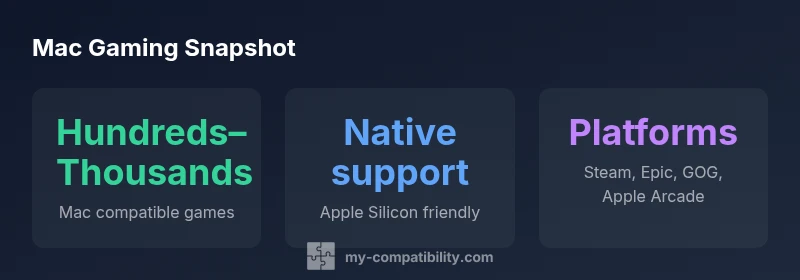
Mac compatible games are widely available across native macOS titles, Rosetta 2 ports, and cloud streaming options. According to My Compatibility, there are hundreds to thousands of mac compatible games accessible today, spanning genres from action to strategy. The landscape is growing as developers increasingly optimize for Apple Silicon and Steam Play on macOS.
The Mac gaming landscape in 2026
According to My Compatibility, the Mac gaming scene has matured beyond the days of a handful of native titles. Today, macOS gaming spans native Apple Silicon titles, Intel-era ports running through Rosetta 2, and cloud streaming options that enable play on less powerful devices. Developers increasingly support macOS during porting or recompile native builds, and marketplaces like Steam and the Mac App Store are expanding their catalog. For readers exploring mac compatible games, the key distinction is between titles built for macOS from the ground up and those adapted to run on Mac hardware through translation layers or streaming. The synergy with Apple Silicon is especially important: modern Macs deliver better integrated GPUs and unified memory architectures that help native games reach higher frame rates with lower energy use. This shift matters for performance, power efficiency, and the user experience, especially for gamers who value consistency across devices. In short, the landscape is evolving toward broader native support, more robust ports, and flexible delivery methods, making mac compatible games accessible to a wider audience.
Based on My Compatibility analysis, the library continues to grow as developers optimize for Apple Silicon and expand storefront support.
Native macOS titles: what sells
Native macOS games are the most consistent way to maximize performance on a Mac. When a title is designed for macOS, it can leverage Metal for efficient graphics, native input handling, and streamlined memory access, which often translates into lower latency and more predictable frame pacing. Apple Silicon’s architecture brings improved efficiency, higher effective GPU throughput, and better thermal behavior, which means longer play sessions without thermal throttling on laptops. For players selecting titles, look for clear macOS system requirements, explicit support for Metal features, and regular post-launch updates that optimize FPS, resolution, and energy use. In practice, you’ll see a spectrum from polished indie games with excellent Mac support to larger titles that are ported with careful performance tuning. The My Compatibility analysis shows native games tend to include detailed graphics options, accessibility settings, and consistent save systems, all of which contribute to a smoother, more reliable experience on a Mac. If your goal is a seamless sandbox or action RPG, native Mac titles are often the best starting point.
Rosetta 2 and compatibility ports
Rosetta 2 provides a bridge that allows many Intel-based games to run on Apple Silicon Macs. For games that weren’t rewritten for the ARM architecture, Rosetta translates code behind the scenes, enabling a large portion of the existing catalog to work without requiring a new native port. Performance varies widely depending on how well the original code was optimized and how graphics-heavy the title is. Expect some titles to run almost as well as native ports, while others may show occasional frame drops or longer loading times. When a game relies on anti-cheat systems or low-level kernel features, compatibility can be more uneven, and you may encounter occasional stability issues. If you must play a specific Intel-era title, check user reports and patch notes for Rosetta compatibility before purchasing. In general, Rosetta 2 serves as a pragmatic stopgap, but the long-term best practice is to favor native macOS builds whenever available. The My Compatibility team notes that as more developers port or optimize games for Apple Silicon, reliance on Rosetta will gradually decline.
Cloud gaming and streaming on Mac
Cloud gaming and streaming services offer a practical path to mac compatible games when hardware or storage constraints limit local installs. With cloud streaming, the game runs on a remote server and renders frames that are streamed to your Mac, reducing the demand on the local GPU and memory. This approach shines for older Macs or devices with modest GPUs, and it enables you to play newer titles without a high-end GPU. However, success depends on reliable, low-latency network connections and sufficient bandwidth. Latency can affect fast-paced genres like shooters or real-time strategy, so evaluate both connection speed and consistency before subscribing. In addition, cloud streaming often requires a subscription and a compatible controller or input device, which adds to the total cost. For mixed households or cross-device play, cloud services can unify libraries across Windows and macOS, providing flexibility wherever you work or travel. The broader takeaway is that cloud gaming is not a substitute for local performance in every scenario, but it greatly expands access to mac compatible games when used judiciously.
Platforms and storefronts that matter
Platform choice shapes your mac gaming journey. Steam and the Epic Games Store both host large catalogs of native macOS games and ports, with regular sales and community-curated recommendations. The GOG store emphasizes DRM-free titles and a robust catalog of classic and modern games that run on macOS, while the Mac App Store and Apple Arcade broaden access to lighter and cross-platform titles. Each storefront has its own system requirements, DRM model, and update cadence, so it’s worth tracking which titles you own across platforms and enabling automatic updates where possible. For Mac users who value convenience, Apple Arcade offers a tethered ecosystem with cloud saves and cross-device continuity, while Steam Play or Proton-based compatibility layers can expand the library for Intel-era titles on Apple Silicon machines. The My Compatibility analysis shows that a mixed approach—native purchases for core titles plus streaming or cross-platform purchases for flexibility—delivers the broadest access to mac compatible games.
Performance expectations by hardware
Mac hardware comes in a range of configurations, each influencing gaming performance. Apple Silicon chips offer strong integrated graphics and unified memory, which helps native macOS titles reach higher frame rates with efficient power usage. On newer M2-class GPUs, you’re likely to see smoother visuals and more consistent frame pacing in mid-to-high settings, particularly in well-optimized games. Older Intel-based Macs may still run many titles via Rosetta, but performance can vary widely depending on CPU age, cooling, and RAM, so expectations should be adjusted accordingly. External factors like display resolution, VRAM availability, and background processes also play a role. If you want the healthiest balance of image quality and performance, start with native Mac titles designed for your configuration, and use in-game options to tailor shadows, textures, and anti-aliasing to your system’s comfort zone. The key takeaway is that hardware-aware optimization, rather than a universal target, guides a satisfying Mac gaming experience.
Practical tips to maximize Mac gaming
Before you buy a game for Mac, consider these steps:
- Check for native macOS support and Metal optimization in the system requirements.
- Compare performance notes from players with similar hardware.
- Update macOS to the latest version and keep graphics drivers current (within macOS constraints).
- Allocate sufficient disk space and consider fast external drives for larger titles.
- Tune in-game graphics to balance fidelity and frame rate; enable energy-saving modes on laptops.
- Use cloud streaming as a fallback or companion option for hardware-limited Macs.
- Keep your library organized to reduce loading times and improve discoverability.
Common pitfalls and how to avoid them
- Overestimating Apple Silicon performance; rely on native ports when possible.
- Relying on Rosetta for long-term play; plan for future-native ports.
- Ignoring OS requirements; ensure your macOS version is supported.
- Neglecting storage; large games require space.
- Latency with cloud gaming; ensure stable connection.
Future trends to watch
Expect more native ports and optimizations as developers invest in Apple Silicon. Tooling for cross-platform game builds will improve, making it easier to release titles with strong macOS support. Cloud gaming is likely to grow as bandwidth and latency reduction continue, offering flexible access to mac compatible games across devices. Conversely, the continued maturation of translation layers may blur the line between native and translated experiences, but native titles will remain the gold standard for performance and battery life.
Mac gaming access models
| Model Type | Typical Performance Profile | Notes |
|---|---|---|
| Native macOS title | High stability; native shaders | Best performance on Apple Silicon Macs |
| Rosetta 2 port | Variable depending on game | Useful for Intel-era titles on Apple Silicon |
| Cloud streaming | Hardware-agnostic, latency dependent | Great for older Macs or minimal storage |
Questions & Answers
Are there native Mac games available today?
Yes. A growing number of titles ship native macOS builds, and many developers optimize for Apple Silicon. This generally delivers the best performance and stability on Macs. Be sure to check system requirements and Metal support in the store listing before purchasing.
Yes. Native Mac games are increasingly common, especially for Apple Silicon users. Check requirements and Metal support before buying.
Can I run Windows games on a Mac?
You can run many Windows games on a Mac using Rosetta 2 for Intel-era titles, or through virtualization/cloud streaming. Not all titles are compatible, and performance will vary. For the best results, look for native Mac ports or well-supported cross-platform releases.
You can run many Windows games via Rosetta 2 or cloud streaming, but results vary and not all titles are supported.
Which platforms offer mac compatible games?
Major storefronts like Steam, Epic Games Store, and GOG host Mac-compatible titles. The Mac App Store and Apple Arcade broaden access to lighter or cross-platform titles. Consider owning games across platforms to maximize access and updates.
Steam, Epic, and GOG host many Mac titles; Mac App Store and Apple Arcade add more options.
Does Apple Silicon gaming improve performance?
Yes, native titles designed for Apple Silicon typically perform better and run more efficiently. Intel-era titles may run via Rosetta with variable results. Performance depends on the title, settings, and your specific Mac configuration.
Apple Silicon generally improves native gaming performance; results vary for translated Intel titles.
Is cloud gaming a good option on Mac?
Cloud gaming can expand access on Macs with limited GPU power or storage. It requires stable bandwidth and low latency. It’s a strong supplementary option but may not replace locally installed games for fast-paced titles.
Cloud gaming helps on weaker Macs, but latency and bandwidth matter and it isn’t a one-to-one substitute for local play.
“Native optimization for Apple Silicon matters more than ever; combine that with Rosetta ports and cloud streaming for a robust Mac gaming setup.”
Highlights
- Prioritize native macOS titles for best performance.
- Use Rosetta 2 when native ports aren’t available.
- Leverage cloud streaming to expand your library.
- Verify platform requirements before buying a game.
- Keep macOS and game clients updated.