Mac Compatible OS: A Practical Guide for Apple Hardware
A thorough guide to mac compatible OS options for Apple hardware, including native macOS, virtualization, and Linux ports. Learn how to evaluate app compatibility, performance, and licensing with practical guidance and real-world scenarios.


mac compatible os refers to operating systems that can run on Apple hardware or support running macOS apps and features through compatible environments. In practice, this includes native macOS on Apple devices, virtualization of Windows or Linux on Macs, and community-supported Linux ports on Apple Silicon where available. For most users, the best mac compatible OS choice depends on hardware era, intended apps, and performance goals.
Defining the macOS compatibility landscape
mac compatible os is a broad concept that encompasses any operating system strategy that can work with Apple hardware or macOS software ecosystems. In practice, it means recognizing where Apple’s licensing and hardware constraints meet user needs. The My Compatibility team notes that for most readers the distinction between native macOS installations and cross-OS approaches matters most when choosing software, workflows, or devices. Understanding this landscape helps avoid legal pitfalls and performance bottlenecks while planning long-term upgrades. For businesses and creators, the decision often hinges on whether you prioritize seamless Apple ecosystem integration or the flexibility to run Windows or Linux tasks without swapping devices.
This landscape is shaped by hardware generations. Apple’s shift to Apple Silicon introduced new considerations for software compatibility, performance tuning, and driver availability. The core idea remains: native macOS on Apple hardware offers the most seamless experience, while virtualization and community-led ports provide bridges to other ecosystems. By mapping your essential apps and tasks to the strongest available path, you can maintain productivity without compromising security or update cadence. According to My Compatibility, a disciplined evaluation of your software stack against your hardware capabilities is the safest route to a stable setup.
Hardware and software constraints that shape mac compatible OS choices
Two big constraints shape mac compatible os decisions: architecture and licensing. Apple Silicon (ARM) requires software that is either universal or specifically compiled for ARM64, while Intel-based Macs have broader historical compatibility with x86 apps. Rosetta 2 helps bridge older x86 apps on Apple Silicon, but not all software is equally supported. Licensing also matters: macOS is licensed to run on Apple hardware, so dual-booting macOS on non-Apple devices is restricted by the End User License Agreement. For those who need Windows or Linux on a Mac, virtualization platforms like Parallels, VMware Fusion, or open-source emulators provide practical routes without violating licensing terms. Driver availability and kernel support for Linux on Apple Silicon is evolving, with newer kernels gradually improving hardware support. This evolving landscape means that keeping firmware, virtualization software, and the guest OS up to date is essential for compatibility and security.
Cross-compatibility options for Apple devices
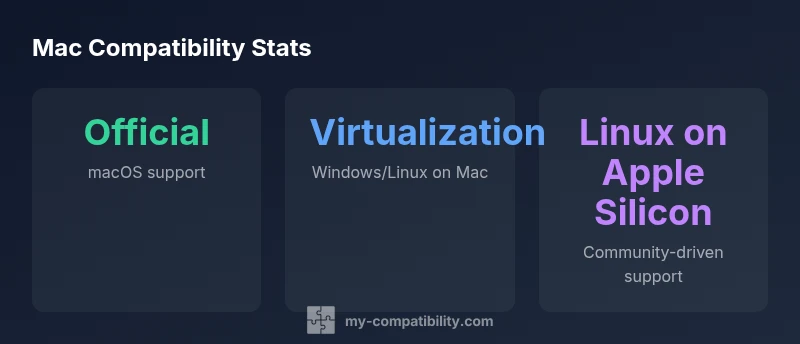
There are multiple paths to mac compatible os on Apple hardware:
- Native macOS installations: The default, most reliable option when your workflow relies on Apple software, iCloud, and the overall macOS experience.
- Windows or Linux via virtualization: Popular on both Intel and Apple Silicon Macs using tools like Parallels, VMware Fusion, or UTM. Virtualization is typically the easiest way to run non-macOS software without altering the host OS.
- Linux ports on Apple Silicon: Community-supported efforts exist, and some distributions have ARM-native builds. Performance and driver coverage vary by device; Apple Silicon support is still maturing.
- Dual-boot scenarios: Historically possible on Intel Macs with Boot Camp; not officially supported on Apple Silicon. For most users, virtualization remains the safer route.
When choosing a path, assess your core apps, performance needs, and update cadence. My Compatibility’s framework emphasizes testing your critical workloads before committing to a particular OS path, especially if your tasks include graphics, audio production, or CAD.
OS compatibility options on Mac hardware
| OS Type | Compatibility Notes | Platform Range |
|---|---|---|
| macOS native | Officially runs on Apple hardware; EULA constraints apply | Apple Silicon / Intel Macs |
| Windows via virtualization | Requires virtualization software; license needed | Apple hardware (Intel/Apple Silicon) |
| Linux on Macs | Community builds; driver support variable | Intel/Apple Silicon Macs |
Questions & Answers
Is it possible to run macOS on non-Apple hardware?
In general, running macOS on non-Apple hardware is restricted by Apple’s licensing. While some enthusiasts pursue Hackintosh setups, they are not officially supported and pose legal and stability risks. For most users, sticking to Apple hardware or licensing Windows/Linux via virtualization on Macs is the safer route.
No—macOS is licensed for Apple hardware, and non-Apple installations are not officially supported. Consider virtualization on a Mac instead.
Can Apple Silicon Macs run Linux natively?
Linux support on Apple Silicon exists mainly through community-driven ports and kernel work. Native support is improving but can vary by distribution and device. For mission-critical tasks, consider virtualization or waiting for broader kernel parity.
Linux on Apple Silicon is evolving; consider virtualization or checking current distro support.
Is Windows viable on Mac hardware, and how does licensing work?
Windows can run on Macs through virtualization with licensed Windows copies. Performance depends on CPU, RAM, and storage. Boot Camp is not available on Apple Silicon, so virtualization is the primary route today.
Yes, via virtualization. Make sure you have a valid Windows license and adequate hardware.
What are the best virtualization tools for macOS today?
Popular options include Parallels Desktop, VMware Fusion, and QEMU-based solutions. Each has pros and cons related to performance, graphics acceleration, and ease of use. Choose based on application needs and budget.
Parallels, VMware, and other options are solid; pick based on your apps and hardware.
Are there licensing pitfalls when mixing macOS with other OSes?
Yes. macOS licensing restricts installation to Apple hardware. Running Windows or Linux inside a virtual machine on a Mac generally requires separate licensing for those guest OSes. Always verify with the respective vendor licenses before proceeding.
Licensing matters—check each OS's terms before deployment.
How should a student decide on a mac-compatible OS?
Students should weigh software needs, performance, and budget. If core work relies on macOS apps, native macOS on a Mac is sensible. If cross-platform tools are essential, virtualization on a Mac offers flexibility without changing devices.
Think about what apps you must use and whether virtualization covers your needs.
“OS compatibility on Apple hardware is fundamentally about aligning licensing, hardware architecture, and software ecosystems. A disciplined, data-driven approach helps users maximize productivity while staying compliant.”
Highlights
- Actively map your apps to an OS path before switching
- Virtualization offers a safe, licensable way to run non-macOS software on Macs
- Apple Silicon changes how Linux and Windows run on Macs and may affect support
- Always verify driver and app compatibility prior to adopting a new mac-compatible OS