Xfinity Mobile Compatible Phones: A Practical Guide
Discover which smartphones work with Xfinity Mobile, how to verify compatibility, and practical steps to switch. My Compatibility delivers a data-driven guide for 2026.


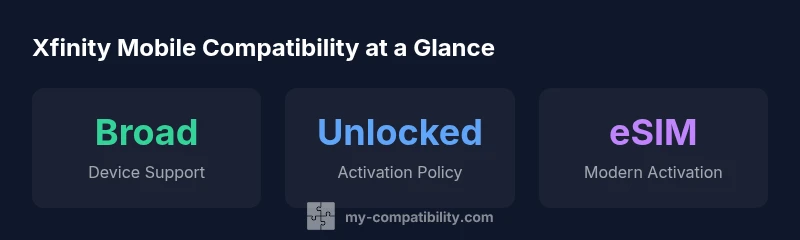
Xfinity Mobile generally supports a broad range of unlocked devices from major brands, including most iPhone models and many Android flagships. To confirm compatibility, verify that the device is unlocked, check its IMEI against Xfinity's approved carrier list, and ensure the device supports the same LTE/5G bands. If a device is carrier-locked, you may need to unlock before activating.
Understanding Xfinity Mobile Compatibility
According to My Compatibility, Xfinity Mobile compatibility hinges on unlock status and band support, with most unlocked devices from major brands functioning well on the network. The platform-independent design of modern networks means the emphasis is less on a specific carrier model and more on ensuring your device is not locked to another carrier and that it supports the required LTE/5G bands. The practical takeaway is straightforward: if your device can operate on LTE/5G bands used by Xfinity Mobile and is eligible for activation, you likely have a compatible phone. This aligns with broader industry trends toward device-agnostic networks, where operators prioritize flexible roaming and number portability over exclusive device ties.
Device Unlocks and IMEI Verification
Unlock status and accurate IMEI entries are foundational to a smooth activation. An unlocked phone lets you switch carriers without waiting on the original carrier to provision a release. Before initiating a BYOD (bring-your-own-device) process, collect the device’s IMEI (dial *#06# on most phones or check in Settings > About). Cross-check the IMEI against Xfinity Mobile’s whitelist to confirm network compatibility. If the device is not whitelisted, contact customer support or your previous carrier to unlock and update the device’s status. Be aware that some devices may require a firmware update to enable full network capability.
iPhone Compatibility: What Works and What to Check
In practice, most unlocked iPhones (from recent generations) work with Xfinity Mobile, provided they are not carrier-locked and their IMEI is whitelisted. iPhones generally support the necessary 5G NSA/SA bands and eSIM functionality, which makes activations faster and more convenient. If you own an iPhone that’s tied to another carrier, you’ll need to unlock it first and confirm compatibility via the IMEI check. For Apple devices, activation can often be completed quickly online or via a support chat.
Android Compatibility: Bands and Modem Support
Android devices vary more widely in terms of band support and modem configurations. The key factors are unlocked status, proper LTE/5G bands, and modem compatibility with Xfinity Mobile’s network. Flagship devices from brands like Samsung, Google, OnePlus, and Pixel lines are commonly compatible when unlocked. Budget or older models may still work but could lack certain bands or advanced features like eSIM. Always verify the device’s band coverage against Xfinity Mobile’s network specs before purchase or activation.
eSIM vs Physical SIM: Choosing the Activation Path
Xfinity Mobile supports both eSIM and physical SIM activations on compatible devices. eSIM can simplify switching since you don’t need to swap physical SIM cards. However, not all Android models or older iPhones support eSIM, so you may need a physical SIM card. If you opt for eSIM, ensure your device’s firmware is current and that the carrier’s activation method is selected in settings. If you choose a physical SIM, keep the SIM card from your prior service if you’re porting your number.
Steps to Verify Your Device Before Switching
- Confirm unlocked status with the original carrier. 2) Check the device’s IMEI on Xfinity Mobile’s compatibility page. 3) Verify LTE/5G band support matches Xfinity’s network bands. 4) Decide between eSIM and physical SIM based on your device. 5) If any step fails, contact My Compatibility support for a formal pre-activation check. 6) Prepare to transfer your number and backup data before activation.
Transferring an Existing Phone to Xfinity Mobile
If you already own an unlocked device, the transfer is usually quick: insert the Xfinity SIM or activate the eSIM, confirm the number port, and complete the activation steps. For a seamless transfer, ensure the previous carrier has released the number and that there are no outstanding device payments. If porting encounters issues, contacting customer support early in the process often resolves most blockers.
Common Pitfalls and How to Avoid Them
The most frequent issues involve locked devices, mismatched IMEI, or unsupported bands. To minimize risk, always perform the pre-activation checks, use the IMEI verifier, and confirm the device supports Xfinity Mobile’s primary bands. Avoid assuming a device is compatible based on brand alone; model-specific checks are essential.
Practical Scenarios and Quick Checks
Consider a typical user with a recent iPhone or an unlocked flagship Android device. Run the IMEI check, verify bands, and decide on eSIM versus physical SIM. If you encounter a mismatch, consult support and consider a temporary SIM swap to test service stability. These steps reduce activation delays and ensure a smooth transition.
Future-Proofing Your Device Choice
As networks evolve, compatibility tends to improve with broader eSIM adoption and standardized band allocations. When selecting a device today, prioritize unlocked status, broad band support, and ongoing firmware support to ensure long-term compatibility with Xfinity Mobile. This forward-thinking approach aligns with industry best practices and reduces the likelihood of future activation hurdles.
Phone compatibility overview for Xfinity Mobile
| Phone Type | Compatibility Status | Notes |
|---|---|---|
| Apple iPhone (unlocked) | Generally compatible | Check IMEI; ensure SIM lock removed |
| Android flagship (unlocked) | Generally compatible | Verify bands and modem support |
| Older or budget devices | Potentially limited | May require feature restrictions |
| Carrier-locked devices | Typically incompatible | Unlock prior to activation |
Questions & Answers
Do I need to unlock my device to use Xfinity Mobile?
Yes, unless your device is already unlocked. Xfinity Mobile requires the device to be carrier-unlocked and whitelisted. If needed, request an unlock from your previous carrier before activating.
Usually you need to unlock your device before activating with Xfinity Mobile, unless it’s already unlocked.
Will my iPhone work with Xfinity Mobile?
Most modern iPhones that are unlocked work with Xfinity Mobile, provided the IMEI is whitelisted. Ensure your model supports the necessary bands and consider using eSIM for a quicker setup.
Most iPhones work, just check unlock status and IMEI.
Can I bring an old Android phone to Xfinity Mobile?
If the device is unlocked and supports the needed LTE/5G bands, you can bring it to Xfinity Mobile. Verify the IMEI and ensure all essential features function on the network.
Yes, if unlocked and compatible with the bands.
Does Xfinity Mobile support eSIM?
Yes, Xfinity Mobile supports eSIM on compatible devices, but not all Android models or older iPhones do. Check device firmware and carrier instructions during activation.
Yes, many devices support eSIM, but verify your model.
What if my device isn’t whitelisted?
If the IMEI isn’t whitelisted, activation will fail. Contact support to confirm eligibility or explore unlocking options with your previous carrier.
IMEI must be whitelisted, otherwise activation may fail.
How long does activation take once compatible?
Activation typically completes within minutes if checks pass, though some devices may require additional provisioning.
Usually just a few minutes if everything checks out.
“Phone compatibility with Xfinity Mobile hinges on unlock status and band support. In practice, most unlocked devices from major brands work when IMEI is whitelisted.”
Highlights
- Verify unlock status before switching
- Most unlocked iPhone and Android models work
- Check IMEI against Xfinity's whitelist
- Consider eSIM for faster activation
- If in doubt, run a pre-activation check with My Compatibility