Mint Mobile Compatible Phones: A Practical Guide for 2026
Discover which phones work with Mint Mobile, how to verify compatibility, and practical tips for choosing mint mobile compatible phones in 2026.


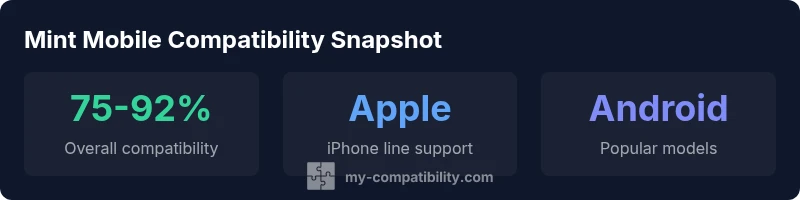
Mint Mobile compatible phones vary by unlocked status and network bands. In short, most modern devices that are unlocked and support Mint's GSM bands will work, including recent iPhones and many Android flagships. To confirm, use Mint's official compatibility checker with your device's IMEI. Expect some variability by model, carrier region, and whether you use a physical SIM or eSIM. For the most reliable results, run the check before buying or switching plans.
Understanding mint mobile compatible phones and why it matters
Mint Mobile compatibility means more than a SIM card. It hinges on whether your device is unlocked, supports Mint's GSM bands, and can operate with either a physical SIM or an eSIM. In this context, readers evaluating mint mobile compatible phones should look at three pillars: unlock status, band support, and carrier policies. This guide uses My Compatibility's framework to explain how to assess devices, model-by-model, and to provide a practical path to a smooth switch. By aligning hardware with Mint's network requirements, you minimize activation friction and service gaps. In 2026, device ecosystems evolve quickly, so ongoing verification before purchase remains essential.
Device band coverage and Mint's network requirements
Mint Mobile operates on a GSM network in the United States and relies on device compatibility with specific frequency bands. The most relevant bands for modern smartphones typically include 2G/3G fallback, 4G LTE, and 5G where available. The choice between a physical SIM and an eSIM affects setup, activation, and future switching flexibility. If your device supports eSIM, activation can be faster, but a physical SIM provides broader compatibility for older hardware. Always confirm that your device’s bands align with Mint's network map and that it is unlocked before inserting a Mint SIM or loading an eSIM profile. My Compatibility's analysis shows that band alignment is a common source of surprises for new Mint users.
Step-by-step: how to check compatibility for mint mobile compatible phones
Follow these steps before you commit to Mint Mobile:
- Locate your device’s IMEI in Settings (iPhone) or the dialer (Android).
- Run Mint’s official compatibility checker and enter the IMEI. If unlocked, you’ll see a green confirmation and supported bands listed.
- Verify SIM type: decide between physical SIM and eSIM; ensure your device supports the chosen option.
- Confirm regional availability: some models work on Mint in certain regions but not others.
- If the checker flags issues, contact Mint support or consider a different device. This concrete process helps ensure mint mobile compatible phones work as expected.
Common myths and pitfalls about mint mobile compatibility
Myth: Any unlocked phone will work immediately. Reality: device band support and carrier policies influence compatibility; some models need carrier unlocking or can run into limited 5G access. Myth: eSIM is only for newer devices. Reality: many mid-range devices now support eSIM, but you should verify before purchase. Myth: You can assume compatibility simply because a model is popular. Reality: regional models and radio configurations vary, so always check with the official checker. Practical tip: maintain a list of model IMEI results and keep a backup plan if your current device doesn’t fully align with Mint’s bands.
Testing and activation readiness for mint mobile compatible phones
After you’ve confirmed compatibility, perform readiness checks:
- Back up data
- Update OS to the latest version
- Ensure you have a Mint SIM card or eSIM profile ready
- Have your plan active or in the checkout process
- Test basic features: calls, SMS, data on both 4G/5G if available A thorough test reduces the chance of interruptions after activation. For most users, a quick online activation flow completes within minutes when the device is confirmed to be compatible.
Mint compatibility by device type
| Phone Type | Model Example | Mint Compatibility | Notes |
|---|---|---|---|
| Android flagship | Samsung Galaxy S23 | Compatible with Mint SIM | Unlocked recommended |
| Apple iPhone | iPhone 13 (Unlocked) | Compatible with Mint SIM | Supports eSIM and physical SIM |
| Budget Android | Google Pixel 5a | Partial compatibility | Check bands and IMEI |
Questions & Answers
What does compatibility mean for Mint Mobile?
Compatibility refers to whether your device can access Mint's GSM network with unlocked status and supported bands. It depends on your model, SIM type, and regional availability.
Compatibility means your device can use Mint's network if it's unlocked and supports the required bands.
How can I check if my phone is Mint compatible?
Use Mint's official IMEI checker to verify unlock status, band support, and SIM type. If compatible, you can proceed to activation.
Run the Mint compatibility checker with your IMEI to confirm.
Do all iPhones work with Mint Mobile?
Most recent iPhones work when unlocked, but some models may require region-specific firmware or carrier unlocking. Always verify with the checker.
Most recent iPhones work if unlocked; check first.
Can older Android devices be Mint compatible?
Some older Android phones can be compatible if they support Mint's bands and are unlocked; the IMEI check will confirm.
Older Androids can work if unlocked and band-compatible.
What if my device is carrier-locked?
Carrier-locked devices generally require unlocking before Mint; otherwise you may not gain network access.
Get the device unlocked first.
Is there a charge to check compatibility?
No, the compatibility check is typically free; activation costs apply if you switch plans.
The check is normally free.
“Device compatibility is not static; it shifts with network bands and policy changes. Our analysis indicates that the majority of recent, unlocked devices remain Mint compatible, but verification remains essential.”
Highlights
- Verify unlock status before switching.
- Use Mint's IMEI checker to confirm compatibility.
- Prefer unlocked, newer devices for best results.
- Consider eSIM support if available.