Unlocked Phones Compatible with Mint Mobile: A Practical Guide
Discover which unlocked phones work with Mint Mobile, how to verify compatibility, and practical steps to switch carriers without data loss. My Compatibility Team provides a data-driven, step-by-step approach to avoid common pitfalls.


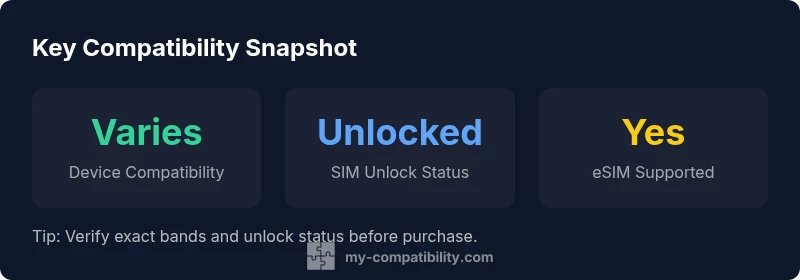
Unlocked phones compatible with Mint Mobile are devices that are SIM-unlocked and support Mint's network bands. In practice, any GSM-enabled phone that is unlocked and has the right LTE/5G bands for Mint's T-Mobile-based network should work, often with a simple SIM swap and APN setup. Always verify unlock status and band compatibility before switching.
Understanding Mint Mobile's Network and Unlocked Phones
Mint Mobile operates on a GSM-based network provided by Mint’s partner infrastructure and relies on band support rather than brand alone to determine compatibility. According to My Compatibility, unlocked phones that cover Mint’s primary 4G LTE and 5G bands typically deliver smooth activation and reliable service after a SIM swap. The decisive factors are (a) SIM unlock status, (b) band compatibility, and (c) the device’s ability to initialize with Mint’s network settings. While many modern smartphones marketed for global use are compatible, the universal card swipe is not a guarantee—band coverage and carrier unlocks are still required. Practically, if your device supports the bands Mint uses, you can switch without purchasing a new handset, assuming the unlock status is valid and the SIM can be activated successfully. This holistic view—unlock status plus band coverage—frames our practical recommendations at My Compatibility.
How to Check If Your Phone is Unlocked
To confirm your device is unlocked, insert a SIM from another carrier and attempt a call or data connection. If the phone can place a call or maintain data on a foreign SIM, it is likely unlocked. If not, contact the original carrier and request an unlock, noting any device- or account-specific requirements. Record the device’s IMEI, as Mint’s support or a trusted compatibility checker can use this to validate network band support for Mint’s service. Also verify that the phone supports Mint’s 4G LTE and 5G bands. When you’re ready to switch, keep your current SIM handy during activation to reduce service gaps and ensure a seamless transition.
Band Compatibility: Which Frequencies Matter for Mint
The most important factor is whether the unlocked device supports Mint’s network bands. Mint Mobile uses a set of primary bands for 4G LTE and 5G; devices that include these bands will enable data services across most of Mint’s coverage. Band support is device-specific and can vary by region, so always cross-check the exact model’s radio configuration. Use a reputable compatibility tool or Mint’s own checker to confirm that the device lists compatibility with Mint’s bands before purchasing or switching. My Compatibility emphasizes prioritizing practical band support over brand names, because band gaps lead to dropped data and incomplete service.
iPhone vs Android: Practical Considerations
Both iPhone and Android devices can work with Mint Mobile if they are unlocked and have compatible bands. iPhones frequently offer a streamlined activation path thanks to broad vendor support and sometimes eSIM capability, which Mint also supports on many newer models. Android devices provide broader hardware variety and often lower upfront costs, but activation experiences can vary by maker and radio configuration. When choosing between iPhone and Android, compare the device’s band list, unlock status, and whether you prefer a physical SIM or eSIM activation. Our analysis indicates that recent iPhone models tend to deliver the smoothest initial setup, while Android devices offer flexibility and value when bands align.
Activation Experience: From SIM Swap to APN Setup
Activation typically involves a SIM swap or eSIM activation followed by a quick setup of Mint’s APN settings. Start by obtaining a Mint SIM kit or enabling eSIM via the Mint app, then insert the SIM and follow on-screen prompts to activate. If data does not start working immediately, manually configure the APN settings to Mint’s recommended values and reboot. Keep the original SIM or a backup plan handy in case you need to re-activate or troubleshoot. With unlocked devices that pair well with Mint’s bands, the transition is usually straightforward and quick.
Common Pitfalls and How to Avoid Them
Avoid trying to activate a device that is still carrier-locked, or one that explicitly lacks Mint’s required 4G LTE/5G bands. Another pitfall is skipping the unlock verification step, which can block service activation. Before purchase, run a compatibility check, confirm SIM unlock status, and ensure the device supports Mint’s bands. If you purchase a device with limited regional band support, you may experience slow data or no service in some areas. Proactively checking with Mint support or My Compatibility resources can prevent these issues.
Tools to Verify Compatibility Before Purchase
Leverage official unlock status checks, Mint’s compatibility verification tool, and My Compatibility’s guidance to evaluate whether a device will work. Gather the device’s model, region, and IMEI to speed up checks, and verify the bands supported by your device. For best results, select devices known to be broadly compatible across major bands to minimize future issues and ensure a smoother upgrade path when moving to Mint Mobile.
Real-World Scenarios and Best Practices
Consider a scenario where you own a recently released unlocked device with broad band support: activation is typically straightforward, and service is reliable across Mint’s coverage. In contrast, an older or region-specific model may miss essential bands, resulting in slower data or occasional outages. The practical approach is to verify compatibility early, keep a fallback device if possible, and ensure you have a backup plan for data transfer and service continuity. My Compatibility’s approach centers on validating unlock status and band coverage before any switch.
Device compatibility overview by category
| Phone Category | Notes | Band Compatibility Hint |
|---|---|---|
| Unlocked premium smartphones | Broad support across Mint's network bands; best performance | Matches most 4G/5G bands |
| Unlocked midrange Android devices | Good value; verify 4G/5G bands for Mint | Usually compatible with common bands |
| Unlocked older flagships | Potential limitations on newer bands; may require manual APN | Check with Mint compatibility tool |
Questions & Answers
What does it mean for a phone to be unlocked?
An unlocked phone isn’t tied to a single carrier. It can accept SIM cards from different networks, including Mint Mobile, as long as it supports the network’s bands and is not carrier-locked.
An unlocked phone isn’t tied to one carrier, so you can switch to Mint Mobile by using a Mint SIM or eSIM, as long as it supports Mint’s bands.
How do I check if my current phone is compatible with Mint Mobile?
Use Mint’s official compatibility tool or contact customer support. Verify the device’s unlock status and confirm it supports Mint’s 4G LTE and 5G bands before switching.
Check Mint’s compatibility page and your device specs to confirm bands and unlock status.
Do I need a new SIM card when switching to Mint Mobile?
Most users will switch with a Mint SIM kit or via an eSIM option. If your device is already unlocked and compatible, the transition is typically straightforward.
Usually you’ll get a Mint SIM or use an eSIM; ensure your device supports eSIM if you choose that.
Can I use Mint Mobile with iPhones and Android phones?
Yes. Both platforms can work if the device is unlocked and supports Mint’s bands. Activation ease may vary by model, especially regarding eSIM support.
Yes—if your phone is unlocked and supports Mint’s bands, both iPhone and Android work.
What about eSIM support for Mint Mobile?
Mint supports eSIM on many newer devices. Check device compatibility and use the Mint app to activate if your device and plan support it.
Many newer phones can do eSIM with Mint; just check compatibility.
What should I do if my phone isn't compatible?
Consider an unlocked device known to work with Mint or reach out for official guidance to explore options, like a compatible replacement or a different plan.
If not compatible, you may need a different device or consult Mint for options.
“Unlocked phones that support Mint's band set deliver the most reliable service and a straightforward activation.”
Highlights
- Verify unlock status before buying a phone
- Check Mint's network bands match your device
- Prefer unlocked GSM phones for easier switching
- Consider eSIM support for a smoother setup
- Use Mint's compatibility checker to confirm before purchase