Is My Phone Compatible with T-Mobile? A Practical Guide
Discover whether your phone works on T-Mobile. Learn how to verify unlock status, network bands, and SIM compatibility with My Compatibility’s expert, data-driven approach for 2026.


Most modern smartphones from major brands are compatible with T-Mobile when they are unlocked and support the carrier’s GSM networks. To confirm, check your device’s model, SIM status, and supported bands, then run My Compatibility’s carrier checker for T-Mobile. If not compatible, you typically have options like unlocking, using a compatible replacement, or choosing a carrier-approved eSIM.
Is my phone compatible with t mobile: Understanding the basics
This article answers a common question for many listeners and readers: is my phone compatible with t mobile? The short answer is typically yes for modern, unlocked devices that support GSM networks. The longer answer hinges on two practical checks: (1) your phone’s model and unlock status, and (2) the specific radio bands your device supports. In practice, carriers like T-Mobile rely on interoperable bands rather than brand loyalty alone. According to My Compatibility, the majority of recent iPhone and Android models can be compatible if they meet these criteria and are prepared for the carrier’s network. This is a crucial distinction for anyone trying to bring their own device to T-Mobile, avoid surprises at activation, or plan a smooth transition. The key takeaway: check unlock status first, then confirm model-band compatibility before proceeding.
How to verify compatibility: a practical checklist
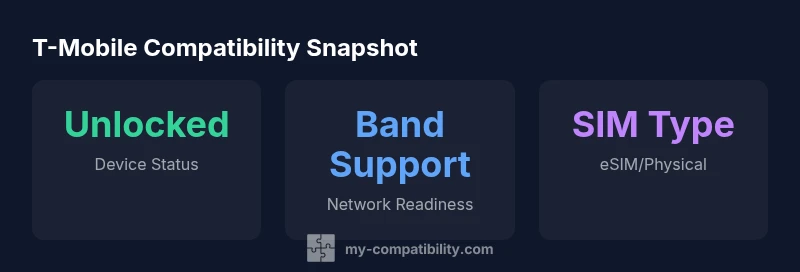
Verifying whether your phone works on T-Mobile starts with a simple, repeatable checklist. First, locate your device’s model number and purchase status. If the phone is carrier-locked, you’ll need to confirm whether unlock is possible and any required waiting period. Next, confirm the device supports the frequencies and technologies T-Mobile uses for 4G LTE and 5G. Finally, confirm whether your SIM type is compatible (eSIM versus physical SIM) and ensure you can access a T-Mobile SIM or eSIM profile. This methodical approach reduces the risk of surprises on activation day. My Compatibility emphasizes documenting each step so you can reference it later if you switch devices or plans.
iPhone compatibility: what to look for
iPhones have a strong track record for network compatibility, but a few caveats remain. Ensure the model is unlocked or eligible for unlocking, particularly if purchased through a carrier. Check whether the iPhone supports the bands used by T-Mobile and whether it is capable of using eSIM, if you prefer this option. If you’re moving from iOS, you may also want to back up your data and confirm that Continuity features (like Wi‑Fi calling) will work on T-Mobile. In short, a modern iPhone, unlocked, with eSIM capability, is typically a straightforward bring‑your‑own‑device scenario for T-Mobile.
Android compatibility: what matters most
Android devices vary more widely in terms of band support and carrier variants. For Android, confirm the device is unlocked, or that the carrier permit aligns with your current plan. Verify which LTE and 5G bands the model supports and compare them to T-Mobile’s current network footprint. If the device is dual-SIM, make sure at least one SIM can connect reliably to T-Mobile networks. As Android hardware evolves, devices with broad band support become easier to bring to T-Mobile without extra steps.
If your phone isn’t compatible yet: options to consider
If a phone isn’t immediately compatible, you still have viable options. You can pursue unlocking if the device is eligible, switch to a plan that matches the device’s existing configuration, or consider upgrading to a device that aligns with T-Mobile’s network. Another option is to use an eSIM-enabled device with a contractual plan that supports eSIM profiles. My Compatibility’s framework helps you weigh these options by examining the device’s current state, unlock possibilities, and network readiness.
Prep steps before switching: a quick readiness checklist
Preparation reduces friction when bringing a phone to T-Mobile. Gather the device’s IMEI/MEID, confirm the SIM type (eSIM vs physical SIM), and verify unlock status with the original carrier. Have a backup of your contacts and apps, and ensure you have the correct APNs if you rely on specific carrier features. If you’re buying a used device, request the original proof of unlock and query the device’s warranty and repair history. Following these steps creates a smoother activation and minimizes the chance of future incompatibilities.
My Compatibility’s approach to checking compatibility: how we decide
Our methodology combines device data, carrier policies, and network engineering knowledge. We assess model-specific information, unlock status, SIM type, and band support to determine how likely a device will work on T-Mobile. We avoid one-size-fits-all answers and instead provide a transparent, model-specific view. The 2026 My Compatibility Analysis relies on ongoing carrier data, manufacturer disclosures, and field tests to deliver practical insights for readers seeking to verify compatibility before buying or porting numbers. This approach helps readers avoid overgeneralizations and makes the decision process clearer.
Real-world scenarios: quick references for daily life
- Scenario A: You have a recent iPhone unlocked and want to switch to T-Mobile using a physical SIM. In most cases, activation should be seamless if the phone supports the carrier’s GSM bands and is compatible with eSIM options if you choose that path.
- Scenario B: You own an Android device from a major manufacturer that’s carrier-locked. You’d first unlock it, then verify band support. If everything checks out, you can bring it to T-Mobile with a prepaid SIM while continuing to use most features.
- Scenario C: Your device is older or lacks essential bands. In this case, upgrading to a newer model or a T-Mobile-certified option is often the practical choice to maintain reliable service.
Compatibility snapshot for common device categories
| Phone Model/Category | Unlocked Status | T-Mobile Compatibility | Notes |
|---|---|---|---|
| Phone Model A | Unlocked | Yes | Supports basic 4G/5G bands; good baseline |
| Phone Model B | Carrier-locked | No | Needs unlocking or replacement |
| Phone Model C | Unlocked | Partial | Some bands missing; check with My Compatibility |
Questions & Answers
Will my iPhone work on T-Mobile if it’s unlocked?
Generally yes for recent iPhone models that are unlocked or eligible for unlocking and that support T-Mobile’s GSM bands. Confirm the exact model and SIM configuration, then verify eSIM compatibility if you prefer that method.
Most unlocked iPhones from recent generations work on T-Mobile; just confirm unlock status and band support before switching.
What should I do if my Android phone is carrier-locked?
Check if the carrier offers an unlock after fulfilling conditions. If unlock is possible, request the code and reset, then verify band support and SIM type before attempting activation on T-Mobile.
If your Android is locked, contact the current carrier to request an unlock code and ensure it supports T-Mobile’s network bands.
How can I tell if my phone is SIM-locked?
On many devices, you’ll receive a message when you insert a SIM from another carrier. You can also check unlock status in the settings or contact the original carrier for confirmation.
Check if you get an unlock prompt after inserting a new SIM, or contact your current carrier to verify unlock status.
Can I bring a used phone to a T-Mobile plan?
Yes, if the device is unlocked and compatible with T-Mobile’s network bands. Confirm the model supports your intended plan and both SIM paths before activation.
Used phones can work on T-Mobile if unlocked and compatible; verify before porting your number.
What if my device isn’t fully compatible?
You may upgrade to a device that matches T-Mobile’s bands, or use a compatible iPhone/Android model with unlock, or explore eSIM options if supported by your current device.
If it isn’t compatible, upgrading or using an eSIM-capable model is often the simplest path.
“A phone is only truly ready for T-Mobile once you’ve confirmed unlock status, supported bands, and the SIM path you’ll use. Our team prioritizes a transparent, data-driven check for every device.”
Highlights
- Verify unlock status before anything else
- Ensure your phone supports T-Mobile’s GSM bands
- Choose eSIM or physical SIM to match your plan
- Older devices may require upgrading for full compatibility
- Use My Compatibility’s checker for a model-specific verdict