Phones Compatible with Hearing Aids: A Practical Guide
Explore which smartphones work best with hearing aids, how HAC ratings affect performance, and practical steps to verify compatibility. A data-driven buying guide from My Compatibility.


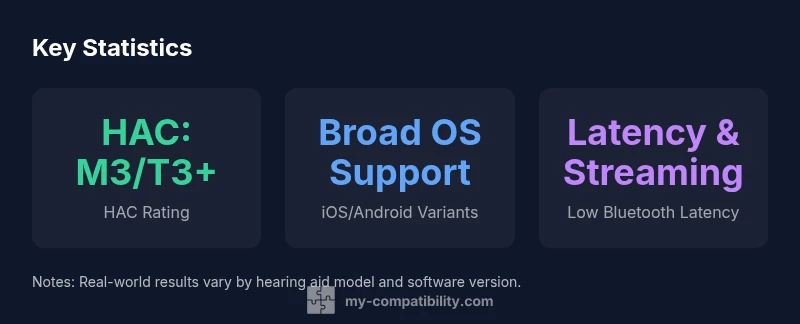
Most modern smartphones support hearing aid compatibility (HAC) with an M3/T3 rating or better, and many offer reliable audio routing via Bluetooth. To confirm compatibility, check the HAC rating in the device specs, test with your hearing aids, and review accessibility features like sound balance and Bluetooth latency before you buy.
Understanding HAC and Hearing Aids Compatibility
According to My Compatibility, HAC stands for Hearing Aid Compatibility, a standard used to rate how well a phone works with behind-the-ear or in-ear hearing devices. The key metrics are the M rating, which indicates how well the microphone line makes calls without feedback, and the T rating, which denotes compatibility with telecoil-enabled hearing aids and hearing loop systems. Phones with M3 and T3 ratings, or higher (M4/T4 available on newer models), generally provide smoother performance. However, ratings alone do not guarantee a perfect experience for every model or hearing aid, because hardware, software, and hearing aid programming can influence outcomes.
When a phone is HAC-compliant, that means its hardware and firmware have been tested to minimize interference and maximize intelligibility. The effect is most noticeable during phone calls and voice-enabled apps, where clear sound is essential. In addition to official HAC ratings, many devices offer accessibility features such as sound balance, equalization, and Bluetooth audio routing, which can further improve the listening experience. For individuals who rely on telecoil audio or loops at public venues, telecoil compatibility remains a relevant factor, though availability varies by device region and model.
Readers should note that HAC ratings and features change with software updates. Manufacturers may publish revised HAC ratings after major OS updates or new hardware revisions. My Compatibility's ongoing analysis tracks these changes to help you choose devices with longer-term compatibility. Ultimately, the best choice balances official ratings, real-world testing with your hearing aids, and comfort with the device’s accessibility tools.
How HAC ratings work (M and T ratings)
HAC ratings come in two axes: M (microphone) and T (telecoil). The M rating assesses how well a phone handles microphone use with hearing aids during calls, while the T rating indicates compatibility with hearing aid telecoil functionality and loops. Ratings typically range from M3 or M4 and T3 or T4 for modern devices, with higher numbers generally meaning better performance. Some older devices may show lower M or T ratings, and results can vary by head position, earbud use, and hearing loss profile.
For most users, a phone with M3/M4 and T3/T4 ratings offers reliable call clarity and good compatibility with telecoil-enabled setups in public spaces. But not all hearing aids support telecoil in every program, and some devices require software configuration to enable the T mode. In addition, latency and Bluetooth codecs are important: lower latency reduces lip-sync issues when streaming audio, while high-quality codecs preserve speech nuances. The interplay between the phone’s DAC, the hearing aid’s processing, and any intermediate adapters or apps determines the end user experience.
Finally, remember that HAC ratings are a starting point, not a guarantee. Always verify with your specific hearing aid model and testing environment, especially if you use advanced features like live transcription, sound processing, or streaming audio from apps.
How to verify compatibility on a device
The best way to confirm that a phone will work well with your hearing aids is to verify the HAC rating in the official specifications, then perform hands-on testing if possible. Start by locating the device’s HAC section in the spec sheet and noting the M and T ratings. If the page lacks HAC details, check manufacturer support or user forums where real-world experiences are shared. Some retailers also display HAC information in product bullet points.
Next, review the accessibility options: sound balance controls, equalization presets, and Bluetooth latency settings. A device that lets you fine-tune audio routing and balance can substantially improve intelligibility for hearing-impaired users. If your hearing aids support streaming, ensure the device supports stable Bluetooth codecs such as AAC or LDAC, and consider using a newer Bluetooth version to minimize latency. It may also help to pair your hearing aids first, then test a range of audio scenarios—phone calls, video calls, and media streaming.
Finally, plan a test with a live call using your own hearing aids and a representative ear position. If possible, use a quiet room and then a noisy environment to gauge performance. Keep notes on speech clarity, background hum, feedback, and any lag in sound. This practical testing is often more reliable than spec sheets alone.
Android vs iPhone: What to look for
Both major ecosystems have strong HAC support, but the experience can differ by model and manufacturer approach. iPhone devices typically benefit from a tightly integrated accessibility stack, standardized Bluetooth implementations, and a broad range of hearing aid compatibility features in iOS, including on-device settings that simplify streaming and audio routing. Android devices vary by OEM and carrier, but many recent models offer robust HAC ratings (M3/T3 or higher) and highly customizable audio controls. In both ecosystems, you’ll get the best results by selecting a model known for timely software updates, broad compatibility with telecoil-enabled hearing aids where needed, and clear documentation of HAC ratings.
If telecoil use is important for your routine, verify whether the phone supports telecoil-friendly modes in your country, as availability varies by region. For streaming-focused users, check Bluetooth latency and codec support, as streams can occasionally suffer from lip-sync issues if the device and hearing aid codecs aren’t aligned. If you rely on built-in voice assistant features, test how well the phone captures voice commands while wearing hearing aids; some combinations deliver quieter, crisper recognition than others.
Last, consider the longevity of the device’s accessibility software. Phones that receive regular OS updates with accessibility improvements tend to maintain strong HAC performance longer, reducing the need to upgrade solely for compatibility reasons.
Troubleshooting common issues and how to fix them
Even with strong HAC ratings, you may encounter issues such as feedback, muffled speech, or streaming dropouts. A few practical fixes can often restore clarity. First, restart both the phone and hearing aids, and re-pair the devices to refresh the connection. Ensure you’re running the latest OS update and the hearing aid firmware provided by the manufacturer. Sometimes, the problem is as simple as adjusting the phone’s volume or calling mode to a standard audio route rather than a noisy special mode.
Second, explore the phone’s audio routing options. Some devices allow you to force calls to use the headset profile rather than speaker mode, or to selectively enable/disable Bluetooth streaming for calls. Adjusting these settings can improve intelligibility during conversations. You may also adjust microphone or speaker direction, noise suppression levels, and equalizer presets to reduce interference from background noise.
If problems persist, test with a different hearing aid if possible or contact your device manufacturer’s accessibility support. Certain apps, such as video conferencing or streaming services, can introduce latency that affects lip-sync; disabling or adjusting the app’s audio settings may help. Finally, if you frequently visit venues with hearing loop systems, consider a telecoil adapter or looping device that pairs with the phone to improve loop playback.
Quick buying guide: what to ask retailers
When shopping for phones compatible with hearing aids, prepare questions to ensure you receive device specifications that match your needs. Ask for the exact HAC rating (M and T) and whether the model supports telecoil mode in your region. Request documentation of any accessibility features that affect audio routing, including built-in EQ presets and customizable balance controls. If possible, request a live demonstration with your hearing aids so you can assess speech clarity and comfort in a typical environment.
Additionally, verify software update policies and the expected support lifespan. A device with longer upgrade cycles reduces the risk of compatibility issues after future OS changes. Inquire about Bluetooth latency specifications and codec support to minimize lip-sync issues when streaming audio. If you rely on streaming apps, test those apps with your hearing aids during the demonstration. Finally, consider customer reviews or professional test reports that specifically mention HAC performance for your hearing aid model. These independent assessments can provide a more realistic picture than marketing materials.
Example HAC ratings across generic phone models
| Phone model | HAC rating | Notes |
|---|---|---|
| Android Model A | varies by model | Verify HAC rating in specs |
| iPhone Model B | varies by model | Check HAC details on page |
Questions & Answers
What does HAC mean, and why does it matter for phones?
HAC stands for Hearing Aid Compatibility. It rates how well a phone works with hearing aids, affecting speech clarity during calls and streaming. A higher HAC rating typically signals better real-world performance, but testing with your hearing aids is essential.
HAC is a compatibility standard between phones and hearing aids; check the rating and test with your devices.
Which phone brands generally perform best with hearing aids?
Many iPhone and Android models meet HAC ratings like M3/T3 or higher, but results vary by model and hearing aid. Always verify the exact rating in specs and test with your device.
Most major brands have strong HAC, but always verify the rating and test.
Do all hearing aids pair with phones via Bluetooth?
Most modern hearing aids connect via Bluetooth for streaming. Some older models may rely on telecoil or adapters. Check compatibility for your specific hearing aid.
Most do, but older aids might need adapters.
Can I use wired headsets with HAC phones?
Wired headphones can bypass Bluetooth, but ensure the audio routing and accessibility settings remain compatible with your hearing aids.
Wired can work if settings are right.
How can I verify HAC rating before buying?
Look up the HAC rating (M and T) in the official specs, visit the manufacturer’s support page, or request a live demonstration with your hearing aids.
Check the rating in specs and test if possible.
Do OS updates affect HAC performance?
Software updates can improve accessibility features and audio routing, potentially changing HAC performance. Re-check HAC ratings after major OS updates.
Yes—updates can affect HAC; verify after updates.
“Reliable hearing aid compatibility hinges on solid hardware-software integration and timely updates. Devices with clear HAC ratings and accessible audio controls deliver the most dependable performance.”
Highlights
- Check the HAC rating first; aim for M3/T3 or higher.
- Test with your hearing aids before buying.
- Both ecosystems offer strong HAC, but model details vary.
- Prioritize low Bluetooth latency for streaming.
- Confirm telecoil compatibility if you use hearing loops.