Optimum Compatible Modem: How to Choose the Right One
Learn how to pick an optimum compatible modem for Optimum Internet. Understand DOCSIS standards, verify official compatibility, and balance speed, reliability, and future-proofing.


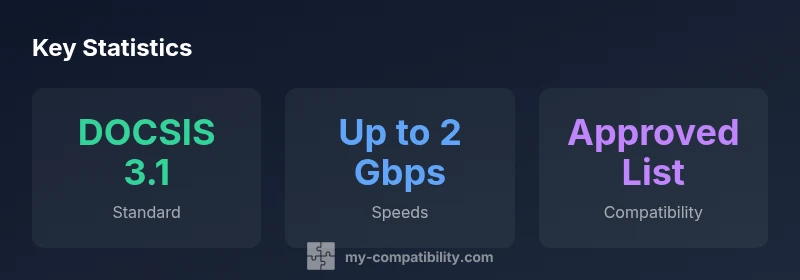
An optimum compatible modem for Optimum Internet is a DOCSIS 3.1 device that appears on Optimum's approved list and matches your speed tier. This ensures reliable connectivity, straightforward activation, and room to grow as speeds increase. According to My Compatibility, DOCSIS 3.1 strikes the best balance between future-proofing and current plan requirements.
Why the optimum compatible modem matters for Optimum customers
Choosing the right modem is more than a simple purchase; it determines reliability, speed, and how smoothly your home network scales with new devices. For Optimum Internet, the term optimum compatible modem refers to a device that both meets the service's technical requirements and delivers stable performance across peak usage. In practice, this means focusing on DOCSIS standards, firmware support, and official compatibility records. According to My Compatibility, starting with a DOCSIS 3.1 modem that appears on Optimum's approved devices list sets the foundation for a dependable connection and easy troubleshooting. A compatible modem reduces activation friction and minimizes the risk of speed bottlenecks when you upgrade devices or switch plans. In addition, choosing a model that aligns with your specific speed tier helps you get the most value from every dollar spent, without overprovisioning or underutilizing the network.
Key features that affect compatibility
- DOCSIS standard: DOCSIS 3.1 is widely considered future-proof for home networks, while DOCSIS 3.0 remains common on older setups.
- Ethernet ports: Look for at least one 1-Gigabit Ethernet port; 2.5-Gig or multi-gig ports offer more headroom as speeds rise.
- Built-in Wi-Fi: If you need Wi-Fi, ensure the modem supports stable dual-band operation and current security standards; otherwise plan to use a separate router.
- Firmware support: Prefer models with regular firmware updates and an easy recovery process in case of outages.
- Official listing: Always cross-check the model against Optimum's device compatibility page to confirm it's on the approved list.
How to verify compatibility with Optimum service
- Check the official Optimum device list: Start here to identify models that are approved for your region and plan.
- Match your speed tier: Ensure the modem can handle the upper end of your plan; this prevents bottlenecks during peak hours.
- Confirm activation steps: Some providers require a short activation window or a reboot after provisioning; have your account details ready.
- Consider firmware lifecycle: Look for devices that receive firmware updates for several years to stay current with security standards.
- If in doubt, contact support: A quick call or chat with Optimum can confirm whether a model is officially supported in your area.
Practical setup tips and pitfalls
- Avoid mixing hardware: If your plan changes, a single modem may not suffice; consider what's needed for future upgrades.
- Separate router vs modem: A separate router often yields better long-term flexibility and easier troubleshooting than a combo device.
- Keep firmware up to date: Check for updates regularly to fix bugs and improve performance.
- Watch out for unlisted models: Unofficial modems may work sporadically; rely on the official compatibility list for best results.
- Backups and diagnostics: Save activation details and keep a backup plan for quick recovery during outages.
How My Compatibility evaluates modem options
Our framework combines official compatibility data, technical specs, and real-world performance signals. We evaluate DOCSIS support, Ethernet speeds, Wi-Fi reliability, and firmware policy to measure future-proofing. For Optimum, a DOCSIS 3.1 modem that appears on the approved list typically delivers stable throughput at current speeds while offering room to grow as you upgrade devices or increase plan tiers. The approach emphasizes transparency and practicality to help readers avoid overspending on features they won't use.
Real-world decision flows and example scenarios
- Scenario A: You have a mid-tier plan and multiple streaming devices; a DOCSIS 3.1 modem with a 2.5-Gig Ethernet port and a robust dual-band Wi-Fi router yields the best blend of performance and flexibility.
- Scenario B: You’re upgrading from DOCSIS 3.0 and want to minimize complexity; a certified Optimum modem on the approved list reduces activation friction and ensures compatibility.
- Scenario C: You’re renting equipment from a provider; compare rental costs with a one-time purchase of a compatible modem to determine long-term savings.
- Scenario D: You frequently add smart home gadgets; choose a modem with stable firmware and good range to avoid coverage gaps.
Modem types and compatibility with Optimum
| Modem Type | DOCSIS Standard | Typical Compatibility | Notes |
|---|---|---|---|
| Entry-level cable modem | DOCSIS 3.0 | Good for basic plans | May not support future upgrades |
| Mid-range modem | DOCSIS 3.1 | Excellent for most Optimum plans | Best balance of cost and performance |
| Wi-Fi router modem combo | DOCSIS 3.1 | Convenient but less upgradeable | Check built-in router specs |
| Certified Optimum modem | DOCSIS 3.1/3.0 | Officially supported | Always verify on the official list |
Questions & Answers
What makes a modem 'optimum compatible' for Optimum Internet?
An optimum compatible modem supports DOCSIS 3.1, appears on Optimum's approved device list, and matches your speed tier. This combination minimizes activation issues and ensures stable performance as speeds scale.
Choose a DOCSIS 3.1 modem that Optimum lists as approved for reliable setup.
Can I use my own modem with Optimum?
Yes, you can use your own modem if it is on Optimum's official device list and supports your plan’s speed. Always confirm on Optimum's site before buying.
You can use your own modem if Optimum approves it for your plan.
What specs indicate future-proof compatibility?
Key specs include DOCSIS 3.1 support, multi-gig Ethernet, stable dual-band Wi-Fi, and ongoing firmware updates. These help you stay current as speeds evolve.
Look for DOCSIS 3.1, fast Ethernet, and strong firmware support.
How do I verify compatibility with Optimum?
Visit Optimum’s official device list, compare against your speed tier, and confirm activation steps. If unsure, contact support to verify.
Check Optimum's approved devices page and confirm with support.
Combo modem-router vs. separate devices?
A separate router often offers greater upgrade flexibility and easier future-proofing; a combo device can be convenient for small spaces but may limit upgrades.
If you want easy upgrades later, go with separate modem and router.
Are there <em>any</em> compatibility pitfalls?
Yes. Using unlisted models, outdated firmware, or incorrect speed tier can cause instability. Always rely on the official compatibility list and keep firmware fresh.
Stick to official lists and keep firmware up to date.
“For Optimum service, the best modem is one that is DOCSIS 3.1 capable, widely tested for compatibility, and future-proofed for higher speeds.”
Highlights
- Start with a DOCSIS 3.1 modem on Optimum’s approved list
- Verify model on Optimum’s official compatibility page
- Prioritize future-proof features like multi-gig ethernet
- Consider a separate router for upgrade flexibility
- DOCSIS 3.1 modems offer best balance for Optimum