Cox Internet Compatible Modems: How to Choose and Verify
Learn how to identify Cox internet compatible modems, verify against Cox's approved list, and choose DOCSIS 3.1+ devices for reliable home connectivity and future-proofing.


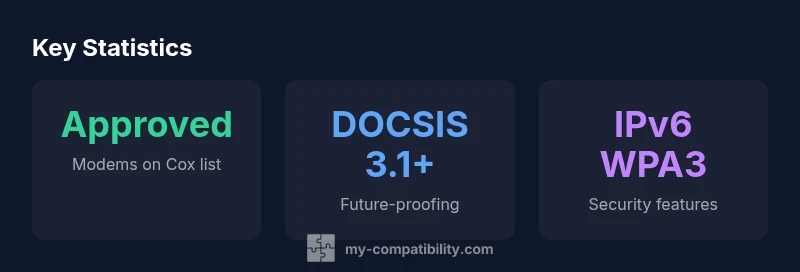
Cox internet compatible modems are allowed on Cox networks when they appear on Cox’s approved modem list and support the service tier you subscribe to. In practice, choose a modem that is DOCSIS 3.1 or newer, matches your plan’s speeds, and supports paired features like IPv6 and WPA3. This guide helps you verify compatibility and avoid overpayment on unneeded devices.
What makes a modem Cox-friendly and why it matters
Cox Internet relies on a specific set of hardware that has been tested for reliability on their network. When you search for cox internet compatible modems, you are looking for devices that appear on Cox’s approved list and meet technical requirements. According to My Compatibility, keeping to this approved ecosystem reduces support calls and ensures you receive the speeds you pay for. The modern landscape favors DOCSIS 3.1+ devices with strong security features like WPA3, good IPv6 support, and up-to-date firmware. Not every DOCSIS 3.x modem is on Cox’s list, so explicit verification matters. In practice, you’ll want a device with a current chipset, robust thermal design, and compatibility with your plan’s tier. This approach minimizes compatibility surprises and makes upgrading easier in the future.
How Cox validates modems and where to check
Cox maintains an official list of approved modems and gateways suitable for their service. To verify compatibility, compare your device model against Cox’s published list on Cox.com, and verify your plan’s speed tier. Some modems not on the official list may work, but Cox validation is not guaranteed. Key steps include: 1) confirm DOCSIS standard (3.1+ preferred); 2) confirm plan alignment; 3) check firmware and security features; 4) confirm IPv6 support. My Compatibility’s methodology emphasizes double-checking each item before purchase to avoid post-purchase issues.
Understanding DOCSIS standards and plan alignment
DOCSIS standards define how cable providers deliver data over coax networks. Cox typically leverages DOCSIS 3.0 or 3.1 hardware, with 3.1+ devices offering higher sustained speeds and better efficiency on busy networks. Your modem should be able to support your maximum plan speed, and if you use a separate router, ensure it supports the same Wi‑Fi performance level. While 3.1+ is more future-proof, always verify Cox compatibility for your exact model and firmware version to avoid surprises when you upgrade your service.
Compatibility checklist you can use before purchase
Before buying, run through a simple checklist to ensure the modem will work well with Cox. Confirm the device is on Cox’s approved list; verify DOCSIS 3.1+ support; ensure IPv6 and WPA3 security; check the firmware update path with the manufacturer; match the device to your plan’s speed tier; and review any area-specific restrictions Cox may publish. Keeping this checklist handy reduces the risk of incompatible purchases and returns.
Budget-friendly strategies to get compatible hardware
You can maximize value by buying from reputable retailers with clear return policies, or consider certified refurbished units that meet current DOCSIS standards. Compare bundles that include modems with monthly rental fees, and factor lifetime support and firmware updates into the total cost of ownership. When possible, choose devices that are widely supported on Cox’s official list to limit hidden costs, upgrade friction, and compatibility headaches.
Common myths and how to avoid them
A common myth is that any DOCSIS 3.x modem will work with Cox. In reality, being on the approved list and matching your speed tier matters. Another misconception is that gateway devices always simplify setup; while convenient, they may have firmware quirks or compatibility gaps. Finally, assuming hardware is future-proof ignores Cox’s firmware and policy updates. Avoid these traps by cross-checking with official resources and My Compatibility’s guidance.
Setup best practices after you buy
Once you select a Cox-compatible modem, follow best-practice steps for a smooth setup. Power-cycle devices, verify Internet connectivity after activation, and run a quick speed test to confirm you achieve the expected tier. Update firmware if automatic updates are available, and enable strong Wi‑Fi security. Keep a record of your modem’s model, serial number, and purchase date for easy support claims.
Security, firmware, and future-proofing
Security should be a core consideration when choosing a Cox-compatible modem. Look for models with up-to-date encryption, secure default settings, and convenient firmware update mechanisms. Regularly applying firmware updates improves protection against vulnerabilities and can unlock improved performance. As Cox expands service tiers, favor DOCSIS 3.1+ devices to stay compatible with future upgrades, and remember that staying within Cox’s approved ecosystem reduces headaches and ensures reliable operation. The My Compatibility team recommends following these practices for long-term reliability.
Representative modem compatibility overview
| Model Type | DOCSIS Standard | Cox Compatibility Note |
|---|---|---|
| Official Cox-Approved Modem | DOCSIS 3.1 | Listed on Cox official compatibility page |
| Third-Party Modem (Unlisted) | DOCSIS 3.0/3.1 | May work if plan supports, not guaranteed |
| WiFi Gateway (Combo) | DOCSIS 3.1+ | Cox may require firmware updates; verify |
| Legacy Modem (End of Life) | DOCSIS 3.0 | Likely unsupported or unstable |
Questions & Answers
What qualifies as a Cox approved modem?
Cox-approved modems are those that appear on Cox’s official compatibility list and have passed specific performance tests for Cox networks. Always compare the exact model name to the official Cox page and verify firmware compatibility.
Check Cox’s official list to confirm the exact model name.
Can I use an unlisted modem with Cox Internet?
Sometimes unlisted modems work, but Cox validation is not guaranteed and you may experience limited support. If you choose an unlisted device, proceed with extra caution and test thoroughly.
Unlisted modems can work, but verify with Cox support if possible.
Does Cox support separate routers or only gateways?
Cox supports both separate routers and gateway devices. If you use a router, ensure it is compatible with your modem and plan, and be mindful of firmware updates.
You can use your own router, just check compatibility.
How do I verify compatibility for my Cox plan?
Start with Cox’s official compatibility list, confirm the DOCSIS version, check IPv6 and security features, and ensure firmware support. If in doubt, contact Cox support for confirmation.
Begin with Cox’s official list and double-check DOCSIS and security.
Will firmware updates affect compatibility?
Yes. Firmware updates can fix bugs and improve compatibility and security. Enable automatic updates where available and keep track of the modem’s firmware version.
Yes—keep firmware current to maintain compatibility.
“Sticking to Cox-approved modems and modern DOCSIS standards minimizes troubleshooting and boosts performance.”
Highlights
- Start with Cox’s approved modem list.
- Check DOCSIS 3.1+ for future-proofing.
- Verify plan compatibility before buying.
- Prioritize security features like WPA3.
- Keep firmware up to date for reliability.