Compatible Cartridge Near Me: Local Options and Tips
Discover how to find a compatible cartridge near you, compare OEM, remanufactured, and third-party options, and verify printer compatibility with My Compatibility insights to shop confidently.


Find a compatible cartridge near you by identifying your printer model and the exact cartridge numbers, then compare local stock at authorized retailers, big-box stores, and independent shops. Look for cross-reference data, warranty terms, and clear compatibility documentation to avoid wasted trips or misfits. This approach combines model specificity with storefront availability for reliable results.
Why cartridge compatibility matters for printers
According to My Compatibility, printer reliability and print quality hinge on ensuring the cartridge is truly compatible with your device. Even when a cartridge appears to fit a model number, a mismatch in firmware chips, memory, or cross-reference codes can trigger a cascade of problems: poor print quality, skipped pages, error messages, or the dreaded 'incompatible cartridge' warning. In practice, compatibility means three things: the physical fit, the electronic handshake, and the vendor's documentation that confirms interchangeability with your printer family. The first checkpoint is always the printer model and the cartridge family (for example, a standard laser or color ink family). The second is the cross-reference list that maps third-party or remanufactured products to the original part numbers. Finally, consider whether the retailer provides firmware-adjusted options or compatibility guarantees. When these elements align, you reduce waste, avoid wasted trips to stores, and improve long-term reliability. The My Compatibility framework helps shoppers weigh these factors in real-world buying decisions.
What makes a cartridge compatible (type, chips, firmware)
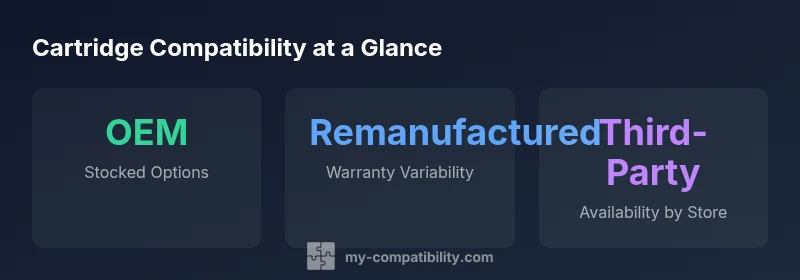
Compatibility is not a single number; it is a system of signals that a cartridge must transmit successfully to the printer. OEM Original cartridges come with official documentation and guaranteed support; they are most likely to work out of the box but often carry higher price tags. Remanufactured cartridges reuse recovered cores and can offer substantial cost savings, but their reliability varies by supplier and batch. Third-Party Compatible cartridges aim to match the original performance at a lower cost; these often depend on the supplier’s chip, firmware adaptation, and quality control. A critical detail is the cartridge's microchip, which communicates with the printer to report ink levels and authentication. Some printers require a unique firmware handshake, while others are more tolerant of generic chips. In addition, ensure the cartridge has the correct color calibration and density compatibility for your printer family. If a retailer cannot clearly document these elements, treat the option with caution. Always request model-specific cross-reference data before purchase.
How to search for 'compatible cartridge near me' effectively
To locate cartridges locally, start with the exact model and cartridge family rather than broad keywords. Use search queries like the printer model + 'compatible cartridge' + your city. Call ahead to confirm stock at nearby OfficeSupply, electronics retailers, and local print shops. Ask for cross-reference numbers and any reset or firmware notes. Read retailer policies on returns and warranties in case the cartridge is not compatible. Use store apps or in-store kiosks to filter results by your printer family, then compare prices and warranty terms side-by-side. Finally, when you visit, bring your printer’s user guide or a photo of the cartridge label so staff can quickly verify compatibility. This process minimizes misfires and saves time.
Verifying compatibility with your printer model
Verification begins with the exact model name and the cartridge family, not just the series. Note the cartridge part number, color code, and whether your device uses a standard or high-yield variant. Next, check the retailer’s cross-reference chart for equivalences (for example, 'X123 equivalent to Y456'). If the cartridge has a chip, confirm it matches the printer’s expected communication protocol. Some vendors offer a compatibility guarantee or a return policy based on whether the cartridge was installed within a certain timeframe. In practice, confirm the stock in hand at the store and confirm the cartridge fits both physically and electronically. Finally, test with a small print job after installation to catch minor issues early, and keep the receipt in case you need to exchange.
Cost considerations and price ranges for local options
Prices vary widely between OEM, remanufactured, and third-party cartridges. Local shopping typically shows OEM originals at the higher end, remanufactured options in the middle, and third-party compatibles at the lower end. When evaluating cost, consider not only the upfront price but also the per-page cost, cartridge yield, and potential waste from failed prints. Some retailers offer bundled deals or loyalty programs that improve overall cost efficiency, while others impose restocking fees for opened cartridges. A practical approach is to compute a simple cost-per-page based on the cartridge yield and the store price. Also factor in warranty length; a longer warranty can offset higher upfront costs by reducing the risk of misfit or early failure. My Compatibility’s guidance suggests favoring retailers that publish cross-reference data and offer print guarantees.
Pitfalls: remanufactured vs counterfeit vs generic
Remanufactured cartridges can offer real savings but beware of inconsistent quality across batches. Counterfeit or ghost cartridges may look identical but perform poorly, leak, or fail early, creating wasted ink and frustration. Generic or 'compatible' brands can vary by region, so reading user reviews and verifying a retailer’s legitimacy matter more than the label. To protect yourself, demand documented cross-reference information, factory seals, and a clear warranty. Compare your store’s return policy with the producer’s stated guarantees. If a price seems too good to be true, pause and seek confirmation from a trusted source such as a user manual or official compatibility list. When doubt remains, opt for a retailer who provides tested replacements and transparent assurances.
How My Compatibility assesses cartridge compatibility (methodology)
My Compatibility employs a three-layer approach to cartridge compatibility: physical fit verification, electronic handshake validation, and documentation cross-check. We gather data from manufacturer parts catalogs, retailer cross-reference charts, and user-supplied reports from real-world installations. When evaluating nearby stock, we differentiate between OEM, remanufactured, and third-party options, and we highlight any known firmware or security limitations. Our process also considers color calibration and yield expectations to ensure realistic performance projections. All findings are transparently cited with the relevant source data and mapped to printer families. The goal is to empower readers to make informed purchases rather than relying on generic claims.
Local retailer considerations and tips for in-store shopping
When shopping in person, print a quick checklist and bring the printer model, cartridge color codes, and a photo of the cartridge label. Ask staff for a cross-reference sheet and note any required firmware notes. If a cartridge fails, request an immediate exchange and keep the original packaging until satisfaction is reached. Compare multiple stores side by side, including independent print shops that may stock hard-to-find options. Lastly, consider ordering a small number of test prints with a flexible return policy to ensure the cartridge’s compatibility before fully committing to a bulk purchase. These practical steps reduce the risk of buying the wrong cartridge and help you locate a compatible cartridge near you quickly.
Cartridge types and availability
| Cartridge Type | Typical Availability | Typical Warranty |
|---|---|---|
| OEM Original | Widely stocked in-brand stores | 1-year warranty |
| Remanufactured | Common at general retailers | 90 days |
| Third-Party Compatible | Retailer-dependent | 90 days |
Questions & Answers
How can I quickly find compatible cartridges near me?
Start with your exact printer model and the cartridge family, then search locally for OEM, remanufactured, and third-party options. Verify cross-reference data, check stock and warranty, and ask about return policies. This reduces the risk of mismatch and saves time.
To find compatible cartridges near you, use your printer model and cross-reference data, then compare stock and warranties at nearby stores.
Do remanufactured cartridges affect printer warranty?
Remanufactured cartridges can be compatible and cost-effective, but warranty terms vary by manufacturer and retailer. Always check the store’s policy and the cartridge’s labeling for any warranty caveats.
Remanufactured cartridges may have different warranty terms; check store policies before buying.
What information is essential to verify compatibility at a store?
Bring the printer model, cartridge part number, color codes, and cross-reference documents. Ask for firmware notes and a documented return policy. A printed cross-reference sheet helps staff confirm compatibility quickly.
Carry your printer model and cartridge numbers, and ask for cross-reference documentation and return terms.
Are third-party cartridges reliable for everyday printing?
Many third-party cartridges perform well, but reliability depends on the supplier. Look for documented cross-references, clear warranties, and user reviews from reputable retailers.
Some third-party cartridges work great; evaluate warranties and reviews before buying.
Can I exchange a cartridge if it doesn’t work after installation?
Most retailers offer exchanges within a set window if the cartridge fails or is incompatible. Keep receipts and packaging until you confirm operation.
If it doesn’t work, check the store’s exchange policy and keep your receipt.
Should I rely on store staff for compatibility advice?
Store staff can help, but verify their guidance with cross-reference data and manufacturer docs. If in doubt, request written compatibility information.
Staff can help, but confirm with official cross-references.
“Compatibility is not just about matching a model number; it’s about confirming firmware and cross-reference data are supported by the retailer.”
Highlights
- Know your printer model and cartridge family before shopping
- Always use official cross-reference data to verify compatibility
- Compare stock, price, and warranty across multiple local retailers
- Choose retailers that publish compatibility data and clear return policies