Android Compatible Hearing Aids: A Practical Guide
Learn how Android-compatible hearing aids pair with Android devices, control apps, stream audio, and what to look for to ensure smooth compatibility across models.


Android-compatible hearing aids work with most modern Android phones when the device supports Bluetooth streaming. Direct pairing, app-based controls, and ongoing firmware updates drive reliable performance. According to My Compatibility, the strongest models offer seamless Android pairing, reliable streaming, and clear app support across a wide range of devices. The My Compatibility team found that choosing a model with explicit Android compatibility reduces setup friction and improves daily use.
Understanding Android Compatibility for Hearing Aids
Android compatibility for hearing aids means devices can pair reliably with Android smartphones, stream audio directly, and be controlled through Android-compatible apps. The landscape varies by model, but most reputable brands now publish explicit Android compatibility, reducing guesswork for buyers. My Compatibility’s analysis highlights that models with clear Android support tend to deliver smoother pairing, fewer dropouts, and more predictable firmware updates. This section will explain the core concepts—Bluetooth streaming, app control, and firmware updates—and how they translate to daily life.
Bluetooth and Android: What Works Today
Direct streaming to hearing aids from Android devices relies on Bluetooth profiles such as A2DP and, more recently, LE Audio in newer devices. In practice, most mid-range and premium hearing aids support direct streaming to Android phones without intermediary devices. Compatibility also hinges on the phone’s OS version, Bluetooth stack, and the hearing aid’s firmware. Users typically experience successful pairing on devices released in the past few years, with occasional hiccups on older or highly customized Android builds. For daily use, the most important factors are stable Bluetooth connections, minimal latency, and reliable firmware updates.
Key Features to Look For
When evaluating Android-compatible hearing aids, prioritize: 1) Explicit Android compatibility from the manufacturer, 2) A responsive Android companion app for controls and firmware upgrades, 3) Direct streaming with minimal latency, 4) Clear pairing instructions and reliability across a range of Android devices, 5) Regular software updates and feature enhancements. Also consider codecs supported by your phones and hearing aids, since some devices shine with LE Audio while others rely on classic Bluetooth. A thoughtful selection check helps reduce post-purchase surprises.
Pairing Process: Step-by-Step
- Ensure Bluetooth is enabled on your Android phone and the hearing aid battery is charged. 2) Put the hearing aid into pairing mode as instructed by the model’s manual. 3) Open your Android device’s Bluetooth settings and select the hearing aid from the available devices list. 4) Complete any on-screen prompts within the companion app if required. 5) Confirm audio streaming works by playing a test sound. 6) Check the app for any firmware updates and apply them if available. If pairing requires a code, consult the manufacturer’s guidance.
App Support and Remote Controls
Android-compatible hearing aids often come with a dedicated companion app that lets you adjust volume, program memories, and set favorite programs. These apps may also provide firmware update reminders, remote fine-tuning by clinicians, and notifications about device status. App reliability varies by brand and model, so verify that the app is available in your region and regularly updated. Some apps enable integration with Android’s accessibility features, which can improve ease of use for all-day wear.
Common Pitfalls and How to Avoid Them
- Not all Android devices offer identical Bluetooth performance; always check the compatibility list before purchase. - Firmware mismatches can cause latency or streaming dropouts; ensure regular updates. - Some devices require specific app versions; avoid devices with outdated app support. - Be wary of “Bluetooth-only” claims without clear Android app support; ensure both streaming and control are covered. - If you switch Android devices often, verify that your hearing aid supports easy re-pairing and profile transfer.
Practical Scenarios: Daily Life with Android-Compatible Hearing Aids
In a noisy workplace, direct streaming from an Android phone can help you hear conversations more clearly by routing relevant audio to your hearing aids. At home, Android-based controls let you switch programs quickly during video calls or streaming media. On the go, quick re-pairing and app-driven adjustments reduce setup time when you upgrade phones or when a clinician updates your device firmware. Overall, models with explicit Android compatibility deliver the most dependable daily experience.
Comparison of Android-compatible hearing aid features
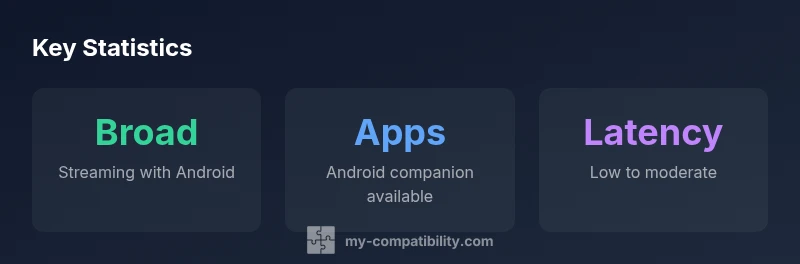
| Feature | Android Compatibility | Notes |
|---|---|---|
| Streaming support | Broad support via Bluetooth/BLE Audio | Depends on model and OS version |
| App control | Android apps available | Check the manufacturer’s compatibility list |
| Latency | Low to moderate | Depends on codec and device |
Questions & Answers
Do all Android phones support direct streaming with hearing aids?
Not all Android phones will offer the same streaming experience. Most modern devices support direct streaming, but performance can vary by model, OS version, and Bluetooth stack. Always check the manufacturer’s compatibility list for your phone and hearing aid together.
Most modern Android phones support direct streaming, but check compatibility for your exact phone and hearing aid model.
What Android versions are recommended for best compatibility?
Generally, newer Android versions offer better streaming reliability and app support. Look for devices running actively supported versions and ensure the hearing aid app lists your OS as supported.
Newer Android versions typically offer the best compatibility with hearing aids.
Will I need a separate app for controls on Android?
In most cases yes—the hearing aid manufacturer provides a companion app for Android to adjust settings, run firmware updates, and manage programs. Some features may require in-app permissions or device enrollment.
Yes, most brands require their Android app for full control and updates.
Can LE Audio improve streaming with Android hearing aids?
LE Audio can reduce latency and save power, potentially improving streaming quality on compatible Android devices. Availability depends on both the hearing aid and phone hardware.
LE Audio can improve streaming but depends on device support.
Are there compatibility trade-offs between brands?
Yes. Some brands offer broader Android support than others, while others excel in app features or firmware cadence. Compare explicit Android compatibility statements and test in-store if possible.
Yes, brands differ in Android support and app features; test before buying.
“Android compatibility shines when devices offer explicit Android pairing, reliable streaming, and robust app control.”
Highlights
- Prioritize models with explicit Android compatibility.
- Test direct streaming and app control on your phone.
- Keep OS and apps updated for best pairing.
- Check Bluetooth codecs and firmware support.
- Consider LE Audio for future-proofing.