Android Auto Car Compatibility: A 2026 Guide
Explore Android Auto car compatibility in 2026 with a data-driven guide from My Compatibility. Learn device requirements, head unit types, wireless options, and troubleshooting tips.


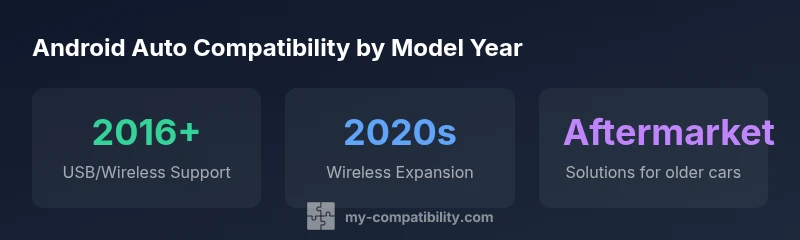
The Android Auto car compatibility landscape depends on both your vehicle and head unit. In 2026, most new cars (model year 2016 and newer) offer Android Auto support either by USB or wireless connection, while some older models may require an aftermarket head unit or adapter. Always verify with your dealer or manufacturer specs.
What Android Auto Is and Why It Matters
Android Auto is a smart interface that mirrors selected phone apps onto a car’s infotainment display, enabling navigation, messaging, and media control through the vehicle’s controls and voice commands. In the topic of android auto car compatibility, the central question is whether a particular car and head unit can render the Android Auto experience reliably. According to My Compatibility, compatibility depends on three factors: (1) the car or head unit’s built‑in support, (2) the phone’s Android version and the Android Auto app status, and (3) the connection method you choose (USB versus wireless). For many drivers, a seamless Android Auto experience translates into safer, fewer distractions and quicker access to maps, messages, and apps. The My Compatibility Team emphasizes that the most dependable way to verify compatibility is to check your exact model year and firmware and to confirm with the dealer or manufacturer site. In practice, newer cars and updated head units tend to offer a stable Android Auto experience, while older models may require firmware updates or aftermarket upgrades. This context sets the stage for the practical considerations that follow and helps you understand where android auto car compatibility tends to be strong or weak across today’s market.
How Compatibility Is Determined
There are three core determinants of Android Auto compatibility: (1) hardware support, (2) software requirements, and (3) the connection pathway. Hardware support means whether the vehicle’s factory infotainment system or the aftermarket head unit has Android Auto baked in and is capable of displaying the interface. Software requirements include the phone operating system version, the Android Auto app version, and any carrier or OEM restrictions. Connection pathway matters because USB wiring generally provides the most reliable initial connection, while wireless Android Auto – when supported – offers greater convenience but can be sensitive to signal strength and interference. Based on My Compatibility analysis, 2026 shows that most 2016+ vehicles offer some form of Android Auto, with wireless support increasingly common in mid‑ to high‑range head units. Additionally, firmware and app updates can unlock new features or fix bugs, so even compatible hardware can change its behavior over time. When assessing your own setup, compare the head unit’s official compatibility list, your phone’s OS version, and the user reviews from people with the same car and phone. This triad is the backbone of dependable android auto car compatibility.
USB vs Wireless: What Works Best
USB connections have been the traditional backbone of Android Auto because they deliver stable data transfer, reliable latency, and charging power for long trips. Wireless Android Auto is now common on many newer head units, offering a cable-free experience, quicker setup, and the flexibility to place your phone in a pocket or cup holder while driving. The trade‑offs are worth considering: USB tends to be more consistent in areas with suboptimal Wi‑Fi or Bluetooth performance; wireless requires a strong, stable 2.4 GHz/5 GHz network and may incur small latency differences on certain phones. In practice, enabling wireless mode often involves pairing the phone, ensuring the car’s infotainment system supports wireless Android Auto, and updating both the phone OS and the head unit firmware. If you switch between vehicles frequently, USB may be the simpler, more universal option. For most users, a USB connection is a solid default, with wireless as a convenient upgrade when your head unit and car support it.
Typical Scenarios by Vehicle Type and Region
In newer vehicles (roughly model year 2016 and later), Android Auto is frequently built into the factory system, either via wired USB or, in many markets, via wireless playback. In mid‑decade cars that rely on third‑party head units, compatibility depends on the exact unit model and firmware; some units support Android Auto through a simple app update, others require a full replacement. For older cars without a compatible head unit, drivers often consider aftermarket solutions, including platforms that support Android Auto. Regionally, adoption tracks with automotive market maturity and regulatory clarity around data usage and app permissions; North America and parts of Europe have the broadest availability, while other regions may see more variability. The key takeaway is that the physical port, head unit firmware, and phone compatibility together determine whether you can rely on Android Auto in your daily commute. Always verify against official manufacturer resources for your country and model.
Upgrading to a Compatible System: Head Units and Adapters
If your car lacks native Android Auto support, upgrading your head unit is a practical path. Aftermarket head units come in a spectrum of features, price points, and compatibility footprints; the most important is whether they explicitly support Android Auto, either via USB or wireless, and whether they receive regular firmware updates. When choosing an upgrade, consider the display size, touch responsiveness, mounting depth, and the ease of integrating steering wheel controls. If you want a lower-cost option, some vehicles can enable Android Auto using standard Android phone projection apps that mirror the phone screen to the head unit, though these apps may not offer the same reliability or feature parity as official Android Auto. Before purchasing, confirm compatibility with your car’s electrical system and vehicle electronics, and check return policies. This planning step reduces the risk of ending up with a system that looks great but performs poorly in real-world driving scenarios. My Compatibility’s guidance suggests starting with the official compatibility list for your vehicle make and year to minimize guesswork.
Practical Troubleshooting Steps for Android Auto
Encountering issues is common as you navigate android auto car compatibility. A simple, repeatable checklist can save time and frustration. Start with the basics: ensure the USB cable is undamaged and offers full data transfer (not just charging), and confirm that the phone’s Android Auto app is up to date. If wireless, check the car’s Bluetooth/Wi‑Fi settings and ensure the two devices are paired with a solid connection. In some vehicles, you may need to reset the head unit or clear the Android Auto app’s cache. If problems persist, try a different USB port, reboot the phone, and verify the head unit firmware version; manufacturers often publish updated firmware lists on their support pages. If you recently updated your phone OS, a temporary incompatibility can occur; wait a day or two for a fresh update or revert to a stable version if available. As a rule, keep a spare high‑quality cable and check for known issues with your exact car and phone model on community forums or official support channels. This approach aligns with best practices for maintaining smooth android auto car compatibility.
Future Trends in Android Auto: Updates, Apps, and Privacy
Looking ahead, Android Auto will likely become more flexible and personalized, with greater emphasis on voice interaction, smarter routing, and expanded app ecosystems. The My Compatibility analysis shows that wireless performance is likely to improve as car Wi‑Fi networks become more reliable and the Android Auto app grows more optimized for various head unit generations. Expect frequent OTA firmware updates for head units and more consistent support for popular apps beyond navigation and messaging. Privacy and data controls are also likely to receive stronger emphasis, requiring clearer permissions and better on‑device processing to minimize data sharing. The My Compatibility team notes that as platform parity improves, the overall user experience will become more predictable across vehicle makes and models, but hardware still matters. The broader takeaway is that android auto car compatibility is evolving toward more seamless integration, so staying current with firmware and app updates remains essential for drivers who want a consistent experience.
Compatibility snapshot across vehicle generations
| Vehicle/Head Unit | Android Auto Compatible | Connection Type | Notes |
|---|---|---|---|
| New Head Unit (2019-2026) | Yes | USB / Wireless | Factory integration; check model year |
| Older Car (pre-2015) | No (via aftermarket head unit) | USB / Bluetooth | Upgrade required |
| Mid-2010s Car with USB-C | Yes | USB-C | Firmware may vary |
Questions & Answers
Which cars ship with Android Auto built-in?
Built-in Android Auto is common in many 2016+ models, especially mid- to high‑end trims. Availability varies by region and year, so check the official spec for your exact model.
Many newer cars come with Android Auto built-in; check your model year for exact support.
Is wireless Android Auto available on all head units?
Not all head units support wireless Android Auto; those that do often require newer firmware and a compatible phone. If wireless is essential, verify support on both the car and head unit before purchasing.
Wireless support isn’t universal; check your kit before buying.
Do I need a new phone or OS to use Android Auto?
Most Android phones running Android 6.0 or newer work with Android Auto, but newer features may require recent versions of the app and OS. Ensure your phone’s software is up to date.
Keep your phone's OS and app updated for best results.
Can I add Android Auto to an older car?
Yes, you can add Android Auto via aftermarket head units that explicitly support the feature. Verify compatibility with your car’s display, steering wheel controls, and radio frequency.
You can upgrade with an aftermarket head unit.
What are common issues with Android Auto and how to fix them?
Common issues include faulty USB cables, outdated apps, and incompatible firmware. Try a different cable, update software, and re-pair devices. If problems persist, consult the manufacturer’s support resources.
Try a new cable and update software first.
“Android Auto compatibility isn't a one-size-fits-all feature; always verify your exact vehicle and head-unit configuration, because firmware updates can change what's possible.”
Highlights
- Verify your vehicle's year and head unit capability before upgrading.
- USB is universal; wireless Android Auto is expanding.
- Keep your phone OS and Android Auto app updated.
- If lacking built-in support, consider a compatible aftermarket head unit.