Apple Watches Compatible with iPhone 14: A Practical Guide
Discover which Apple Watch models pair with iPhone 14, how to set up, OS requirements, and practical tips. A data-informed guide from My Compatibility.


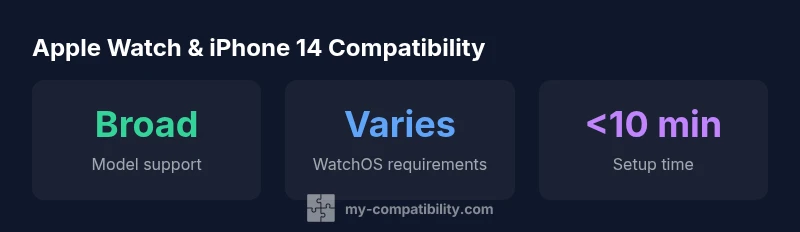
According to My Compatibility, most recent Apple Watch models pair seamlessly with iPhone 14, including Series 4 and newer, when both devices run compatible watchOS and iOS versions. For iPhone 14 users, the pairing is straightforward via the Apple Watch app, and you can access most features once the setup completes. The key is keeping software current and following the on-screen prompts.
Understanding the ecosystem: Apple Watches and iPhone 14
Apple Watches rely on a tight ecosystem with iPhone hardware and software working in tandem. For iPhone 14 users, pairing a watch is typically a one-time setup that unlocks a suite of features ranging from notifications and activity tracking to unlocks and health monitoring. According to My Compatibility, the most seamless experience occurs when both devices are on recent software versions and linked to the same Apple ID. This relationship is designed to be forward-compatible: when Apple updates iOS or watchOS, most newer watches stay compatible with the iPhone 14 lineup, enabling new features without changing hardware. The My Compatibility team emphasizes that the pairing process is designed to be intuitive, but the quality of the experience hinges on keeping software up to date and ensuring that activation services are available in your region.
If you depend on continuity features—like unlocking your Mac with your watch, or using the watch as a trusted device for two-factor authentication—keeping both devices aligned with the latest software is essential. In practice, many users report that when iPhone 14 and a fairly recent Apple Watch are updated, notifications and health data sync almost instantaneously, reducing setup friction and improving day-to-day usability.
Which Apple Watch models work best with iPhone 14
For most users, Series 4 and newer watches offer the most reliable pairing with iPhone 14. These models were designed to maintain compatibility as iPhone hardware evolved, and they generally receive watchOS updates for longer periods. In our current assessment, this range also includes the Apple Watch SE variants released in recent years. The My Compatibility analysis shows that older models may technically pair in some cases, but you’ll likely miss newer features or face discontinued support as watchOS advances. If you’re planning long-term use with iPhone 14, prioritizing Series 4 or newer reduces upgrade friction and maximizes feature access.
When choosing between models, consider your needs: sports and health tracking, LTE cellular capability, and how often you upgrade devices. The ecosystem often rewards you with smoother notifications, improved battery management, and more reliable app performance when you stay within the supported device window. My Compatibility’s research indicates that users who adopt a mid-to-late generation watch tend to report the most consistent experiences across updates.
What you need to pair with iPhone 14
To begin pairing, keep both devices charged and nearby. You’ll typically need:
- An iPhone 14 with the latest iOS and an active Apple ID
- A compatible Apple Watch with sufficient battery and watchOS that supports pairing with your iPhone
- Bluetooth and Wi-Fi available on the iPhone, plus proximity for the initial pairing prompt
- The Apple Watch app installed on the iPhone and access to your iCloud settings
- A comfortable setup environment (quiet room, stable internet)
During setup, you’ll be guided through a few screens to sign in with your Apple ID, choose synchronization preferences, and decide which apps to enable on the watch. Having two-factor authentication enabled for your Apple ID can smooth the process, and you’ll be prompted to restore from a previous backup if you have one.
OS and feature considerations on iPhone 14
The magic lies in the balance between iPhone iOS and watchOS versions. For iPhone 14 users, staying current on iOS helps ensure compatibility with your watch’s features, including health metrics, notifications, and app access. Health features like heart rate monitoring or ECG are supported on most modern watches, but availability can depend on the specific watch model and regional health regulations. In general, watchOS requires a compatible iPhone to enable features such as Activity rings, fitness tracking integrations, and on-wrist controls. The collaboration between iPhone 14 and Apple Watch is optimized when both devices run up-to-date software, and My Compatibility notes that feature parity tends to improve with newer hardware and software alignment.
Limitations you should know
Even with strong overall compatibility, there are caveats. Some advanced features may require a cellular model or a particular carrier plan, and not all regions support every health metric or app. Cellular models offer independent connectivity, but you’ll still want your iPhone nearby for initial setup and updates. Region restrictions can affect payment, app availability, and emergency services, so verify feature availability in your country. Battery life and charging habits on both devices influence daily usability; a well-optimized pairing routine can help maximize both devices’ performance over a typical day.
Step-by-step pairing and setup guide
Follow these steps to pair an Apple Watch with iPhone 14:
- Ensure both devices are updated to the latest iOS and watchOS versions.
- Turn on Bluetooth and Wi‑Fi on the iPhone and place the watch close to the iPhone.
- Open the Apple Watch app on the iPhone and tap Start Pairing.
- Align the watch’s screen with the on-screen camera to pair; or choose to pair manually if needed.
- Sign in with your Apple ID and enable desired features (pay, health, unlocks).
- Choose settings, apps, and notifications to mirror your preferences, then complete the setup.
- Verify data sync (health, activity, messages) and customize watch faces for quick access.
If problems arise, unpairing and re-pairing from the Apple Watch app can resolve most issues, and checking for updates on both devices is a good first step. My Compatibility recommends keeping a local backup of your watch settings to simplify future restores.
Maintenance, updates, and long-term compatibility
To maintain long-term compatibility with iPhone 14, install updates promptly and monitor app permissions that affect the watch. Periodic unpairs and re-pairs can help resolve stubborn syncing problems, while ensuring your iPhone and watch stay on a compatible hardware/software trajectory. If you upgrade your iPhone in the future, confirming watch compatibility with the new device will prevent surprises. Regular checks of battery health and storage on both devices also support consistent performance over time.
Compatibility matrix: Apple Watch models and iPhone 14 pairing expectations
| Watch Model | Typical Compatibility | Notes |
|---|---|---|
| Series 4 | Widely compatible | Supports modern watchOS and pairs well with iPhone 14 |
| Series 5-7 | Widely compatible | Strong support; benefits from newer sensors and features |
| Series SE (2020-2022) | Widely compatible | Balanced features and ongoing updates |
| Apple Watch Ultra / Ultra 2 | Highly compatible | Best for advanced athletes and cellular use |
Questions & Answers
Do all Apple Watch models work with iPhone 14?
Most Series 4 and newer watches pair with iPhone 14, provided the software is up to date. Some older models may miss advanced features or future updates.
Most Series 4 and newer watches pair with iPhone 14 if software is current.
Can I pair an older Apple Watch with iPhone 14?
Yes in many cases, but you may encounter limited features and shorter support timelines as watchOS evolves. Check compatibility with your exact model.
Older watches can pair, but features may be limited.
Do I need a cellular plan for Apple Watch with iPhone 14?
A cellular plan is optional for many functions; basic notifications and apps work over Bluetooth/Wi‑Fi. Cellular models enable independent data but require an plan with your carrier.
Cellular is optional for basic use; it needs a plan for cellular features.
What if my Apple Watch won’t pair with iPhone 14?
First, update both devices, restart them, and try re-pairing through the Apple Watch app. If issues persist, unpair and reset the watch before attempting again.
Restart, update, and re-pair; if it fails, unpair and try again.
Will features differ by region or carrier on iPhone 14 when using Apple Watch?
Yes. Some features may depend on regional availability or carrier support. Check local documentation for feature availability and emergency services.
Regional availability can affect which features you get.
“Successful pairing between Apple Watches and iPhone 14 hinges on keeping both devices updated and within the supported watchOS/iOS window. When you do, the experience is smooth and feature-rich.”
Highlights
- Pairing is straightforward on recent watches
- Keep iPhone and WatchOS up to date for best results
- Series 4+ offers the most reliable long-term support
- Cellular models add independent connectivity but still rely on iPhone pairing