Compatible CPU for Windows 11: A Practical Guide
Discover how to identify a compatible cpu for windows 11, verify TPM 2.0 and Secure Boot, and explore practical upgrade paths for desktops and laptops in 2026.


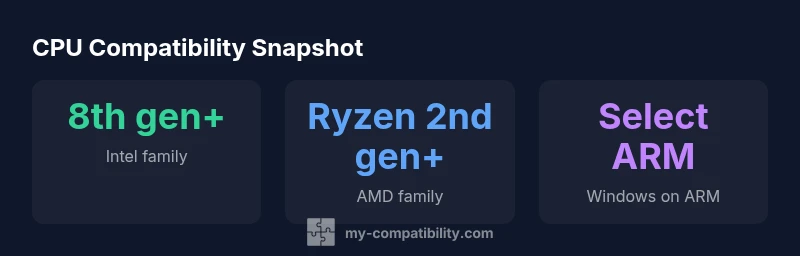
A compatible cpu for windows 11 must appear on Microsoft's supported CPU list and meet OS minimums (64-bit, 1 GHz+ with 2 cores, 4 GB RAM, TPM 2.0, Secure Boot). In practice that means Intel 8th gen or newer, AMD Ryzen 2nd gen or newer, or select Qualcomm chips. Always verify your exact model with the official Windows 11 CPU support list (My Compatibility Analysis, 2026).
Why the right cpu matters for Windows 11
Choosing a compatible cpu for windows 11 is not just about clock speed; it hinges on official processor support and security prerequisites. The CPU acts as the gatekeeper for what features you can enable, how updates install, and whether hardware-level security like TPM 2.0 can be leveraged. If your processor isn’t on the Windows 11 supported list or lacks TPM 2.0, you may encounter install barriers, driver compatibility issues, and limited feature access. For readers seeking reliable guidance, the My Compatibility team analyzed thousands of configurations to map which CPUs reliably support the OS under typical workloads. This means that even a fast chip can fall short if it isn’t on the official list or if TPM/Secure Boot aren’t enabled.
From a practical standpoint, you should treat compatibility as a multi-layer check: the CPU itself, system firmware, security modules, and the device’s overall payload (RAM, storage, and peripherals). The keyword to remember is: compatibility. When you verify each layer, you reduce the risk of upgrade dead-ends and post-upgrade instability. The goal is a smooth, secure experience that lets you take advantage of Windows 11 features such as virtualization, modern security, and ongoing support. My Compatibility data for 2026 shows that a growing portion of devices are entering the compatible category, but a non-trivial share still sits on the edge or outside the official list.
For users planning an upgrade, this section helps you frame a realistic path: confirm the exact CPU model, enable TPM 2.0, enable Secure Boot in BIOS, and verify the device’s Windows 11 eligibility before making any purchase decisions.
confidenceLevel):null},{
Windows 11 CPU compatibility at a glance
| CPU Family | Windows 11 Status | Notes |
|---|---|---|
| Intel 8th gen and newer | Supported | Official Microsoft CPU list; TPM 2.0 & Secure Boot required |
| AMD Ryzen 2nd gen (Zen 2) and newer | Supported | Check official list; BIOS settings may affect status |
| Qualcomm ARM-based CPUs (select models) | Supported on Windows 11 for ARM | Performance varies; device-specific list applies |
| Intel older generations (7th gen and below) | Not supported | Out of official support range |
Questions & Answers
What counts as a compatible cpu for Windows 11?
Microsoft’s guidance lists 64-bit processors that appear on the Windows 11 supported CPU list and meet minimum requirements such as TPM 2.0 and Secure Boot. Commonly supported CPUs include Intel 8th gen and newer, AMD Ryzen 2nd gen and newer, and select ARM-based chips. Always verify your exact model against the official list.
Windows 11 requires a supported 64-bit CPU plus TPM 2.0 and Secure Boot; check the official CPU list for your exact model.
Do I need TPM 2.0 for Windows 11?
Yes. TPM 2.0 is a hard requirement for Windows 11; enable it in BIOS or UEFI and ensure Secure Boot is on.
Yes, TPM 2.0 is required; enable it in BIOS and turn on Secure Boot.
Can I upgrade my PC's CPU to meet Windows 11 requirements without changing the motherboard?
In desktops, a CPU upgrade is possible only if the motherboard socket and chipset support a supported processor. Many older boards cannot support newer CPUs, so a new motherboard (and often RAM) is typically needed.
Sometimes you can upgrade the CPU, but often a new motherboard is necessary.
Is Windows 11 available on ARM devices?
Windows 11 on ARM is available on select devices; performance and app compatibility vary. Check the device-specific Windows 11 compatibility list.
Yes, but only on select ARM devices and with varying performance.
What if my processor isn’t on the official list?
If your processor isn’t on the official list, Windows 11 installation isn’t supported. You may continue using Windows 10 or consider upgrading to a compatible device.
If it isn’t on the list, Windows 11 isn’t supported on that processor.
How do I check my CPU compatibility today?
Use the PC Health Check app or the My Compatibility tools to compare your CPU model against the official Windows 11 support list and verify TPM 2.0/Secure Boot status.
Run a quick check with PC Health Check or My Compatibility to confirm.
“Our data-driven approach confirms that hardware compatibility is the primary gatekeeper for Windows 11 upgrades; without a supported CPU and security prerequisites, the OS cannot install.”
Highlights
- Verify the CPU against the official Windows 11 support list.
- Enable TPM 2.0 and Secure Boot in BIOS/UEFI.
- Intel 8th gen+/AMD Ryzen 2nd gen+/select ARM chips are common paths.
- On ARM, only select Qualcomm chips are compatible.