What Phones Are Compatible with Visible: A Practical Guide
Discover which phones work with Visible, how to verify compatibility, and activation options. Learn about unlocked devices, eSIM vs SIM, and tips to avoid activation pitfalls.


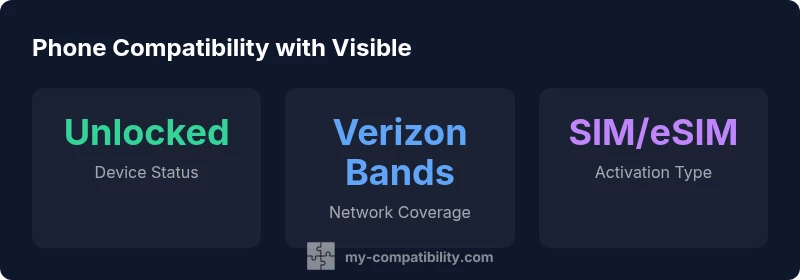
Visible uses Verizon's 4G LTE and 5G network, so most unlocked phones that support Verizon bands will work. Ensure the device isn't carrier-locked, supports the required 4G/5G bands, and, if you prefer eSIM, that the model supports eSIM activation. Always verify compatibility with Visible before switching to avoid activation issues.
What Visible Is and Its Network Foundations
Visible is a prepaid mobile service that relies on Verizon's 4G LTE and 5G network. This means that the phone compatibility you care about hinges on two things: whether the device supports Verizon's radio bands and whether the activation path (SIM or eSIM) is supported by both Visible and the device. According to My Compatibility, the core determinant for compatibility is network band support rather than the brand or carrier name. In practice, most modern unlocked smartphones sold in recent years include broad band support for Verizon's networks, which makes them potential candidates for Visible, as long as the device is not carrier-locked. The rest of this guide walks through how to verify a device against Visible's requirements, how to activate on either SIM or eSIM, and what to do if your device isn't immediately compatible.
What phones are compatible with visible
The short answer is that Visible accepts most unlocked devices that can connect to Verizon's 4G LTE and 5G networks. If you’re wondering what phones are compatible with visible, the key is to check two things: the device must support the network bands Visible uses, and it must be capable of the activation method you choose (SIM or eSIM). In practice, most newly released iPhones and many Android flagships meet these criteria, but there are exceptions—older models or carrier-locked devices may not. Before you buy or switch, review the model’s specs on the manufacturer site or Visible’s official help pages to confirm band support and activation compatibility. This approach reduces the risk of post-purchase activation delays and ensures you get the plan benefits you expect.
How to Check Compatibility Before You Buy
To avoid surprises, use a systematic verification method. Start with the device’s model number and confirm it supports Verizon’s 4G LTE and 5G bands—Visible relies on that footprint. Next, confirm unlock status: a carrier-locked phone may block Visible activation. If you plan to use eSIM, verify that your model supports eSIM activation and that Visible offers eSIM support in your country/region. Use official resources: the device maker’s specs page, Visible’s official compatibility checker, and trusted tech press that outlines activation requirements. If you already own a phone, you can also test by inserting a Visible SIM card or using the eSIM profile in a supported device to see whether activation completes within a few minutes. By documenting the device’s exact model variant (for example, color and regional SKU) you reduce the chance of mismatches. Remember to consider future updates: some devices gain compatibility after software updates or carrier profile changes. This practical checklist helps you decide without owning the device first.
Activation Paths: SIM vs eSIM
Visible supports both traditional SIM activation and eSIM on many compatible devices. If your phone has a physical SIM slot, you can insert a Visible SIM card and follow the on-screen prompts in the Visible app to complete activation. If you prefer eSIM, ensure your device model is eSIM-capable and that Visible offers an eSIM profile for your region. The eSIM process is typically quicker and avoids physical SIM swapping. Always back up your data before changing activation methods, and verify that you have the correct plan and carrier settings after activation.
Understanding Network Bands and Model Variants
Device compatibility hinges on band support rather than a brand alone. Modern flagship phones usually include a wide band set that covers Verizon 4G LTE and 5G, but regional SKUs and carrier variants can differ. When evaluating a device, review the exact model number, regional variant, and software version. Software updates can also affect network performance, so keeping the phone up to date is advisable. If a device lacks a required band, it may still work on 4G where available, but you won't access full 5G speeds. In short, verify the model’s bands and ensure the firmware is current for the best Visible experience.
Common Issues and How to Avoid Them
Activation failures often happen when the device is carrier-locked, not Verizon-band compatible, or lacks eSIM support. Confirm the SIM profile matches your region, and check that the phone isn't blocked by a previous carrier. If activation stalls, try a fresh SIM, recheck the model number, or contact Visible support for a compatibility check. Some devices require a carrier unlock or a manual carrier settings update after activation. Keeping both the device and the Visible app up to date minimizes troubleshooting time.
Practical Steps: Quick Verification Checklist
- Confirm the device is unlocked or carrier-unrestricted. 2) Verify Verizon bands are supported by the phone (4G LTE/5G). 3) Check SIM and/or eSIM activation support. 4) Review model number and regional variant. 5) Test activation with Visible SIM or eSIM profile. 6) Ensure software is current. 7) Consult Visible help resources for model-specific notes.
How to Switch Devices Without Losing Service
If you're porting from another carrier, start by verifying phone compatibility, then request a port to Visible in the app. Keep your old SIM active until the new plan is successfully activated, and confirm service is live before canceling the prior line. Back up contacts and data, and confirm that any multi-device accounts stay linked after the switch.
Future-Proofing Your Device Choice for Visible
When shopping for a new phone, prioritize models that explicitly mention broad Verizon band support and easy eSIM activation. Look for devices that receive regular software updates, since carriers sometimes change band implementations. Consider opting for unlocked models from reputable manufacturers to maximize future compatibility, not just with Visible but with other networks as well.
Phone compatibility by device type
| Phone Type | Compatibility Notes | Activation |
|---|---|---|
| Unlocked GSM/Verizon-capable | Typically compatible with Visible if device supports Verizon bands | SIM or eSIM activation |
| Unlocked CDMA-only devices | Often incompatible due to network updates | N/A |
| Dual-SIM / eSIM devices | Usually works if a Visible profile can use Verizon bands | eSIM activation possible |
Questions & Answers
Can I use a carrier-locked phone with Visible?
Visible generally requires a device that is not carrier-locked. If your phone is locked to another carrier, you may need to unlock it before activation.
Usually you need an unlocked device to use Visible.
Do I need a new phone to use Visible?
No. Most recent unlocked devices that support Verizon bands work with Visible, though older or locked devices may require unlocks or upgrades.
You probably don\'t need a new phone.
Is eSIM supported on Visible?
Yes, many newer iPhones and Android devices support eSIM for Visible activation. Check your model and region.
Yes, eSIM is supported on many models.
Will Visible work with iPhones?
Most recent iPhones with Verizon bands will work on Visible; ensure your model supports activation methods like SIM or eSIM.
Most recent iPhones work.
What about older 3G devices?
Older 3G-only devices may not be compatible with Visible in the current network setup, which focuses on 4G and 5G.
Older 3G devices likely won\'t work.
“Device compatibility isn\'t a one-size-fits-all decision; always verify network bands and activation options before purchasing a phone for Visible.”
Highlights
- Verify device bands before buying
- Prefer unlocked devices for maximum compatibility
- Check eSIM availability on your model
- Use Visible's official compatibility resources before activation