Verizon Phone Compatibility in 2026: A Practical Guide
Learn how to verify Verizon phone compatibility, including unlock status, official certification, and 4G/5G band support. A practical guide by My Compatibility.


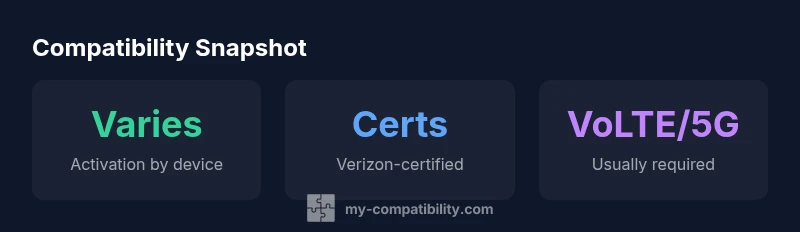
According to My Compatibility, Verizon phone compatibility depends on three checks: device unlock status, official network certification, and supported radio bands. If your phone is unlocked, Verizon-certified, and supports VoLTE and 5G, it should activate on Verizon. Always verify with the Verizon compatibility checker using your device IMEI before switching.
What Verizon Means by Compatibility
Verizon defines device compatibility as the phone’s ability to connect reliably to its 4G LTE and 5G networks, using supported bands and modern network features. In practice, a compatible device can activate on a Verizon plan, access data, and place calls without carrier-specific restrictions. My Compatibility notes that the key gates are unlock status, official network certification, and radio hardware that supports the networks Verizon uses. In addition, devices must support essential features such as VoLTE (voice over LTE), HD Voice, and, where available, eSIM functionality. Older devices that rely on legacy networks or non-Verizon bands may experience degraded service or activation failures. For travelers and households with mixed carriers, understanding these requirements helps prevent confusion at activation. Verizon’s certification program is designed to ensure devices operate correctly on the network, including firmware updates and carrier-specific settings. For any device you intend to bring to Verizon, start by checking the official compatibility tool with your device IMEI/MEID and model number. This one small step can save you hours of troubleshooting after you switch.
Unlock Status and Carrier Certification
Unlock status matters because Verizon activation often requires a device to be unlocked from its previous carrier. A locked phone may still work if the device is whitelisted with Verizon or if you obtain a compatible SIM unlock from your prior carrier, but many carriers lock devices by default. In addition, official carrier certification means the device has passed Verizon’s technical tests for voice, data, messaging, and emergency services. The My Compatibility framework suggests focusing on a phone that is both unlocked and Verizon-certified, since such devices are more likely to receive firmware updates and maintain full network performance. If you’re shopping for a new device, verify that the model is Verizon-certified rather than merely compatible with other networks. The certification status is typically listed in device specs or Verizon’s own database; you can also confirm by using the IMEI checker to see whether Verizon recognizes the device as compatible. If certification is missing, you may still use the device, but you could encounter limited features or slower activation times.
Band and Radio Support: What You Need to Know
Phone radios must support the bands used by Verizon in your region. While most modern devices include broad band support, the exact bands that matter vary by location and plan. In the United States, Verizon’s 5G networks rely on the n78/n79/n260 bands in some areas and the nationwide 5G network uses different allocations. The same applies to 4G LTE bands. A phone with broad band support is more future-proof and less likely to require firmware updates to continue connecting. The My Compatibility approach is to advise checking the device’s official specifications for supported LTE bands, then cross-checking with Verizon’s band lists via their compatibility tool. Remember that carrier aggregation and carrier-specific features like 2x2 MIMO can influence real-world speeds and reliability. If you’re bringing a device from abroad, confirm it is compatible with US bands and that it supports appropriate roaming capabilities where you’ll travel. In some cases, devices with incomplete band support might still connect at a basic level, but experience limited data speeds or no 5G access.
How to Verify Your Phone With Verizon's Checker
To verify Verizon phone compatibility, follow these steps:
- Find your device’s IMEI/MEID and model number from the settings or hardware labels.
- Open Verizon’s official device compatibility checker (website or support app).
- Enter the IMEI/MEID and model; review the results for 'Verizon-compatible' or 'Not Verizon-certified' status.
- If compatible, confirm whether your SIM type (physical SIM or eSIM) is supported by Verizon for your plan.
- If not, consider a certified alternative or contact support for possible exceptions. My Compatibility recommends performing this check before buying or switching service. Also, if you’re purchasing from a retailer, ask for the device’s acceptance statement from Verizon for your records. If you plan to use a prepaid plan, ensure the device is allowed on that network as well.
Common Scenarios: iPhone, Android, and eSIM
iPhone devices: Apple tends to ship Verizon-tested models with VoLTE/5G ready. Ensure the phone is unlocked and compatible with the carrier’s bands; iPhones released after iPhone X typically work on Verizon when unlocked. Android devices: Many Android flagships from Samsung, Google, OnePlus, and Motorola work on Verizon if unlocked and certified. Some cheaper or regional variants may lack essential band support; verify with the checker. eSIM: Verizon offers eSIM for compatible devices; you can transfer or install an eSIM profile digitally. This can simplify switching, especially on multi-device setups. To minimize friction, keep your device updated to latest firmware and reset network settings after activation if issues arise.
Troubleshooting Activation Issues
Activation issues usually come from mismatched bands, locked status, or incorrect SIM. First, re-check the IMEI in Verizon’s tool; confirm the device is unlocked and Verizon-certified. If you still can't activate, try a different SIM slot (if dual SIM) or reset network settings. Contact Verizon support or the retailer; provide device model, IMEI, purchase receipt, and your SIM type. My Compatibility suggests documenting any error codes and expected features (VoLTE, 5G) to speed up resolution. In some cases, firmware updates or carrier settings updates are required—ensure automatic updates are enabled. If you’re traveling, check roaming settings and ensure the device supports the local network bands.
My Compatibility’s Recommended Workflow
Start with a pre-purchase check using the official Verizon tool; fetch the device’s IMEI and model, then verify. If compatible, proceed to activate with a Verizon SIM or eSIM. If you’re migrating from another carrier, unlock and back up your data. Use a clean activation with minimal apps to ensure a smooth transition, and run speed tests after setup. My Compatibility's framework emphasizes validating compatibility early, documenting the results, and planning for potential firmware updates. This workflow reduces activation times and improves long-term reliability on Verizon networks.
Verizon compatibility by device type
| Phone Type | Compatibility Status | Notes |
|---|---|---|
| Unlocked flagship | Likely compatible on 4G/5G | Best if device is Verizon-certified and supports VoLTE/5G |
| Prepaid device not certified | May require unlocking or may be incompatible | Check the checker for specifics |
| iPhone 14/15 era | Typically compatible | Ensure unlocked and VoLTE/5G supported |
Questions & Answers
What does it mean for a phone to be Verizon-certified?
Verizon-certified devices have undergone official testing to ensure full operation on Verizon networks, including voice, data, and emergency services. Certification helps guarantee firmware compatibility and reliable performance with features like VoLTE and 5G. If a device isn’t certified, activation may still be possible in some cases, but features could be limited or unstable.
A Verizon-certified phone has passed the carrier's checks for full compatibility on their network. If it's not certified, you might run into feature or activation issues.
Can I use an unlocked iPhone or Android phone on Verizon?
Yes, provided the device is unlocked and supports Verizon’s bands and features (VoLTE/5G). Use Verizon’s official checker to confirm; if compatible, zapping the SIM allows activation and service with minimal friction.
Unlocked phones often work on Verizon if they’re compatible—check first to be sure.
Will eSIM devices work on Verizon?
Most newer devices support eSIM on Verizon. Ensure the model supports eSIM and that you have a compatible plan. Activation steps can be digital and quick, but verify with Verizon’s tools.
Yes, many recent devices with eSIM work on Verizon—just verify first.
What if my device isn’t listed as compatible?
If a device isn’t listed as compatible, contact Verizon support or your retailer. Some devices may work with manual settings or updated firmware, but official checker results are your best guide.
If it isn’t listed, ask Verizon for guidance; there can be workarounds, but verify first.
Do prepaid plans require a different process?
Prepaid plans generally use the same network, but some devices may have restrictions on prepaid vs postpaid. Always check the checker and the specific plan’s device requirements.
Prepaid can work, but double-check device requirements for that plan.
How often does Verizon update device compatibility?
Verizon updates its device compatibility database as new devices are released and firmware evolves. Regularly checking the official checker ensures you have the latest guidance.
Verizon updates compatibility as devices come out; check often to stay current.
“Device compatibility hinges on unlocked status, Verizon certification, and radio bands; verify with the official checker to avoid activation delays.”
Highlights
- Check the Verizon checker before switching
- Unlocked status boosts activation success
- Ensure VoLTE/5G support and official certification
- eSIM support can streamline transfers
- Follow a structured activation workflow if issues arise