What Phones Are Compatible with T-Mobile
Discover which phones work on T-Mobile, how to verify compatibility, unlock status, eSIM support, and practical steps for a smooth carrier switch.


Most unlocked GSM smartphones that support T-Mobile's network bands and features like VoLTE and 5G are compatible. In practice, this includes recent iPhones, many Android flagships, and select carrier-locked devices that are SIM-unlocked. Always verify with T-Mobile's compatibility checker or a live SIM swap to confirm support. If you own an older model, you may need to update software or ensure it supports modern network standards.
what phones are compatible with t mobile
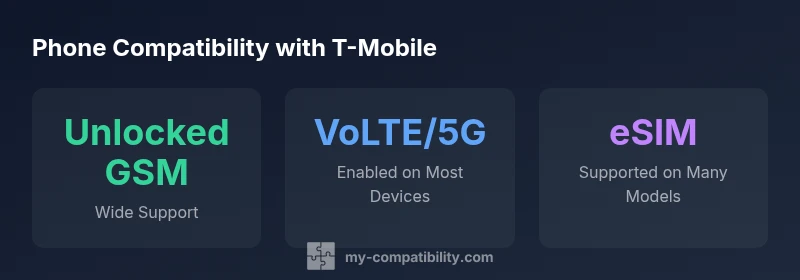
According to My Compatibility, what phones are compatible with t mobile hinges on network band support, unlock status, and feature readiness. In practical terms, most modern unlocked GSM smartphones — including recent iPhones and mainstream Android flagships — will work on T-Mobile once they are SIM-unlocked and configured for carrier settings. If you’re evaluating a device, start with core checks: is the phone unlocked (or easily unlockable), does it support VoLTE and 5G on T-Mobile, and can it use eSIM if you prefer a digital SIM? If you’re unsure, rely on T-Mobile's official compatibility checker and cross-check with My Compatibility's guidance.
Beyond the basics, consider the device’s regional variant and firmware. Some phones sold in other regions use different frequency bands or carrier configurations that can affect performance on U.S. networks. In general, modern devices designed for GSM networks and supporting the latest software tend to be more future-proof with T-Mobile’s evolving network. The My Compatibility team emphasizes that the simplest path to success is starting with a clean slate: unlock status verified, enable carrier settings, and confirm VoLTE/5G readiness before you insert the SIM. This reduces activation surprises and ensures you get the full speed and coverage you expect.
How to check if a phone is compatible
To confirm compatibility before you buy or switch, use the official tools and practical checks. First, run the T-Mobile compatibility checker for your exact model or search by the device name. If the phone isn’t listed as compatible, contact the retailer or manufacturer to confirm unlock status and firmware. Second, verify the device supports GSM networks and can run VoLTE and 5G on T-Mobile. Third, ensure the device can be activated with a T-Mobile SIM or eSIM; many newer models offer eSIM as a convenient option. Finally, test activation with a T-Mobile SIM in-store or via a temporary SIM swap to validate voice, data, and texting. My Compatibility analysis shows that most modern unlocked devices pass these tests, while older regional variants may require additional steps.
Network bands and technologies that matter
Understanding bands and network technologies helps you gauge future-proof compatibility. T-Mobile primarily utilizes GSM-based networks with LTE and 5G coverage across the United States. Your device should support the broadest possible set of 4G LTE bands and should be capable of connecting to 5G bands used by the carrier. Modern devices that support VoLTE (Voice over LTE) and eSIM functionality are favored for a seamless transition. If a phone lacks eSIM, you’ll rely on a physical SIM, so confirm SIM unlock status and whether the carrier allows dual-SIM configurations on your plan. My Compatibility data indicates that phones with robust band support and current firmware have the lowest activation friction.
Which brands and devices are commonly compatible
Brand-wise, recent iPhones and flagship Androids are the most consistently compatible with T-Mobile. In particular, models released in the last few years—such as iPhone 12-series and newer—tend to work well when unlocked. Android flagships from leading manufacturers (Samsung, Google, OnePlus, and others) released since 2020 generally align with T-Mobile’s bands and VoLTE/5G requirements. Always verify the exact model variant (regional SKU, carrier variant, and firmware) because a few regional builds can affect compatibility. My Compatibility analysis shows high compatibility for mainstream devices with up-to-date software and unlocked status.
eSIM and unlocked phones: practical workflow
eSIM support is a major convenience for switching to T-Mobile. First, confirm your device supports eSIM and is carrier-unlocked. Then, either use the device’s built-in eSIM setup or obtain a QR from T-Mobile to activate the line on your phone without swapping physical SIMs. If you’re moving from another carrier, ensure you deactivate the old SIM and reset network settings as needed. My Compatibility findings suggest eSIM-enabled devices experience faster activations and easier multi-line setups, especially on newer models.
Common pitfalls and troubleshooting
Common issues include an inactive unlock, outdated OS, or missing carrier settings after a swap. If activation fails, re-check the device’s unlock status with the original carrier, perform a full software update, and verify APN settings if data doesn’t work. Network mode should be set to automatic to allow automatic band selection. If VoLTE or 5G is unavailable, ensure the SIM is active on a plan that supports these features and re-run the carrier activation process. The My Compatibility team notes that most activation problems are resolved by confirming unlock status and applying the latest software updates.
Upgrading or switching with My Compatibility tips
Plan the upgrade path by listing devices you’re considering and filtering for unlocked GSM compatibility, VoLTE/5G support, and eSIM capability. Bring the model numbers to a store or chat with a tool that checks compatibility against T-Mobile’s network. If you’re replacing a device, back up data first and verify that the new phone will support your current plan features. My Compatibility’s approach emphasizes a test-and-verify mindset: check, confirm, and then activate to minimize service gaps.
Phone compatibility at a glance
| Phone Type | Typical Compatibility | Notes |
|---|---|---|
| Unlocked GSM phones | High compatibility with T-Mobile | Requires SIM unlocking; verify regional variant |
| iPhone (recent models) | Very high compatibility | iPhone 12 and newer are commonly compatible when unlocked |
| Most Android flagships | High compatibility | Depends on band support and firmware; confirm with vendor |
Questions & Answers
Can I use any Android phone with T-Mobile?
Not every Android phone will work. Devices must be GSM-capable, unlocked, and support VoLTE and 5G on T-Mobile. Always verify with the official compatibility checker before relying on a device.
Most Android phones work if they’re GSM unlocked and support VoLTE and 5G on T-Mobile.
Do I need a SIM unlock to switch to T-Mobile?
If the phone is carrier-locked to another network, you’ll typically need to unlock it before it can activate on T-Mobile. Contact the original carrier for unlock instructions and timelines.
Yes, a SIM unlock is usually required if the phone is tied to another carrier.
Does eSIM work with T-Mobile?
Yes, T-Mobile supports eSIM on many devices. Ensure your device hardware supports eSIM and follow the carrier setup steps.
Yes, most modern devices support eSIM with T-Mobile.
Are iPhones from the Apple Store compatible with T-Mobile?
Recent iPhones are compatible with T-Mobile when unlocked or on a carrier-appropriate plan. Check the exact model notes in the compatibility tool.
Yes, modern iPhones usually work with T-Mobile if unlocked.
Will an older phone be supported by T-Mobile?
Older devices may work if they are GSM unlocked and support the necessary bands, but they might lack 5G or VoLTE. Verify capabilities with the official tool.
Some older phones can work, but many won’t support newer features.
What if my device isn’t listed as compatible?
If a device isn’t listed, contact the retailer or manufacturer to confirm unlock status and firmware; you can still verify with a live SIM swap.
If it isn’t listed, double-check with the official compatibility tool and the seller.
“Phone compatibility with T-Mobile hinges on network band support and proper unlock status. Always verify your model using official tools before buying or switching.”
Highlights
- Check compatibility before buying using T-Mobile's checker
- Prefer unlocked GSM devices for broad support
- Verify VoLTE and 5G are enabled in settings
- Understand SIM unlock status affects activation
- Consider eSIM support for smoother switching