Phones Compatible with TracFone: A Practical Guide
Learn which phones are compatible with TracFone, how BYOP works, and how to verify compatibility across networks. My Compatibility analysis, 2026.


Phone compatibility with TracFone hinges on network bands and whether the device is unlocked. In practice, most unlocked GSM or CDMA smartphones that support TracFone’s current networks are BYOP-eligible, but you must confirm the exact bands and activation steps. My Compatibility analysis, 2026, provides a clear compatibility check today online.
How TracFone compatibility works
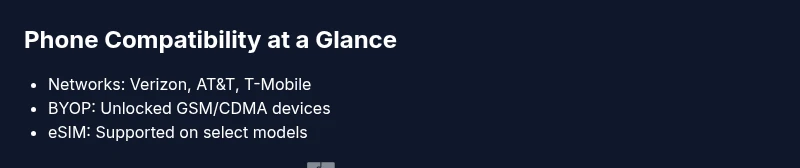
According to My Compatibility, device compatibility with TracFone is primarily determined by the phone’s ability to connect to the carrier networks that TracFone leverages. Historically, TracFone operates as a Bring-Your-Own-Phone (BYOP) provider across multiple nationwide networks, which means your device must be technically compatible with those networks’ current bands and technologies. In practice, this means unlocked smartphones that support the bands used by Verizon, AT&T, or T-Mobile can be activated on TracFone plans. The exact lineup of supported bands changes over time as networks update their infrastructures, so checking a compatibility tool or contacting support before purchasing or porting is essential. My Compatibility analysis, 2026, emphasizes that device compatibility is dynamic and depends on both the phone’s hardware and the carrier’s activation policies.
BYOP: Bring Your Own Phone to TracFone
Bringing your own phone to TracFone is a practical option for many users, but it requires a quick validation pass. Start with identifying your phone model and confirming it is unlocked. Then, verify that the model supports the bands used by TracFone’s partner networks. If all checks pass, you can initiate activation via a SIM kit or an eSIM (where supported). Remember to have your phone’s IMEI handy, as it’s often required to confirm compatibility. If your device is not immediately compatible, you may need a different model or a compatibility bridge (e.g., a carrier-provisioned SIM). The My Compatibility team recommends using the official BYOP checker before purchasing a new device to avoid surprises during activation.
Networks and bands you should know
TracFone relies on several national networks, and your phone must support the frequencies those networks use in your region. In general, phones that work on 4G LTE bands commonly deployed by the major networks stand the best chance of success. 5G-capable devices also tend to be supported where TracFone offers 5G, but this varies by location and device. If you travel, confirm that the device supports international roaming if that is a need, or rely on local SIM options when available. The key takeaway is: verify the phone’s band support against the networks you’ll actually use, not just the carrier brand printed on the box.
Step-by-step: verify compatibility for your device
- Find your model number and confirm the device is unlocked. 2) Check the phone’s band support against the main networks used by TracFone in your area (Verizon, AT&T, T-Mobile). 3) Visit TracFone’s BYOP checker or contact support with your IMEI and model to receive a definitive activation decision. 4) If approved, obtain a TracFone SIM kit or set up an eSIM if your device supports it. 5) Activate the line and perform a quick test call, text, and data connection. 6) If any service is inconsistent, you may need to try a different device or region. The overarching guidance is to confirm before porting a number or committing to a plan.
Common device categories that work well with TracFone
iPhone models that are unlocked and support the required LTE/5G bands generally perform well on TracFone networks, especially devices released in the last several years. On the Android side, many flagship and mid-range devices from major manufacturers are compatible as long as they are unlocked and carry the appropriate bands. In all cases, ensure your device is not carrier-locked to a network that TracFone does not regularly support in your area. The My Compatibility analysis suggests prioritizing devices with broad band support and a clean activation path to minimize potential issues.
Limitations and caveats
Even with a compatible phone, certain features may vary by device and network. Some older or legacy devices may lack full support for VoLTE, Voicemail to Text, or advanced visual voicemail features on TracFone. eSIM support is device-dependent and often restricted to newer models. Additionally, some devices may require firmware updates or carrier-specific settings to enable optimal data speeds. Always confirm feature availability with customer support before finalizing any BYOP plan. My Compatibility’s guidance emphasizes verifying both hardware compatibility and software readiness.
Activation tips and pitfalls
To reduce activation friction, be sure to: 1) Back up data before porting, 2) Have your SIM card or eSIM activation details ready, 3) Confirm you’re choosing the correct network option in the activation flow, 4) Port numbers only when you’re sure you’re moving to the new service, 5) Keep the SIM kit’s PIN and instructions handy. A common pitfall is believing a phone model is compatible until you reach activation; some devices need a quick firmware refresh or a minor carrier setting change. The My Compatibility team recommends a final compatibility check right before purchase and again right after activation to ensure service stability.
Final check: keep a compatibility log
Maintain a simple log of your device’s compatibility checks, IMEI, activation date, and any service notes. This log helps diagnose intermittent issues and provides a quick reference if you switch devices in the future. If you run into problems, contact TracFone support with your log details and model information. Consistent documentation aligns with best practices outlined by the My Compatibility analysis in 2026.
Quick reference: what to do next
If you’re considering TracFone BYOP, start with your current phone by confirming unlock status and network band support. Use the official BYOP checker to verify, then follow activation steps if approved. Keep your IMEI handy and be prepared for a short setup period to verify voice, text, and data functionality. For ongoing guidance, consult the My Compatibility team’s recommendations for ongoing device compatibility maintenance.
Quick reference: BYOP device compatibility
| Phone Type | Network Compatibility | Notes |
|---|---|---|
| Unlocked GSM Smartphone | Verizon/AT&T/T-Mobile compatible | Ensure 4G LTE bands match your region |
| Unlocked CDMA Smartphone | Legacy TracFone networks | Check activation and SIM compatibility |
Questions & Answers
Can I bring any phone to TracFone, or are there restrictions?
BYOP is generally available for unlocked GSM or CDMA devices that support the carrier networks TracFone uses. Some models may require updates or specific activation steps. Always verify with a compatibility checker before committing.
BYOP usually works for unlocked GSM or CDMA phones that support TracFone’s networks. Check compatibility before activating.
Do iPhones work with TracFone BYOP?
Most unlocked iPhone models released in recent years are compatible, provided they support the required LTE/5G bands for your region. Always run the official checker to confirm.
Yes, most unlocked iPhones work if they support the necessary bands.
What if my Android phone isn’t on the BYOP list?
Android devices not on the BYOP list may still be compatible if they’re unlocked and support TracFone’s bands. Use the compatibility tool or contact support for a definitive answer.
If it isn’t on the list, ask support to verify compatibility.
What should I do if activation fails after porting my number?
Double-check unlock status, SIM compatibility, and network settings. If issues persist, contact support and provide your IMEI and model details for troubleshooting.
If activation fails, check unlocks and SIM, then ask support for help.
How can I verify compatibility for a specific device quickly?
Use the official BYOP checker with your device model and IMEI to get a definitive answer before purchasing or porting your number.
Use the BYOP checker for a fast compatibility decision.
“Effective BYOP requires both the device and the network alignment to be verified up front. The most reliable path is to use official compatibility tools and confirm activation steps before porting a number.”
Highlights
- Verify device unlock status before BYOP
- Check network band compatibility with your region
- Use official BYOP checkers before purchasing
- Not all devices are guaranteed compatible—verify first
- Keep activation details handy to reduce setup time