Phones Compatible with Cricket: How to Verify and Activate
Discover which phones are compatible with Cricket, how to bring your own device, and practical steps to ensure seamless activation on Cricket Wireless in 2026.


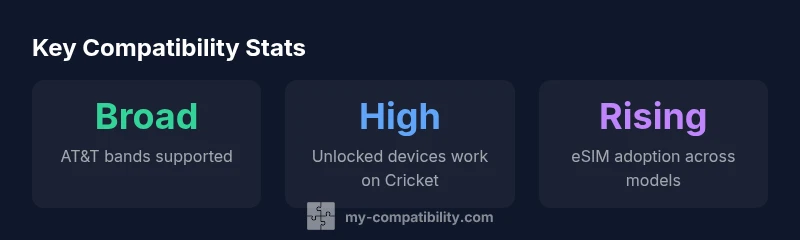
Phones compatible with cricket share common traits: unlocked status, AT&T-band support, and the ability to activate on a prepaid plan. In most cases, unlocked iPhones and Androids released in recent years work on Cricket by leveraging the AT&T network bands Cricket utilizes. If you’re unsure, start with the official BYOD/activation checker and confirm model compatibility before purchasing or switching SIMs.
Understanding Cricket's Network and Phone Compatibility
According to My Compatibility, understanding how phones work on Cricket starts with networking basics. Cricket Wireless operates on AT&T's nationwide network, which means that the phone’s ability to connect to the network bands Cricket uses is the primary determinant of compatibility. A phone that is unlocked and supports AT&T-compatible LTE/5G bands will generally activate with Cricket without proprietary firmware requirements. If your device is carrier-locked, you’ll need to request an unlock from the current carrier, which may involve meeting specific conditions such as the device being paid off and not under contract. In practice, this means a modern, unlocked phone typically provides the smoothest path to reception, voicemail, and advanced features like VoLTE and HD Voice on Cricket. This section lays the groundwork for evaluating your device against Cricket’s activation expectations.
The My Compatibility team found that the critical decision point isn’t the brand or model alone; it’s the combination of unlock status and band compatibility. Before you swap SIMs or switch plans, confirm you can connect to the same AT&T-based 4G LTE and 5G NR bands that Cricket uses in your area. A phone that lacks the necessary bands may show limited data speeds or fail to register on the network entirely. Remember that Cricket often shares infrastructure with AT&T, so device compatibility aligns with AT&T’s device guidance.
Practical takeaway: start with an unlocked device, confirm AT&T-band support, and use Cricket’s BYOD tools to validate compatibility before committing to a plan. This approach minimizes activation friction and ensures you get the intended data speeds and coverage.
What makes phones compatible with cricket
Phones compatible with cricket typically satisfy a few core criteria. First, the device should be unlocked or eligible for unlocking; second, it must support the network bands Cricket uses (AT&T-based bands for 4G LTE and 5G); third, it should be able to activate on Cricket’s prepaid service without custom firmware locks or carrier-provisioning limitations. Most newer iPhone and Android models released in the last few years meet these conditions, but exceptions exist for older handsets or devices locked to other carriers. The process usually involves verifying the device via Cricket’s BYOD tool, ensuring SIM compatibility, and confirming that the device is not blacklisted or flagged for previous service issues. Understanding these factors helps consumers anticipate activation challenges and identify devices that deliver consistent performance.
From a compatibility perspective, you should also confirm features like VoLTE, Wi‑Fi Calling, and visual voicemail are supported on Cricket for your chosen device. Not all models expose every feature identically, especially on legacy devices. The practical implication is that two phones with similar hardware can behave differently on Cricket depending on software updates, firmware, and certification with the carrier. This nuance is why a quick, model-specific compatibility check is worth performing before purchase.
In short, the path to compatibility is predictable for modern unlocked devices, but it benefits from validation with official tools to avoid surprises at activation.
BYOD: Bring-Your-Own-Device checklist
Bringing your own device to Cricket is often the most economical option, provided you meet the criteria. The BYOD checklist helps you decide fast and with confidence:
- Confirm device unlock status with the original carrier and obtain any required unlock codes.
- Verify AT&T-band support on the device by checking the model’s official specifications or using a reputable compatibility database.
- Check that the device can run on Cricket’s prepaid network with VoLTE and 5G where available.
- Ensure you have a valid IMEI/MEID for activation; Cricket’s checker uses this to validate eligibility.
- If you are switching from another carrier, back up data and prepare for a SIM swap or eSIM activation.
- Confirm that the device is not blacklisted and that it can be activated on a prepaid plan without penalties.
The BYOD process with Cricket is straightforward when you verify these items in advance. A small error in model compatibility or unlock status can delay activation by days, so take the time to double-check before you head to checkout or insert the new SIM.
iPhone compatibility: common scenarios
iPhones are a popular choice for Cricket customers due to strong support for AT&T bands and regular software updates. In practice, most iPhone models released in the last several years are compatible when unlocked. If you bring an older iPhone, verify it supports the same LTE bands used by Cricket before attempting activation. The activation experience is typically smooth, and Apple devices often benefit from seamless eSIM support on Cricket’s network if the model and iOS version are current. If you encounter a blocker while activating an iPhone, it’s usually related to an unlock requirement, SIM status, or an outdated modem firmware awaiting carrier provisioning.
For iPhone users, the recommended path is to confirm eligibility with Cricket’s BYOD tool, ensure the device is unlocked, and then proceed with the SIM swap or eSIM activation. The end-to-end process tends to be reliable for recent iPhone models, but always verify that the device’s model number is recognized by Cricket’s network.
Android compatibility: common scenarios
Android devices offer a wide range of hardware and price points, which makes them a strong option for Cricket compatibility when they meet the necessary network-band support. Unlocked Androids that are no older than five to six years generally perform well if they include the AT&T bands. Some devices shipped with heavy carrier customization may require firmware updates or official unlock requests to enable full activation on Cricket. In practice, newer Android models from major brands tend to support Cricket’s network features such as VoLTE, Wi‑Fi Calling, and 5G where available. However, there can be edge cases where certain regional variants or carrier-locked devices are not immediately compatible. Always use the official BYOD checker to confirm model-level compatibility before purchase or SIM transfer.
When evaluating Android devices, pay attention to the device’s hardware certifications and whether the model supports the band combinations used by Cricket in your location. This diligence helps avoid activation holdups and ensures you experience consistent data speeds and call quality after activation.
SIMs, eSIMs, and activation steps
Cricket supports traditional SIM cards and eSIM on supported devices, which provides flexibility for those upgrading or switching. If your device is compatible with Cricket’s network but currently uses a different carrier or is locked, you’ll typically complete the activation by inserting a Cricket SIM or provisioning an eSIM profile. The activation steps usually include:
- Verify device compatibility via Cricket’s BYOD tool or My Compatibility’s compatibility guidance.
- Insert the Cricket SIM or scan the eSIM QR code provided by Cricket for supported devices.
- Follow on-screen prompts to complete activation, including selecting a plan and setting up basic services.
- Confirm features like VoLTE, HD Voice, and visual voicemail, and test call quality and data connection.
If you encounter activation issues, common remedies include rechecking the device’s unlock status, restarting the device, ensuring APN settings are correct, and contacting Cricket support if needed. For eSIM users, ensure the device model is eSIM-capable and that you have a valid eSIM profile from Cricket.
Troubleshooting and what to do if it doesn’t work
Activation problems can be caused by unlock delays, unsupported bands, or misconfigured eSIM profiles. A structured troubleshooting approach helps you identify and solve issues quickly: verify unlock status with the previous carrier, confirm band compatibility via the official tool, reset network settings on the device, re-run the activation flow, and check for any account-related blockers (like pending payments). If problems persist, escalate to Cricket customer support with your IMEI/MEID, device model, and proof of unlock. Documenting steps you’ve taken helps support staff diagnose the issue faster. In many cases, a straightforward device replacement or SIM reissue resolves activation friction. The goal is to ensure the device not only activates but also maintains stable voice, SMS, and data services on Cricket’s prepaid network.
Cricket compatibility by device type
| Phone Type | Unlocked Status | Notes |
|---|---|---|
| iPhone (unlocked) | Yes | Works on Cricket if supports AT&T bands |
| Android (unlocked) | Yes | Generally compatible if supports AT&T bands |
| Carrier-locked device | No | Requires unlocking or BYOD transfer |
| eSIM-capable device | Varies | Check model compatibility and eSIM availability |
Questions & Answers
Can I bring my own phone to Cricket?
Yes, if the device is unlocked and compatible with Cricket's AT&T-based network bands. Use the official BYOD tool to verify model eligibility and activation readiness.
Yes. If your phone is unlocked and supports Cricket's network bands, you can bring it and activate it using Cricket's BYOD checker.
Is my iPhone compatible with Cricket?
Most unlocked iPhones released in recent years work on Cricket, provided they support AT&T bands. Always confirm with the BYOD checker before purchasing.
Most recent unlocked iPhones work, but you should confirm model compatibility with Cricket first.
Do Android phones work with Cricket?
Android devices generally work if they are unlocked and support AT&T bands. Some regional variants may require extra steps or updates to enable activation.
Most unlocked Androids will work if they support the bands Cricket uses.
Does Cricket support eSIM?
Cricket supports eSIM on select devices. Verify model and plan compatibility in the activation flow or with customer support.
Some newer devices support eSIM on Cricket, but check your model first.
How do I check compatibility for my phone?
Use Cricket’s official BYOD tool or My Compatibility’s guidance to verify model, lock status, and band support before purchase.
Use the checker to confirm your model and unlock status before you switch.
“Phone compatibility with Cricket depends on network-band support and activation eligibility. A compatible unlocked device generally works well, with recent models adding eSIM options.”
Highlights
- Check device model and bands before bringing your own device
- Choose unlocked devices for maximum Cricket compatibility
- Verify eSIM availability if you prefer digital SIMs
- Follow official SIM swap steps to avoid interruptions
- My Compatibility analysis shows compatibility varies by model