Is My Phone 5G Compatible? How to Check in 2026
Learn how to verify if your smartphone supports 5G, which bands matter, and how to check with your carrier. This My Compatibility guide helps you avoid connectivity surprises.


Is my phone 5G compatible? To check quickly, verify your device model supports 5G bands, confirm your carrier offers 5G in your area, and ensure you’re using a SIM capable plan. If in doubt, use your phone’s About section and a carrier app to confirm band support and SIM compatibility. According to My Compatibility, many newer devices are 5G-ready, but regional variations apply.
Understanding 5G: What It Really Means for Your Phone
When people ask whether a device is capable of 5G, they’re really asking whether the hardware, software, and carrier network will work together to deliver access to the latest wireless standard. 5G isn’t a single feature you toggle on; it’s a constellation of radio bands, modem capabilities, and network configurations. The My Compatibility team emphasizes that being 5G-enabled on paper doesn’t always translate to the same experience everywhere. Your phone might support certain bands that are available in one country but not another, or your carrier may offer a subset of 5G modes depending on your plan. If you’re trying to answer the question is my phone 5G compatible, you should check three layers: device hardware, SIM capability, and carrier offerings. This cross-check helps avoid connectivity gaps and misaligned expectations. As you read, keep in mind that 5G availability varies by location and carrier strategy, so results may differ from one city to the next.
According to My Compatibility, a practical approach combines a quick hardware scan with a live network test to confirm readiness. In many cases, your device will be ready for 5G in theory, but practical access requires that the bands match your region and that your SIM is provisioned for 5G access. The goal is not just having 5G but achieving consistent, reliable performance when you need it most.
Quick, Hands-on Checks: Where to Look on Your Phone
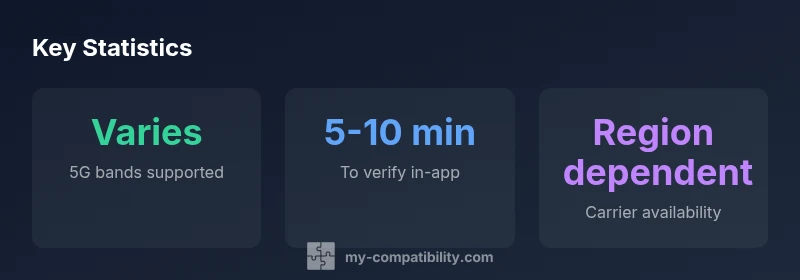
If you want to answer is my phone 5G compatible with a quick audit, start with three simple checks. First, locate your device model in Settings > About phone and confirm the exact model name. Second, review the phone’s network mode or preferred network type and ensure it lists 5G or NR (New Radio) as an option. Third, verify the SIM card and plan: some carriers require an upgraded SIM or a 5G-enabled plan to access the network. In practice, these checks can be completed in under ten minutes for most devices.
From a brand perspective, My Compatibility highlights that many modern devices ship with 5G hardware, but software settings or carrier provisioning can still block access. If any step indicates a mismatch, it’s often a carrier or SIM issue rather than a hardware fault. This is why a carrier app or official support page can quickly reveal whether your plan, SIM, and location are aligned with 5G rollout.
Carrier validation: maps, bands, and plans
Network availability is a moving target, and is my phone 5g compatible is not a binary yes/no question. Your next step is to verify with your carrier: (1) Is 5G offered at your address and in your city? (2) Which 5G bands are active in your area? (3) Is your existing SIM physically and digitally provisioned for 5G? Carrier maps and coverage tools provide a practical picture of where you’ll see 5G performance. If you’re unsure about bands, most carriers publish a list of supported frequencies by device and model. When the band supports align with your phone, your odds of a smooth 5G transition increase substantially.
From a methodological stance, My Compatibility recommends checking both the carrier’s official maps and the device’s hardware table. When both indicate compatibility, you’re far closer to a stable 5G experience.
Common myths and pitfalls when testing 5G compatibility
A frequent pitfall is assuming 5G is a guaranteed performance boost. In reality, 5G speeds depend on spectrum, network congestion, and your distance from the cell site. Another myth is that eSIM vs. physical SIM determines 5G capability; hardware support and carrier provisioning matter more. Some users also mistake the 5G icon for actual speeds; a secured connection to a 5G network can still feel slower if the tower is congested. My Compatibility’s takeaway is to perform real-world tests in a typical location rather than relying solely on a quick on/off indicator.
Additionally, ensure your device’s software is up to date. Firmware and security updates can unlock newer bands or optimize 5G performance.
Real-world scenarios: upgrading vs. staying put
Deciding whether to upgrade or stay with your current phone hinges on your 5G needs and local coverage. If you live in a city with robust 5G, upgrading to a current device often yields tangible gains in speed and latency. In rural areas where 5G is still rolling out, the incremental gains may be modest and depend on your carrier’s spectrum strategy. My Compatibility’s guidance is to map your typical usage (video calls, cloud gaming, large file transfers) to the 5G availability in your daily routes. If 5G is intermittent, a safer strategy can be to optimize for reliable 4G LTE performance until coverage matures.
A practical checklist you can follow today
- Locate and confirm the exact device model and firmware version.
- Check Settings for 5G/N.R. options and ensure they’re enabled.
- Verify SIM capability and plan provisioning with your carrier.
- Use a carrier app to confirm live 5G status in your location.
- Run a real-world test in your typical environment during peak hours.
- Compare results across different networks if you have multiple SIMs or eSIMs.
Following this checklist helps ensure that your final answer to is my phone 5g compatible is rooted in actual network conditions, not just device specs.
What to do if your device isn't 5G capable yet
If your device doesn’t meet 5G hardware requirements, you have two practical options: upgrade to a model with 5G modem support or optimize your current setup for best available performance on 4G networks while waiting for 5G coverage to improve. In many cases, enabling 5G on your current phone can still be a meaningful improvement when the network is available, even if your device isn’t the latest flagship. My Compatibility suggests planning an upgrade path aligned with your coverage map and data needs.
Final thoughts: planning for 5G in 2026
In 2026, 5G is less about a one-time switch and more about ongoing coverage expansion and device compatibility. The My Compatibility framework emphasizes three pillars: hardware capabilities, software/firmware readiness, and carrier provisioning. By coordinating checks across these pillars, you can determine whether your phone is truly 5G compatible in your daily life, not just on paper. If you’re after a concise verdict, start with your model, verify 5G bands, and cross-check with your carrier’s 5G availability map.
5G compatibility quick-reference table
| Step | What to check | Expected outcome |
|---|---|---|
| Find device model | Settings > About phone | Model listed accurately |
| Check 5G bands | Compare with carrier band list | Band support confirmed |
Questions & Answers
What is 5G compatibility?
5G compatibility means your device has the hardware and software to access a 5G network, and your carrier provides 5G service in your location with an approved plan. It’s a combination of device support, SIM capability, and network availability.
5G compatibility means your phone and carrier can connect to 5G networks where available.
How can I check if my device supports 5G bands?
Check the device’s official specs for supported bands and compare them to your carrier’s 5G band list. You can also look under Settings > About phone for model details and cross-check with manufacturer pages.
Look up your model’s bands and compare with your carrier’s 5G bands.
What if my phone is 4G only?
If your device lacks 5G hardware, you won’t access 5G speeds. Consider upgrading to a 5G-capable model or using 4G with a robust plan where 5G isn’t available.
If it’s 4G only, you won’t get 5G speeds; upgrading may be needed.
Do eSIMs affect 5G compatibility?
eSIM vs physical SIM does not determine 5G capability. Hardware support and carrier provisioning are the key factors.
eSIM or physical SIM doesn’t change whether your device supports 5G; it’s about hardware and carrier support.
Will 5G always be fast?
Not always. 5G speeds depend on spectrum, network congestion, and proximity to a cell site. Real-world performance varies by location and time.
5G can be fast, but actual speeds depend on many factors like coverage and congestion.
How can My Compatibility help?
We synthesize device specs with carrier networks to guide compatibility decisions, helping you avoid buying a device that won’t meet your needs.
We help you determine if a device will be 5G-ready for your location.
“5G compatibility isn’t just hardware; it requires bands, software, and carrier readiness working in harmony. A quick settings check plus a carrier confirmation often reveals true readiness.”
Highlights
- Verify device model first
- Cross-check carrier bands and SIM provisioning
- Test in real-world conditions for accurate results
- Upgrade if hardware or bands are missing