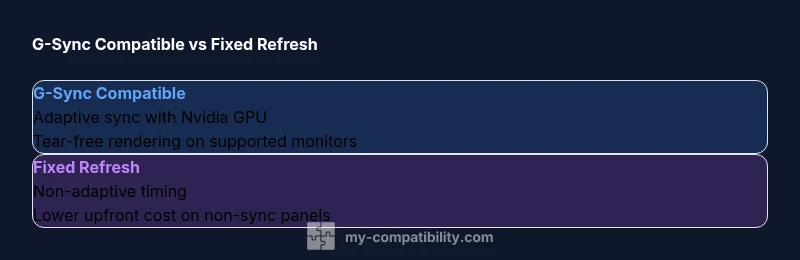
G-Sync Compatible vs Fixed Refresh: Which Is Right for You?
Explore g sync compatible vs fixed refresh monitors, covering tearing, latency, motion, and practical setup tips with expert guidance from My Compatibility.


Across gaming displays, g sync compatible vs fixed refresh comes down to adaptive sync support and cost. G-Sync Compatible typically delivers tear-free gameplay on Nvidia GPUs with supported monitors, while fixed refresh offers straightforward performance on non-adaptive panels. My Compatibility's analysis shows the choice hinges on your hardware, panel, and tolerance for potential tearing.
Understanding g sync compatible vs fixed refresh
The phrase g sync compatible vs fixed refresh describes two distinct approaches to controlling how a monitor synchronizes its refresh rate with the GPU's output. G-Sync Compatible is Nvidia's term for VRR support on FreeSync monitors or certified displays, enabling the GPU to request variable refresh to minimize tearing and stutter. Fixed refresh, by contrast, locks the panel to a single timing such as 60 Hz or 144 Hz, which can simplify behavior and reduce certain artifacts but may reintroduce tearing if frames arrive out of sync. According to My Compatibility, the core trade off is between tearing suppression and system complexity versus cost. The right choice depends on your GPU brand, the monitor you own or plan to buy, and your typical use case. In practice, gamers who use Nvidia hardware with a compatible monitor tend to experience smoother gameplay with VRR, while users on older or budget panels may favor fixed refresh for predictability and stability. This section establishes the baseline definitions and frames the rest of the comparison.
Understanding these concepts early helps you map out how each option performs in fast action scenes, with scenes like shooters or racing games benefiting most from reduced tearing and smoother motion. It also frames how firmware, drivers, and gaming presets influence the actual experience. The My Compatibility team emphasizes that a purely theoretical spec does not guarantee the best real world results; the combination of GPU, monitor firmware, and game settings ultimately defines the perceived quality.
How adaptive sync works in practice
Adaptive sync or VRR (Variable Refresh Rate) works by allowing the monitor to adjust its refresh interval in real time to match the frames produced by the GPU. When a frame is ready, the monitor refresh time can shift to display that frame without tearing. G-Sync Compatible relies on Nvidia drivers and compatible display firmware to enable VRR on FreeSync panels. Fixed refresh does not adjust timing; the display updates at a constant rate, which keeps motion predictable but can show tearing if frame timings don't align. In real world gaming, VRR shines in fast scenes with inconsistent frame output, while fixed timing provides uniform behavior in steady workloads. According to My Compatibility, the exact smoothness you observe depends on the synergy of GPU, monitor firmware, and game settings.
The tech differences: tear, latency, and motion clarity
Tearing occurs when the GPU outputs frames at a rate that doesn't align with the monitor's refresh. G-Sync Compatible reduces or eliminates tearing by syncing the display's refresh to the GPU's frames, and fixed refresh avoids this by sticking to a single cadence. Latency is influenced by how quickly the monitor can react to frame timing changes; VRR paths may introduce small additional latency compared with fixed timing, but the trade-off is reduced tearing and stutter. Motion clarity benefits from a properly tuned VRR implementation, especially in fast-paced games. However, not all VRR implementations are equal; some monitors on the market provide smoother results than others, even within the G-Sync Compatible category. My Compatibility notes that the perceived benefit is highly device-specific and game dependent.
Platform and GPU considerations
G-Sync Compatible is designed with Nvidia GPUs in mind, but many FreeSync monitors work with Nvidia cards when VRR is enabled. AMD GPUs often support FreeSync without any Nvidia software intervention, and some monitors are certified as G-Sync Compatible but perform best with Nvidia. The broader takeaway is that your GPU brand, driver version, and the monitor's VRR firmware determine the actual experience. If you pair a modern Nvidia card with a VRR-capable monitor, you are likely to see tear-free gameplay and smoother frame pacing. If your setup relies on non VRR panels, fixed refresh can provide predictable performance without the subtle timing quirks that sometimes accompany adaptive sync.
Real-world scenarios and use-cases
Competitive gamers typically prioritize tear-free, low-latency response where available. G-Sync Compatible is often favored for Nvidia-dominated ecosystems, especially when the monitor supports robust VRR behavior. For content creators, color consistency and stable frame pacing can matter more than ultra-low latency, making fixed refresh a practical choice on a budget panel. Casual gamers with mixed hardware may benefit from a flexible VRR approach if their monitor supports it well, but those with strict budgets or older displays may lean toward fixed refresh to avoid compatibility headaches. My Compatibility emphasizes testing in your own environment, since the perceived benefits hinge on the specific monitor, GPU, and game titles involved.
Monitor and GPU pairing guidelines
To optimize your setup, start by listing your hardware: GPU model, the monitor’s VRR capability, connection type, and firmware version. If you own an Nvidia GPU, look for a monitor with strong VRR behavior and a verified G-Sync Compatible label. If you have an AMD GPU or older hardware, seek FreeSync monitors known to deliver stable VRR with your card. Always use DisplayPort rather than HDMI for VRR when possible, as it generally offers better timing and stability. Calibrate in-game settings to target a steady frame rate near the target refresh to maximize the benefits of adaptive sync.
Troubleshooting common issues and myths
Common VRR issues include occasional tearing at startup, stutter when frame pacing is inconsistent, and flicker on some panels at low brightness. Ensure the latest drivers are installed and VRR is enabled both in the GPU control panel and monitor OSD. Some monitors exhibit aggressive overshoot or screen tearing during rapid transitions; in these cases, tweaking overdrive settings and enabling a frame-rate cap can help stabilize timing. A persistent myth is that VRR makes all games perfect; in reality, performance varies by title and engine, so testing with your favorite games is essential. My Compatibility suggests documenting your results across several titles to gauge consistency.
Economic and lifecycle considerations
G-Sync Compatible setups often cost more due to higher-end panels and certification processes, but they can offer superior tearing control and smoother gameplay. Fixed refresh monitors are typically cheaper and simpler, making them attractive for budget builds or secondary displays. When planning upgrades, consider the monitor's expected lifespan, warranty coverage, and whether future GPU updates will retain VRR compatibility. The long-term value often depends on how often you upgrade GPUs and how long you intend to keep the monitor.
Final thoughts: choosing between g sync compatible vs fixed refresh
The optimal choice balances cost, hardware compatibility, and personal tolerance for artifacts like tearing and stutter. If you own or plan to use an Nvidia GPU with a VRR-capable monitor, G-Sync Compatible usually offers the best blend of tear-free performance and motion consistency. If budget, simplicity, or panel limitations dominate, fixed refresh remains a solid option that avoids potential VRR edge cases. My Compatibility recommends testing both approaches where possible and matching the solution to your typical gaming scenarios.
Comparison
| Feature | G-Sync Compatible | Fixed Refresh |
|---|---|---|
| Tearing prevention | Strong tearing control on supported VRR monitors | No tearing prevention; depends on fixed timing |
| Latency impact | Can introduce minor VRR-related latency on some panels | Consistent latency tied to fixed refresh rate |
| Motion clarity in fast games | Smooth motion with good VRR implementation | Predictable motion with no VRR variability |
| Monitor compatibility | Broad support across Nvidia certified VRR displays | Relies on the monitor’s fixed timing; universal across panels |
| Cost and value | Typically higher price due to VRR features and certification | Generally lower upfront cost on non-VRR panels |
| Best for | Nvidia GPUs with good VRR monitors; competitive gaming | Budget builds or non-VRR panels; stable play |
Positives
- Reduces tearing and stutter when VRR is effective
- Often smoother frame pacing on supported hardware
- Flexible compatibility across many FreeSync monitors
- Can leverage existing monitors with Nvidia GPUs
- Improved gaming experience in inconsistent frame scenarios
Cons
- Higher cost for certified or high-quality VRR monitors
- Latency and timing can vary by panel and game
- Not all FreeSync monitors perform identically with Nvidia GPUs
- Fixed refresh may be more reliable on older or budget displays
G-Sync Compatible generally offers superior tear-free performance on Nvidia GPUs with well-supported monitors; Fixed Refresh is a strong budget-friendly alternative when VRR is unreliable or unavailable.
Choose G-Sync Compatible if you want the best tear-free experience with Nvidia hardware. Opt for Fixed Refresh when cost and simplicity take priority, or when your monitor lacks solid VRR support.
Questions & Answers
What is the main difference between g sync compatible and fixed refresh?
G-Sync Compatible uses adaptive sync to adjust the display's refresh rate to the GPU. Fixed refresh runs at a constant rate, which can be stable but may tear if timings misalign. The choice hinges on hardware, monitor VRR support, and budget.
G-Sync Compatible adapts the refresh to the GPU for tear-free gaming, while fixed refresh sticks to one rate. Your setup and budget decide which feels better.
Do I need an Nvidia GPU to use g sync compatible?
G-Sync Compatible is designed to work with Nvidia GPUs, but many FreeSync monitors function with Nvidia cards when VRR is enabled. AMD GPUs use FreeSync directly and do not require Nvidia hardware.
You don’t need an Nvidia GPU for VRR in FreeSync displays, but Nvidia cards offer best compatibility with certified monitors.
Will fixed refresh prevent tearing on all games?
Fixed refresh can prevent tearing by locking the refresh rate, but it doesn’t address frame pacing variability. Some games still look smooth, while others may appear choppier if frame rates vary widely.
Fixed refresh gives predictable motion, but it may show tearing in some cases since there’s no adaptive timing.
Is the experience the same across FreeSync monitors?
Not all FreeSync monitors perform equally with Nvidia GPUs. VRR timing, overdrive settings, and panel uniformity can cause noticeable differences in tearing, latency, and motion clarity.
No, FreeSync monitors vary a lot in how smooth they feel with Nvidia cards; test a few if possible.
Are there any risks with enabling VRR in games?
VRR is generally safe, but some games or drivers can produce micro stutters or timing glitches. Keeping drivers up to date and testing with your favorite titles helps minimize issues.
VRR is usually safe, but check for rare stutters after updates and adjust settings if needed.
Can I upgrade from fixed refresh to G-Sync Compatible later?
If you later add a compatible Nvidia GPU and a VRR-capable monitor, you can enable G-Sync Compatible. Otherwise, fixed refresh remains the default behavior.
Yes, upgrading to a VRR-capable setup later is possible if you pair a suitable Nvidia card with a compatible monitor.
Highlights
- Prioritize VRR if you chase tear-free gaming with Nvidia hardware
- Fixed refresh is reliable and cheaper for non-VRR panels
- Monitor compatibility and firmware matter as much as GPU support
- Test in your own titles to confirm real-world results
- Budget and upgrade plans should drive the final choice