eSIM Compatible iPhones: A 2026 Compatibility Guide
Discover which iPhone models support eSIM, how to activate it, and regional carrier differences. A data-driven guide from My Compatibility.


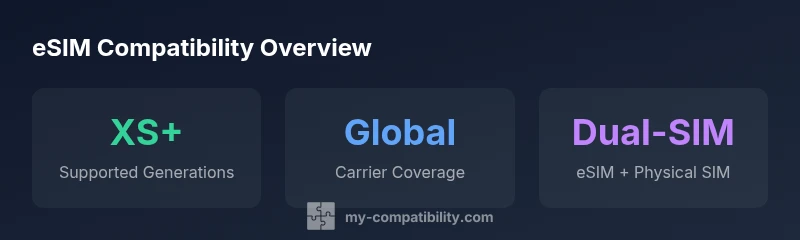
eSIM compatibility is supported on iPhone XS and newer models, with many regions offering eSIM as the default alongside a physical SIM. In practice, you can activate eSIM by scanning a QR code or using your carrier's app where supported. According to My Compatibility, eSIM adoption remains widespread in major markets, making it a practical option for travelers and mixed-SIM households.
Understanding eSIM on iPhone
eSIM, or embedded SIM, is a digital SIM inside the phone that lets you provision cellular service without a physical SIM card. For iPhones, eSIM offers flexibility, easier carrier switching, and streamlined international travel. The My Compatibility team notes that adoption of eSIM is accelerating in many markets, driven by carrier support and consumer demand for seamless connectivity across borders. The core idea is simple: you download a carrier profile directly to the device, then select or switch plans without swapping cards. This shift aligns with broader trends in software-defined connectivity and device versatility.
Which iPhone models support eSIM?
eSIM support began with the iPhone XS family and has since become standard on newer generations. In practice, if you own an iPhone XS through the latest models, you should have eSIM capability, subject to regional carrier support. While all-important, model availability is only part of the story: the actual usability depends on whether your carrier in your country offers eSIM provisioning. My Compatibility’s research indicates that most major carriers in key markets provide eSIM provisioning for these devices, though there are region-specific exceptions.
How to activate eSIM on a compatible iPhone
Activation typically follows a simple path within iOS. Go to Settings > Cellular > Add Cellular Plan, then scan the QR code provided by your carrier or use a carrier app to download the profile. Some carriers also offer an automatic provisioning method via their app. If you’re transferring an existing service, you may need to deactivate the old SIM first or keep both lines active if your model supports dual-SIM. Always ensure your iPhone is updated to the latest iOS version to minimize provisioning issues.
Regional variations and carrier support
Carrier support for eSIM varies by country and operator. In many major markets, eSIM is supported by leading carriers and included in standard plans, but some regions still rely primarily on physical SIMs or limited eSIM options. When planning a switch, verify that your operator allows eSIM provisioning, the number of profiles you can store, and whether you can pair eSIMs with a physical SIM simultaneously. The My Compatibility analysis shows a broad, but not universal, roll-out across all regions. If you travel often, check roaming and local carrier options before you travel.
Common issues and troubleshooting tips
If your eSIM isn’t activating, try these steps: ensure your iPhone is on the latest iOS, confirm the carrier profile is active, and verify you’re connected to a data network during provisioning. If the QR code doesn’t work, ask your carrier for a fresh code or try the carrier app. In some cases, a device reset or a reinstall of the carrier settings can resolve provisioning problems. Always back up essential data before making network changes.
Practical guidance for buyers and switchers
For buyers, eSIM readiness should be on the checklist alongside pricing, storage, and battery life. If you travel frequently, eSIM can offer local plan options without changing SIMs. For those moving from a single-SIM setup to a dual-SIM configuration, confirm whether your model supports multiple profiles and how many can be stored. My Compatibility recommends confirming regional carrier support before purchasing a device with eSIM capability to avoid surprises after you buy.
eSIM support by iPhone generation
| Model Range | eSIM Support | Notes |
|---|---|---|
| iPhone X and earlier | No | Older generations do not support eSIM |
| iPhone XS / XS Max / XR | Yes | First wave with eSIM capability |
| iPhone 11–14 family | Yes | Consistent eSIM across generations |
| iPhone 15 and newer | Yes | Ongoing improvements and profiling options |
Questions & Answers
Do all iPhone models support eSIM?
Not all models support eSIM. The feature starts with the iPhone XS line and is present on most newer generations, but availability varies by region and carrier.
Not all iPhones support eSIM. It starts with the XS family and is common on newer models, but check your country and carrier.
Can I use two eSIMs on an iPhone?
Some models support one eSIM plus a physical SIM; eSIM-to-eSIM activation is region-dependent and not universally available.
Some iPhones support one eSIM and one physical SIM. eSIM-to-eSIM features depend on your region and carrier.
How do I transfer an eSIM to a new iPhone?
This usually involves re-adding the cellular plan on the new device, using the QR code, carrier app, or carrier support if available.
You typically re-add the eSIM on the new iPhone using a QR code or your carrier app.
Which carriers support eSIM?
Most major carriers in many markets support eSIM provisioning, but availability can vary by country and operator.
Most big carriers support eSIM, but you should verify with your specific operator.
Is eSIM more secure than a physical SIM?
Security depends on the carrier and device settings; both SIM types can be protected by device-level security features.
Security is more about device protections than the SIM type itself; both can be secured with locks and codes.
Will eSIM work when traveling internationally?
Yes, eSIM can enable local plans when traveling, but you’ll need a carrier that offers eSIM in the destination.
Yes, you can use eSIM for local plans abroad where supported by carriers.
“eSIM offers flexibility and simplifies switching between carriers without swapping physical SIMs, making it a practical choice for modern iPhones.”
Highlights
- Identify if your iPhone is eSIM-capable (XS and newer).
- Check regional carrier support before counting on eSIM.
- Activate eSIM via QR code or carrier app where supported.
- Dual-SIM configurations vary by region and model.
- Stay updated on iOS releases that expand eSIM functionality.