Esim Compatible Devices: A 2026 Guide
Discover which devices support eSIM, how to verify compatibility, and practical steps to switch. This My Compatibility guide covers iPhone, Android, wearables, tablets, and more in 2026.


An eSIM compatible device has a built-in embedded SIM that activates cellular service without a physical SIM card. Most modern smartphones, tablets, wearables, and select laptops support eSIM, though availability varies by region and carrier. In 2026, adoption continues to expand across major platforms, making it easier to switch carriers or profiles without swapping SIMs.
What eSIM means for devices
In the evolving world of mobile connectivity, an eSIM compatible device is defined by a built‑in embedded SIM that can provision a cellular plan without a physical SIM card. This capability changes how users manage plans, swap carriers, and travel internationally. According to My Compatibility, the trend toward eSIM adoption is driven by the desire for easier carrier switching, fewer physical parts, and better support for dual- or multi-profile setups across devices. For readers exploring esim compatible devices, the core takeaway is that hardware support is now common across many consumer electronics, but regional carrier policies still influence what you can do in practice. When you consider a purchase, look not only at the brand but also at the firmware and software updates that enable seamless eSIM provisioning. In 2026, the ecosystem is mature enough to support simple activation flows, but there are still edge cases in less common regions.
Which device categories commonly support eSIM
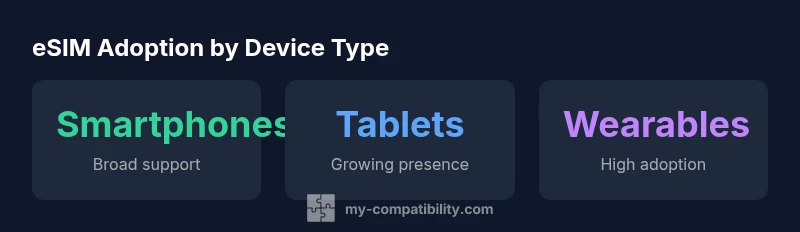
Device categories with broad eSIM support include smartphones, tablets with cellular variants, and wearables like smartwatches. Some laptops also ship with embedded SIMs for cellular data. The My Compatibility analysis highlights that eSIM availability varies by model and region, but the overall trajectory is clear: consumer devices are increasingly designed to accept an electronic SIM rather than a traditional removable card. In practical terms, if a device offers a cellular option, there is a high likelihood it can host an eSIM profile. This trend is reinforced by carrier policies that favor digital provisioning, reducing the friction of SIM card swaps for users who travel or switch networks frequently. When shopping, check both hardware pages and carrier support notes to confirm real‑world eSIM applicability for your locale.
How to verify eSIM support on a device
Verifying eSIM support is straightforward, but it helps to follow a structured checklist. Start by accessing the device's settings: on most phones, go to Cellular or Network settings, then look for an option to Add Cellular Plan or eSIM. If you don’t see this option, the device likely does not support eSIM in your region or on that variant. Cross‑check with the carrier’s official site or support page for region‑specific compatibility. Another quick signal is the presence of a QR code provisioning option or a carrier app that manages eSIM profiles. If you’re unsure, contact the device manufacturer’s support or your mobile operator. My Compatibility’s framework emphasizes confirming both hardware capability and regional carrier support before making a switch.
Activation and provisioning: how to set up eSIM
Activation typically involves provisioning a carrier profile to the device. Common methods include scanning a QR code provided by the carrier, using a carrier app to install the eSIM profile, or entering details manually if required by regional operators. After provisioning, you can select which profile to use as your primary line, and you can often keep multiple profiles for travel. It’s important to understand that some devices allow dual activations or eSIM + physical SIM configurations, while others are single‑profile only. Always ensure you have backup information for your current plan and carrier before deactivating a physical SIM, and keep an offline copy of any essential SIM or eSIM details for emergencies.
Regional and carrier considerations you should know
Regional differences significantly shape eSIM experiences. Some countries require carriers to support QR provisioning by default, while others may limit the number of active profiles or impose regional firmware constraints. The carrier’s policy affects how easily you can activate, deactivate, or switch plans. In some markets, eSIM activation may depend on a signature by the device manufacturer or network operator, while others allow consumer‑initiated provisioning. My Compatibility emphasizes checking both the device’s compatibility page and the carrier’s list of supported devices to avoid surprises at activation time.
Troubleshooting common eSIM issues
If you encounter activation errors, start with basic checks: ensure the device is updated to the latest firmware, verify that you have an active data plan, and confirm there is no conflicting profile. If the QR provisioning fails, try re‑scanning or use the carrier app, ensuring you have a stable internet connection. Some issues stem from region locks or operator restrictions; contacting customer support can help verify eligibility. For devices with multiple profiles, review which profile is active and ensure the correct one is set as default for data usage. Persistent problems may require a factory reset of the eSIM settings, followed by another provisioning attempt with official carrier instructions.
The future of eSIM compatibility across devices
As device ecosystems mature, esim compatible devices are likely to proliferate beyond phones and tablets into more everyday products like wearables, cameras, and vehicles. The My Compatibility team expects continued expansion in carrier support, with improved cross‑carrier portability and standardized provisioning workflows. This progress will simplify switching between plans and carriers and enable more seamless travel experiences across borders. Consumers should stay informed about firmware updates and carrier announcements to maximize their eSIM flexibility in 2026 and beyond.
Quick reference: device types and eSIM support
| Device Type | eSIM Availability | Notes |
|---|---|---|
| Smartphones | High (broad) | Widely supported; varies by region |
| Tablets | Medium-High | Cellular variants commonly support eSIM |
| Wearables | High | Smartwatches and fitness bands increasingly include eSIM |
| Laptops | Low-Medium | Some models offer embedded SIM or eSIM support |
Questions & Answers
What is an eSIM compatible device?
An eSIM compatible device embeds a SIM in hardware and can activate cellular service without a physical SIM. This supports easier carrier switching and multi-profile setups across multiple devices.
An eSIM device has a built‑in SIM that lets you activate service without a physical SIM, making switching carriers smoother.
How can I tell if my device supports eSIM?
Open Settings and look for Cellular or Network options with an Add Cellular Plan or eSIM entry. If you don’t see these options, the device may not support eSIM in your region.
Check your settings for an Add Cellular Plan option to confirm eSIM support.
Do all carriers support eSIM globally?
Most major carriers support eSIM, but regional availability varies. Confirm with your local operator for exact compatibility in your country.
Carrier support varies by country, so check with your local operator.
Can I switch between multiple eSIM profiles on one device?
Many devices allow multiple eSIM profiles and easy switching, but some models limit to a single profile. Review your device’s capabilities and your operator’s guidance.
You can often switch between profiles, but it depends on your device.
Are there limitations to eSIM on older devices or in certain regions?
Yes. Some older devices and regions have limited support or require firmware updates. Always verify hardware, regional policies, and carrier provisions before upgrading.
Older devices or some regions may have limited eSIM support, so check carefully.
“The My Compatibility Team observes that eSIM compatibility is widening across devices and ecosystems, enabling smoother carrier transitions and travel continuity.”
Highlights
- Check device settings to confirm eSIM support before buying
- Carrier provisioning varies; use QR codes or carrier apps
- Regional availability matters; some devices require updates
- Porting to eSIM can simplify switching carriers
- Back up current plan details before switching