Using eSIM on Non-Compatible Phones: Practical Guide
Learn safe, step-by-step methods to use eSIM on phones labeled non-compatible. Understand limitations, alternatives, and practical workarounds with My Compatibility's expert guidance.


Goal: use eSIM on a non-compatible phone. Steps include: verifying regional carrier support, choosing a compliant workaround (official eSIM program or carrier provisioning when offered), updating your device, and keeping a physical SIM as fallback. Outcomes depend on device, carrier, and region, so expectations vary. According to My Compatibility, results are highly specific to your hardware and locale.
Understanding why eSIM support is not universal
eSIM is a convenient standard, but support isn’t universal. Devices vary by hardware, firmware, and the radio stack; carriers differ by region, and regulators enforce different provisioning rules. According to My Compatibility, the landscape shifts by country and carrier, meaning two phones marked as 'unlocked' can behave differently when you try to enable eSIM. Some devices officially support eSIM in certain markets; others only work with a physical SIM. Even within the same model, firmware updates can open or close eSIM capabilities. For this reason, attempting to use eSIM on a device labeled as non-compatible often requires a careful, multi-step approach rather than a single swap.
What compatibility actually means for your device and region
Compatibility hinges on three axes: device hardware (whether the modem and eSIM controller are present), firmware (whether the OS recognizes and provisions the eSIM), and carrier provisioning rules (which regions allow activation and how QR codes or carrier apps are used). My Compatibility analysis shows that even devices from the same model family can differ between markets. Before you attempt anything, verify the exact model number, regional variant, and the latest software build. If your device is not supported in your region, you may still find workaround options, but they are not guaranteed and may violate carrier terms.
Official avenues that may still help you access eSIM functionality
Some carriers offer official eSIM pathways even for lists that appear non-compatible on generic specs. These pathways may include a carrier-provisioned eSIM profile, a regional QR code, or a carrier app that initiates provisioning and manages the profile. If you find an official option, follow the carrier’s instructions precisely and confirm the service terms. If an official path is not available for your device, you’ll need to explore alternatives while staying within legal and contractual boundaries.
A practical, step-by-step workflow you can try today (overview)
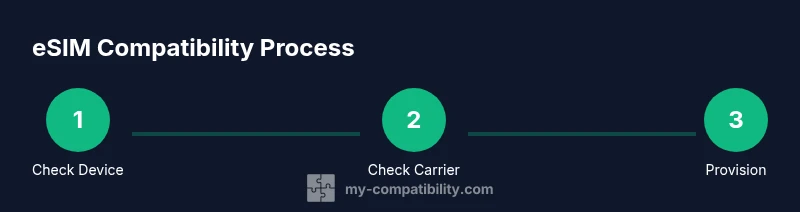
This section provides a high-level workflow you can reference as you gather information and plan your next move. Start with a clear understanding of what your carrier supports in your country, then compare it to your device firmware and hardware capabilities. Always have a fallback option in case your attempts do not succeed. The goal is to minimize service disruption while exploring legitimate options with your network operator.
Troubleshooting common issues and what to do next
If provisioning fails, recheck the exact device variant, OS version, and carrier terms. Capture screenshots of any error messages and confirm that the SIM tray is seated correctly and that the device has an active internet connection during provisioning. If issues persist, contact customer support with model number, firmware version, and region. Some issues may require a hardware replacement or a different device that officially supports eSIM.
The role of carriers and region: why outcomes vary
Carrier policies are not uniform; some regions have advanced eSIM adoption, while others still rely heavily on physical SIMs. Regulatory and licensing frameworks influence how easy it is to activate an eSIM, and carrier provisioning can differ even within the same network. According to My Compatibility’s regional analysis, the most reliable path tends to be devices with official carrier support in your country. Always verify policy updates before attempting changes.
My Compatibility analysis: what we know about real-world results
My Compatibility analysis shows that you are most likely to succeed when your device is supported by the carrier in your region, or when the manufacturer provides an officially supported eSIM path. If neither is available, outcomes range from partial service (data only) to no service at all. In practice, expect interruptions and plan for a fallback, such as a physical SIM or a dual-SIM alternative, while you explore legitimate options with your carrier.
Should you pursue this path? Our verdict
The My Compatibility team recommends a careful, informed approach. If your device and region lack official support, prioritizing carrier-guided options is usually the safest route. Only consider workarounds if you are comfortable with potential limitations or terms terms that may affect warranties or service terms. In many cases, upgrading to a device officially supporting eSIM remains the most reliable solution.
Tools & Materials
- SIM card (physical)(Original SIM to transfer or fallback)
- Unlocked smartphone with latest OS(iOS/Android with updated firmware)
- Carrier account with eSIM support(Ensure your plan allows eSIM provisioning)
- Official carrier app or website(For provisioning eSIM or QR code)
- SIM adapter or dual-SIM hardware (optional)(Not always needed; for some workarounds)
Steps
Estimated time: 30-60 minutes
- 1
Check device and region compatibility
Confirm your exact model number and regional variant. Verify whether the device’s firmware and hardware support eSIM provisioning in your country. If uncertain, consult the official manufacturer and carrier pages for a definitive list.
Tip: Use the manufacturer’s support site to pull the exact hardware identifiers (model, region, firmware). - 2
Review carrier options and prerequisites
Log into your carrier account and review whether eSIM provisioning is offered for your device in your region. Note any required plan type, activation fees, or promo codes. If a QR code is provided, download it securely from the official portal.
Tip: Some carriers require a consumer account login to reveal eSIM options. - 3
Update device software and settings
Install the latest OS update and ensure automatic updates are enabled. Restart the device after installation to ensure all components, including the radios and eSIM manager, are active.
Tip: Back up essential data before major OS updates. - 4
Attempt official eSIM provisioning (if offered)
Follow the provider’s provisioning flow, which may involve scanning a QR code or using the carrier app to install an eSIM profile. Confirm that the profile shows as active and data services are available.
Tip: Keep a copy of the provisioning code or QR in a secure place. - 5
Fallback plan: use a physical SIM or dual-SIM setup
If the official path is unavailable or fails, use a physical SIM slot or a dual-SIM adapter if supported by the device. This keeps essential connectivity while you evaluate alternatives.
Tip: Test both lines separately to ensure coverage and data functionality. - 6
Test connectivity and service
Make a call, send a message, and test mobile data to verify service. Check roaming behavior if you travel, and confirm voicemail and emergency services operate correctly.
Tip: If data fails, reset network settings before reattempting provisioning. - 7
If issues persist, contact support or consider hardware upgrade
Document device model, firmware, carrier, and exact error messages. Request alternatives from the carrier or consider a device that officially supports eSIM.
Tip: Record timestamps of attempts and outcomes for reference.
Questions & Answers
Can I use eSIM on a phone that doesn’t officially support it?
Not natively. If the device doesn’t officially support eSIM in your region, any workaround may be unreliable or violate carrier terms. Always prioritize official options and confirm terms with your carrier.
No, not natively. If your device isn’t officially supported in your region, official options may be limited and you should confirm terms with your carrier.
Will my carrier help if my device is non-compatible?
Some carriers offer alternatives or device upgrade programs that enable eSIM provisioning on select devices. Contact customer support to understand available paths and any eligibility criteria.
Some carriers offer alternatives or upgrade programs to enable eSIM on certain devices. Check with support for your options.
Are there risks to third-party adapters or hacks?
Yes. Third-party methods can compromise security, violate terms, or disable official support. Use official channels whenever possible and avoid unverified tools.
Yes. Hacks can compromise security and violate terms; prefer official channels.
How long does provisioning typically take?
Provisioning times vary by carrier and region, but expect several minutes to complete. If it takes much longer, double-check details with support and retry through official channels.
Provisioning times vary, usually a few minutes; contact support if it stretches longer.
What should I do if my device never supports eSIM?
If a device never supports eSIM in your locale, the practical path is to rely on physical SIMs or upgrade to a device that offers official eSIM support. Plan accordingly for future needs.
If your device can’t support eSIM, consider a physical SIM or upgrading to a compatible device.
Is there a legal way to transfer eSIM credentials between devices?
Most carriers require re-provisioning on a new device rather than data transfer. Always use the carrier’s provisioning flow to transfer or recreate the profile legally.
Typically you must re-provision via the carrier when moving to a new device.
Watch Video
Highlights
- Verify device-region compatibility before starting.
- Prefer official carrier eSIM options over hacks.
- Keep a physical SIM as a reliable fallback.
- Document provisioning details for support.
- Expect outcomes to vary by device and location.