How to Check eSIM Compatibility
A practical, expert-driven guide from My Compatibility on verifying eSIM compatibility across devices, carriers, and regions. Learn to confirm hardware support, carrier policies, activation steps, and troubleshooting for a smooth eSIM experience.


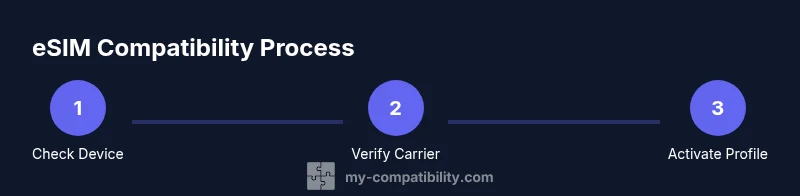
How to check esim compatibility involves confirming your device supports eSIM, verifying carrier support in your region, and ensuring you can activate an eSIM profile. This quick check lays the groundwork for a smooth switch from a physical SIM to eSIM and helps you anticipate activation steps and potential limitations.
What
Hardware and software prerequisites you should confirm
- Device model and release year: Some older devices never supported
Real-world impact: what happens if compatibility is missed
If any pillar is missing, you may encounter a failed activation, error messages, or the inability to switch profiles. In practice, you might see settings that show an empty
Quick regional checklists you can use
- Confirm with your carrier that
My Compatibility’s practical tip: plan ahead
Before buying a new device or committing to a carrier, cross-check
Tools & Materials
- Smartphone or tablet with eSIM hardware(Confirm model supports eSIM (check official specs).)
- Active internet connection(Needed to access carrier portals or download eSIM profiles.)
- Carrier account and eSIM policy(Have your plan details ready (region, plan type, and eligibility).)
- Device settings access(Know where to find eSIM or Cellular settings on your OS.)
- QR code or activation method from carrier(Some carriers provide a QR code; others require an app or provisioning flow.)
- Optional: carrier app installed(Useful for activating or managing eSIM profiles on some devices.)
Steps
Estimated time: 45-90 minutes
- 1
Verify device support
Check your device model in the official specs and confirm it lists eSIM as a supported feature. If the device supports eSIM, proceed to OS verification. This step prevents pursuing activation on a device that cannot run eSIM profiles.
Tip: If your device is older, consider whether a firmware update expands eSIM support or if you should upgrade. - 2
Confirm regional carrier availability
Visit your carrier’s site or contact support to confirm eSIM availability in your country/region and any restrictions for certain plans. Some regions have limited carrier options for eSIM provisioning.
Tip: Take note of any roaming or regional limitations that could affect travel plans. - 3
Prepare activation method
Obtain the activation method from your carrier (QR code, carrier app, or provisioning URL). Have both your device and the activation artifact ready before starting.
Tip: Test the QR code in good lighting and ensure your camera can focus clearly. - 4
Add the eSIM profile on your device
Open the eSIM provisioning flow on your OS, scan the QR code or upload the profile via the carrier app, and follow on-screen prompts to install the profile. Avoid interrupting the process.
Tip: Keep Wi‑Fi on during activation to ensure background updates don’t stall the process. - 5
Verify activation and network connectivity
After installation, check the eSIM status in Settings and attempt a data connection or call to confirm the profile is active. You should see the carrier name and signal indicator.
Tip: If the profile doesn’t activate, retry from the start with a fresh QR code or contact support. - 6
Troubleshooting basics
If activation fails, re-check OS compatibility, confirm region policy, and ensure the device isn’t locked to another carrier. Review any error codes in the activation flow.
Tip: Document error messages and steps you took; this helps support troubleshoot faster. - 7
Plan data and SIM management
Test switching between profiles if you have multiple eSIMs or intend to use roaming. Make sure you know how to switch back to your primary profile if needed.
Tip: Keep a backup plan in case of activation hiccups, such as temporarily using a physical SIM if allowed.
Questions & Answers
Do all devices support eSIM?
No. eSIM support depends on the device model and its OS version. Always check the manufacturer’s specifications and release notes to confirm compatibility.
Not all devices support eSIM. Check your model and OS version to confirm compatibility.
How can I tell if my carrier supports eSIM in my region?
Check the carrier’s official website or contact customer support for confirmation on eSIM availability in your region and the activation process.
Check your carrier’s site or ask support to confirm regional eSIM availability.
What if my device is locked to a specific carrier?
Carrier-locked devices may not activate a new eSIM profile until the lock is removed or the device is unlocked by the operator. Confirm eligibility with the carrier.
If the device is carrier-locked, you may need the unlock or a different device for eSIM activation.
Can I travel with an eSIM from a different carrier?
Yes, but roaming policies and regional support vary by carrier. Plan ahead by checking roaming options and potential extra charges.
You can travel with an eSIM, but check roaming policies and charges with your carrier.
What should I do if activation fails?
Re-check device support, region eligibility, and activation method. If issues persist, contact carrier support with details of the error message.
If activation fails, review the steps and reach out to support with the error details.
Watch Video
Highlights
- Confirm device and OS support for eSIM.
- Verify regional carrier availability before activation.
- Use the official activation method provided by the carrier.
- Test activation and be prepared to troubleshoot with support.