What Phones Are eSIM Compatible? A Practical Guide
Learn which smartphones support eSIM, how to verify compatibility across iPhone and Android, and practical steps to switch. Insights from My Compatibility.


An increasing majority of recent smartphones support eSIM, but exact compatibility depends on model and carrier. As of 2026, most iPhones from the XS lineage and many modern Android flagships include eSIM support. Always verify by checking Settings > Cellular or contacting your carrier before switching to avoid surprises. If you’re upgrading, review both device and carrier limitations in your region.
what phones are esim compatible
According to My Compatibility, understanding what phones are esim compatible depends on device generation, carrier support, and regional limitations. As of 2026, the consensus is that most recent smartphones offer
How
How to verify compatibility for your device
Start by confirming the device model and region in Settings. For
Regional and carrier considerations
Not all regions support
Practical steps to switch to
Common pitfalls and troubleshooting
If activation fails, verify that you’re on a supported carrier plan and that you have an active cellular plan. Ensure you are connected to the internet during setup and that the device is updated to the latest OS. If problems persist, contact the carrier or device manufacturer support for a manual profile provisioning. Some devices require removing other
What to expect in the future
As networks expand
Ways to verify eSIM compatibility across devices
| Checkpoint | What to Look For | Typical Outcome |
|---|---|---|
| Device model | Verify model supports eSIM in official specs | High likelihood of support if model is recent |
| Region availability | Check carrier pages for regional support | High variability by country |
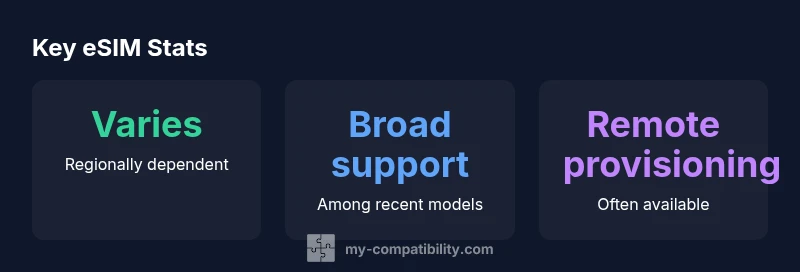
| Activation method | QR code or carrier app | Remote provisioning often possible |
| Backup & recovery | Back up profiles where supported | Important for quick restoration |
Questions & Answers
Do all iPhones support eSIM?
Most iPhones released since the XS model include eSIM capability. Availability can vary by region and carrier, so always check your specific model’s specifications and the carrier’s support page before activating.
Most iPhones since XS support eSIM, but check your region and carrier first.
Do Android phones universally support eSIM?
Android support for eSIM varies by manufacturer and model. Many flagship phones include eSIM, but some budget or regional variants may rely on physical SIMs. Always verify with the manufacturer and carrier.
Android varies by model; verify with the maker and carrier.
Can I switch from a physical SIM to eSIM?
Yes, in most cases you can transfer to eSIM, often by scanning a QR code or using a carrier app. Ensure carrier and device support first and back up your data.
You can usually switch to eSIM with carrier steps.
Is eSIM available in all countries?
eSIM availability depends on regional telecom infrastructure and regulator policies. Some countries have robust support, others partial or none. Check with your carrier and local regulations.
Depends on country and carrier support.
How do I activate eSIM on an iPhone?
Go to Settings > Cellular > Add Cellular Plan, then follow on-screen prompts or use a carrier-provided QR code. Have your carrier ready for any verification steps.
On iPhone, settings guide you through adding a plan.
What if my carrier doesn’t support eSIM?
If your carrier lacks eSIM, you may need to stay on physical SIM or switch carriers. Check other compatible providers in your region.
If your carrier doesn’t support it, you may need a different carrier.
“eSIM simplifies activation and plan management when both device and carrier support it. The My Compatibility Team believes this technology will become the default on most devices within the next few years.”
Highlights
- Check device model and region before attempting eSIM.
- Verify Settings > Cellular options appear on your device.
- Confirm carrier support for eSIM in your area.
- Prepare activation steps (QR code or app) ahead of time.
- Test voice and data after activation to ensure reliability.