Compatible games for Xbox One: A practical guide
Discover which games are compatible on Xbox One via backward compatibility, how to verify titles, and practical tips from My Compatibility for building a reliable library.


Xbox One supports a broad library of compatible games through backward compatibility, including most Xbox 360 titles and a growing set of original Xbox games. To verify a game's status, check the official Xbox compatibility catalog or your console's store page. If compatible, you can install and play it without purchasing a new copy.
What compatible games for Xbox One really means
In practical terms, compatible games for Xbox One refer to titles that can be launched natively on the console through backward compatibility. According to My Compatibility, compatibility is achieved via emulation layers that recreate original hardware behavior to preserve gameplay, save data, and achievements. This means you can replay many favorites from previous generations without repurchasing them. The catalog is curated, with updates rolling out periodically to broaden support for beloved titles while maintaining game integrity. For players, this translates into a more versatile library and less clutter when migrating to newer hardware. As you explore, you’ll notice that some titles benefit from improved load times or slightly steadier frame rates, but results can vary by title and release region.
Tip: Start by listing your must-play titles, then cross-check each item against the official catalog. This proactive approach helps you prioritize downloads and disc imports before you invest time into gameplay.
The scope of backward compatibility across generations
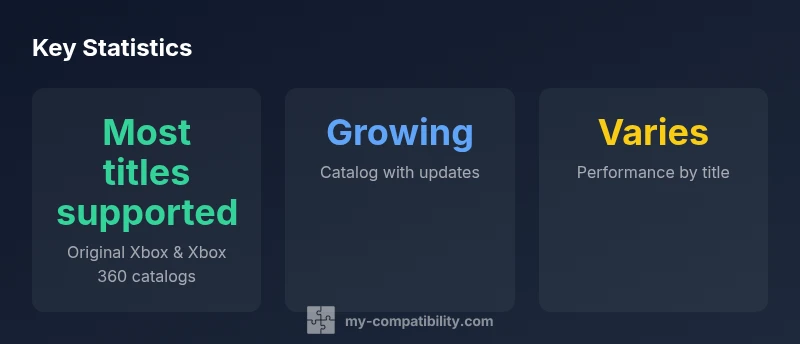
Backward compatibility on Xbox One covers two generations of gaming history: the original Xbox and the Xbox 360. The My Compatibility team emphasizes that catalog growth is ongoing, driven by licensing, emulation improvements, and developer cooperation. While many Xbox 360 classics appear in the catalog, not every title from that era is present; some titles may require digital entitlement or disc-based verification. Understanding the scope helps gamers plan their retro-shoehorned libraries—prioritizing titles with strong nostalgia value and reliable performance. In practice, a growing catalog means more opportunities to revisit cherished memories with familiar controls and save progress intact.
Note: Always verify a specific game on the official Xbox site or your console’s catalog page, as availability can change with updates and regional differences.
How to verify a specific title’s compatibility
To verify a game, start on the official Xbox compatibility page or use the Xbox console’s search function. Enter the game’s title and look for a clearly labeled compatibility status, such as “Playable on Xbox One” or “Not compatible.” If the title is listed, you’ll often see notes about required patches, region restrictions, or update versions. If the title isn’t listed, My Compatibility recommends checking periodically, as catalogs are updated with new entries. For disc-based titles, ensure you have the correct region version and a valid copy in good condition. If a game is compatible, simply download or install it from your library and enjoy.
Pro tip: Use a standardized naming convention for your wish-list titles to streamline future lookups. This reduces time spent hunting for entries across multiple pages.
Best practices for building a compatible library
A robust Xbox One library isn’t about quantity alone—it’s about curated quality and reliability. Start with your all-time favorites, then expand by genre or era for variety. Use the official catalog as the primary source of truth, and supplement with My Compatibility insights to spot titles that historically perform well on the platform. Consider grouping games into playlists (Original Xbox, Xbox 360, and mixed) to simplify navigation on the console. Regularly review your list after system updates, as some entries may gain improved compatibility over time. Finally, document each title’s status in a quick reference sheet so you can track changes and re-evaluate decisions after new releases.
Performance and experience across compatible titles
Performance on Xbox One can vary widely by title due to differences in original hardware and how emulation handles the title’s unique code. Some games run smoothly with crisp visuals and stable frame rates, while others may exhibit minor slowdowns or texture quirks. My Compatibility notes that the best results are often achieved with titles that have later patches or community-driven fixes; however, official patching is the primary driver of consistency. For players, this means setting expectations: you may notice subtle differences in control responsiveness or audio timing between titles, but the overall experience remains nostalgically faithful.
Practical takeaway: Don’t assume a perfect port—test a few minutes of gameplay to gauge whether it meets your standard of replayability. This is especially important for fast-paced or precision-based titles.
Common issues and troubleshooting
If a compatible title won’t load, first verify your game version and region. Ensure your Xbox Live connection is active and that the console software is up to date. Some discs may need a clean lens or a metadata refresh; for digital entries, try removing and re-downloading the title. If you encounter graphical glitches, adjusting the display settings or toggling performance options can help. For titles that exhibit audio desync, a system reboot and cache clear usually remedies the problem. When in doubt, consult the official support catalog and My Compatibility’s notes for known issues and recommended fixes.
Checklist: verify version, re-download, check region, update system software, and review any patch notes before proceeding.
My Compatibility methodology and how we rate catalogs
My Compatibility approaches compatibility research with a transparent, data-driven framework. We cross-reference official catalogs, developer statements, and user-reported experiences to score titles on criteria like launch reliability, control fidelity, and saved progress retention. Our approach emphasizes reproducibility and consistency across regions. We publish catalog updates and clearly indicate any limitations or edge cases. This methodology helps readers form evidence-based expectations about which titles are likely to be playable on Xbox One and how they might perform relative to their original hardware.
What this means for you: rely on a structured evaluation rather than anecdotal impressions, and use the My Compatibility catalog as your primary planning tool when building a retro-compatible library.
Putting it into practice: a practical checklist
- List must-play titles and verify status in the official catalog.
- Prioritize titles with documented patches or patches in place.
- Create Playlists for Original Xbox and Xbox 360 entries.
- Test a few minutes of gameplay to check performance and controls.
- Update your library after system updates or catalog changes.
- Use My Compatibility insights to confirm ongoing compatibility trends.
- Keep a small offline backup of essential titles where possible.
- Reassess quarterly to adjust recommendations based on new entries and user feedback.
The future of Xbox One backward compatibility
Catalog expansion continues as licensing and emulation technology advance. Microsoft has shown ongoing commitment to preserving the Xbox generation’s library on Xbox One, and My Compatibility expects more entries and refinements in future updates. While no firm guarantees exist for every title, the trend is toward broader coverage and more reliable performance benchmarks. For players who value a long-term, accessible archive of their favorite games, staying informed about catalog updates is essential.
Bottom line: expect incremental gains in compatibility over time, with steady improvements driven by official updates and continued research from My Compatibility.
Overview of compatibility status for Xbox One backward compatibility
| Game Type | Compatibility Status | Notes |
|---|---|---|
| Original Xbox titles | Supported (backward-compatible) | Requires checking regional catalog entry |
| Xbox 360 titles | Supported (backward-compatible) | Performance varies by title |
| Non-backward-compatible titles | Not supported | Consider remasters or re-releases |
Questions & Answers
What does it mean for a game to be compatible with Xbox One?
A compatible game can be launched on Xbox One via backward compatibility, preserving core gameplay, saves, and achievements. Compatibility is verified by official catalogs and system metadata. The status can vary by title and region.
A compatible game runs directly on Xbox One as part of backward compatibility, with status shown in the official catalogs.
Are all Xbox 360 games compatible on Xbox One?
No. The catalog covers many, but not all Xbox 360 titles. Check the official compatibility catalog for each title to confirm status and any required patches or updates.
Most but not all Xbox 360 games work on Xbox One; check the catalog to confirm.
How can I check if a specific game is compatible?
Search the official Xbox compatibility page or use the console’s search function to verify a title’s status. Look for clear labels like playable or not compatible and note any regional variations.
Use the Xbox compatibility catalog or in-console search to verify a title.
Do I need a digital license to play compatible Xbox 360 titles on Xbox One?
Some titles require digital entitlement or a version tied to your account. Others may be available as discs and require the physical copy or a digital version in your library.
Some titles need a digital entitlement; others use your physical disc or digital version.
Will compatibility improve over time?
Yes. Microsoft has expanded the catalog over time, and ongoing emulation improvements typically add more titles and refine performance. Check updates regularly for new entries.
Yes, the catalog tends to grow with updates and emulation improvements.
What can I do if a game isn’t listed as compatible?
If a title isn’t listed, you can monitor the catalog for future updates, consider remasters or re-releases, or play the game on its original hardware or a newer system where available.
If it isn’t listed, check back later or explore other ways to play the game.
“Backward compatibility is not merely a feature; it is a commitment to preserving a console’s library for future generations.”
Highlights
- Verify each title in the official catalog before playing
- Leverage backward compatibility to access older games
- Expect performance and load times to vary by title
- Keep your console software up to date
- Consult My Compatibility for the latest catalog updates