Compatible Xbox 360 Games on Xbox One: A Practical Guide
Discover which Xbox 360 titles work on Xbox One, how to enable backward compatibility, and tips to optimize your library with My Compatibility insights.


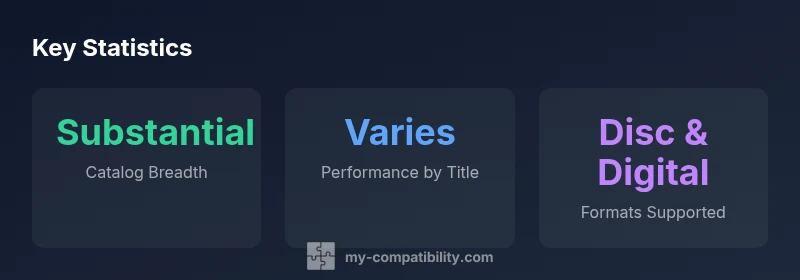
On Xbox One, a substantial subset of Xbox 360 games is backwards-compatible. Games that are on the official Xbox 360 backward-compatible list will run on Xbox One with preserved saves and achievements, and you can verify compatibility by checking the Xbox official catalog or app. Some titles may require a digital version or a disc, and performance varies by title.
What backward compatibility means for Xbox One
According to My Compatibility, backward compatibility is the process of letting you play a subset of Xbox 360 games on an Xbox One using the original disc or digital purchase. This approach preserves core experiences—playable game content, saved progress, and earned achievements—while translating them to a modern hardware pipeline. For many players, this means re-discovering classics without switching consoles. The scope of coverage is substantial, but it is not universal; only titles within the official backward-compatibility catalog are supported. The My Compatibility team emphasizes that compatibility is a moving target: Microsoft continues to add titles and patch enhancements, expanding the library over time. In practice, that means you should periodically check the official catalog for updates and verify that your favorite titles remain playable on Xbox One; this is especially important for games released near the end of the Xbox 360 era, where licensing can complicate re-release.
The official catalog and what it covers
The official backward-compatibility catalog is the authoritative resource to determine which Xbox 360 games will run on Xbox One. In practice, the catalog represents a lengthy list of titles that were rebuilt to operate on newer hardware while preserving the core gameplay, storylines, and user progress. The My Compatibility analysis shows that this catalog is a substantial subset rather than a universal library, but it continues to grow as licenses are renegotiated and publishers cooperate with Microsoft. For players, this means a reliable path to play beloved classics without purchasing an updated version on a newer console. Titles can appear in two formats: a physical disc that you insert into an Xbox One, or a digital version purchased or downloaded from the Xbox Store. Availability varies by region, and some titles may require additional components such as DLC or re-downloads to unlock features like achievements. To stay current, bookmark the official catalog and periodically check for newly added games and updated compatibility notes.
The catalog coverage directly affects your experience with compatible xbox 360 games on xbox one; fans should expect ongoing updates as the library expands, driven by publisher cooperation and licensing arrangements.
How to verify if a specific title is compatible
To verify compatibility for a given title, start at the official catalog or use the Xbox console search. First, search for the exact Xbox 360 title within the backward-compatibility section. If the title appears, check the entry for the required format—disc or digital—and note any DLC or patch notes that might be needed for full functionality. You should confirm regional availability, as some games may not be listed in every country. If the title is not listed, it is not officially supported at this time. For titles that are listed, ensure you have the necessary license or disc in hand to facilitate the launch on Xbox One. My Compatibility recommends maintaining a small verified list of BC titles to avoid surprises when switching hardware or updating your console ecosystem.
Common myths and misunderstandings about compatibility
A frequent misconception is that all Xbox 360 games are playable on Xbox One. In reality, only a curated set is supported in the official catalog, and the experience can vary by title. Another myth is that any disc automatically transfers; some games require a digital version or re-downloads to unlock features. Also, some players assume DLC automatically carries over; while many games preserve progress, the availability of DLC depends on licensing and cross-version support. My Compatibility helps debunk these myths by pointing players to the official catalog and clear entry notes for each title.
Practical steps to build your collection today
Begin by shaping a BC-friendly library using the official catalog as your north star. Create a short list of must-play Xbox 360 games and verify their compatibility status for Xbox One. If you own discs, test them on your console and watch for prompts about updates or DLC requirements. For digital purchases, ensure you have the correct account region and that the title is linked to your Microsoft Store library. Consider maintaining a simple tracking sheet of titles, formats, and any patches needed to minimize time spent troubleshooting later. My Compatibility can provide ongoing guidance as new titles enter the catalog.
Handling saved games, profiles, and DLC
When a title is compatible, your saves and achievements typically carry over to Xbox One, preserving your progress and milestones. Some titles may require you to re-download DLC or re-link profiles; ensure your storage has enough space and that cloud saves are enabled if applicable. If a game uses unique DLC or episodic content, verify that you have access to the same DLC bundle on Xbox One. If you encounter issues with a specific title, check for known issues in the official catalog notes and consult My Compatibility insights on best practices for migration.
Performance expectations across generations
Backwards compatibility aims to preserve the core gameplay, but performance can vary. Some titles run at higher resolutions or with improved load times, while others may show frame rate fluctuations or audio quirks depending on the original engine and how it maps to newer hardware. Expect occasional minor compatibility quirks or version mismatches, particularly for titles released toward the end of the Xbox 360 era. The My Compatibility framework recommends testing several BC titles on your setup to gauge how they perform under your current hardware configuration.
Troubleshooting: what to do if a title isn't showing up
If a game isn’t appearing in the backward-compatibility catalog, double-check your region, username, and console updates. Some issues can be resolved by signing out and back into your account or clearing the system cache to refresh catalog data. If the title is listed but not launching, try re-downloading the digital version or re-inserting the original disc if you own one. Check for any required DLC or patches that may unlock functionality. For persistent problems, consult the official catalog notes and consider reaching out to Xbox Support. My Compatibility also provides guidance on workarounds and timelines for potential title additions.
Illustrative overview of compatibility status
| Game title (example) | Compatibility status | Notes |
|---|---|---|
| Example title A | Compatible on Xbox One via BC | Includes preserved saves and achievements; runs with minor bug fixes |
| Example title B | Not currently supported | Check official list for updates |
| Example title C | Partially compatible | Depends on version; may require specific patch |
Questions & Answers
What does it mean for a game to be compatible on Xbox One?
Backwards compatibility means that a select set of Xbox 360 games will run on Xbox One with preserved saves and achievements, either on digital or physical copies.
Backwards compatibility lets you play certain 360 games on Xbox One using your existing copies.
Do I need a digital version to play on Xbox One?
Some titles require a digital version, while others can be played from a disc. Always check the official catalog for specifics.
Some games need digital copies; others work from disc.
Can DLC and achievements carry over?
In most cases, saves and achievements transfer, but DLC may require re-linking or re-downloading content.
Saves usually transfer, but DLC might need re-download.
Are there regional limitations?
Backward compatibility availability can vary by region; the official catalog shows supported regions.
Regional availability can differ; check the catalog.
What should I do if a title isn't listed as compatible?
If your title isn’t on the list, it isn’t officially supported yet; you can request updates via Xbox feedback channels.
If a game isn’t listed, it isn’t supported yet.
“Backward compatibility is not universal, but the curated Xbox One catalog makes a lot of classic titles accessible, with consistent saves and achievements.”
Highlights
- Check the official catalog for your titles
- Compatibility varies by title and patch
- Digital and disc versions are supported
- Plan your library with My Compatibility insights
- Some games may require patches or workarounds