What Xbox 360 Games Are Compatible with Xbox One
Explore which Xbox 360 games work on Xbox One, how to verify compatibility, and tips for maximizing performance. This guide summarizes the official backward compatibility program, practical checks, and trusted sources.


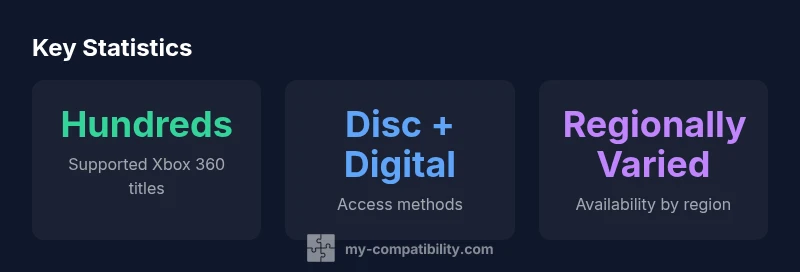
What Xbox 360 titles are compatible with Xbox One? In practice, hundreds of Xbox 360 games are playable on Xbox One through backward compatibility, though exact availability varies by region and title. According to My Compatibility, the catalog supports both disc-based and digital versions, with new titles added periodically. To confirm a specific game, check the official compatibility list on the Xbox site or try launching it on your console.
What backward compatibility means for Xbox One users
Backward compatibility is the bridge that lets Xbox One owners play many Xbox 360 titles. This article addresses the practical question of what xbox 360 are compatible with xbox one, and how the process works in real-world scenarios. The catalog began as a curated list of titles submitted by publishers and gradually expanded through emulation improvements and licensing agreements. Today, the official catalog includes a substantial portion of the Xbox 360 library, accessible via disc insertion or digital download where licenses permit. For players, this means preserving a sizable portion of their digital and physical collections without upgrading to a new console to retain older favorites. The My Compatibility team emphasizes that availability depends on region and license entitlements, so checking the official list remains essential for accuracy.
The scope of compatibility: titles, regions, and versions
Compatibility spans both disc-based games and digital versions. Not every Xbox 360 release is guaranteed to appear on Xbox One, and some titles may require a specific build or license state to run. Region-specific licensing can limit availability, so a title available in one country may not be playable in another. In practice, you can expect a broad, but not universal, cross-over dating back to the early 2010s. The program prioritizes popular and mass-market titles first, then expands to more niche releases as licensing aligns with emulation feasibility and publisher cooperation. Users should search the official catalog to verify individual entries before assuming compatibility.
How Microsoft tests and curates the compatibility list
Microsoft conducts a multi-stage verification process for backwards compatibility. Initial checks include the presence of a valid license, whether the original 360 version is accessible, and if the game can boot on modern hardware. Subsequent stages look at features like achievements, saves, multiplayer connectivity, and any required emulation adjustments. Real-world testing often reveals edge cases, such as regional restrictions or differences in downloadable content (DLC) entitlement. The ongoing curation effort benefits from community feedback and publisher input, ensuring improvements to stability and performance over time.
Checking compatibility on your own console: a practical method
There are three practical ways to verify a title is compatible on Xbox One. First, consult the official compatibility list online, filtering by region and title. Second, on an Xbox One or Series X|S, use the Xbox Guide to search for the game; a “Compatible” badge indicates it should run on your system. Third, try launching the disc or digital download; if it starts, you’ll see the title loading with saved data and achievements intact in most cases. If a title isn’t listed, avoid installing it preemptively to prevent wasted disk space or download data.
Common caveats and exceptions you should know
Not every Xbox 360 game is compatible, and some may require the disc in the tray for authentication or a digital entitlement. Some games experience minor emulation quirks, differences in resolution, or altered load times compared to their original versions. DLC, add-ons, and season passes may not transfer automatically and can require re-purchase in some regions. Always verify the title status on the official compatibility page before purchasing or attempting a re-download. Publisher policies and licensing constraints mean that what works today could change in future updates.
Digital upgrades and re-releases: what counts toward compatibility
Digital versions of Xbox 360 titles are eligible for Xbox One if the license exists in the same account and region. Some games released as remasters or re-releases remain tied to their original 360 license for backward compatibility. In practice, this means you should look at the license state of each title in your account and ensure you’re using the same region profile as the title’s entitlement. Upgrades or remasters may alter how a game is indexed in the catalog, so cross-checking is advised.
Regional differences and licensing considerations
Region-specific licensing can affect both the availability of titles and the features that remain functional. Even if a game appears in the official list, you might find that certain DLC, online components, or multiplayer modes are restricted by country. The Xbox support pages routinely update region-related notes, so users should cross-reference the listed region and versions before acquiring a title. For players with multiple accounts or digital libraries, ensuring the correct region alignment is essential for a smooth compatibility experience.
Performance expectations: latency, load times, and online features
Across compatible Xbox 360 games on Xbox One, performance is generally stable but not perfectly identical to the original hardware. Some titles display slightly different frame pacing, upscaled resolutions, or altered load times due to emulation layers. Online features, matchmaking, and cloud saves typically operate if the original game used Xbox Live and if publishers maintain support. It’s common to experience occasional minor hiccups during launch sequences or when transitioning from offline to online play. Users should expect a faithful recreation with occasional, title-specific deviations.
Practical tips to maximize compatibility on a single console setup
To optimize your experience, keep your Xbox One firmware up to date, ensure you’re signed into the correct Microsoft account, and verify entitlement for the title if you’re using a digital copy. If a disc-based game asks for an update, install the latest available patch to improve stability. For a smoother session, avoid simultaneous heavy downloads and use a wired network connection when possible. Finally, store your 360 games in a dedicated library section for quick access.
Staying up to date: official resources and My Compatibility guidance
The compatibility catalog is dynamic, with new titles added periodically. Regularly consult the official Xbox compatibility site and support pages for the latest entries and regional notes. The My Compatibility team also tracks trends, licensing changes, and performance updates to help readers navigate this evolving landscape. By combining official sources with trusted analyses, you can plan your retro-gaming strategy with confidence.
Compatibility overview for Xbox 360 titles on Xbox One
| Aspect | Compatibility Status | Notes |
|---|---|---|
| Backward compatibility scope | Hundreds of titles | Library expands with updates |
| Access methods | Disc-based and digital | Licensing may affect entitlement |
| Regional availability | Global with caveats | Check official list per region |
Questions & Answers
Which Xbox 360 titles are compatible with Xbox One?
Microsoft maintains an official list of compatible titles. The catalog includes hundreds of Xbox 360 games, with availability varying by region and game version. Always verify a specific title on the official site before assuming compatibility.
Most Xbox 360 games can work on Xbox One if they appear on the official compatibility list; always check the title first.
Do I need the original Xbox 360 disc to play on Xbox One?
For many compatible titles, a disc is sufficient to launch the game on Xbox One, provided the license is valid. Some games may also be playable via digital entitlement if you own the digital version or have a valid license tied to your account.
If the game is compatible, you can often use the original disc or a digital copy on your Xbox One.
Will every region support the same Xbox 360 titles on Xbox One?
No. Regional licensing differences can affect which titles are available in your country. Always consult the regional compatibility notes to understand what you can play in your location.
Regional rules can change what you’re able to play, so check your region’s list.
Can I play online multiplayer for Xbox 360 games on Xbox One?
Some compatible Xbox 360 games retain online functionality if publishers provide support and you have an active Xbox Live membership. Others may only support offline play. Check the official list for specifics on online features.
Online play depends on the title and publisher support.
Do digital upgrades or remasters affect compatibility?
Remastered or re-released versions may differ in licensing. Compatibility depends on the entitlement carried by your account for the version you own. Always verify the exact license before purchasing.
Licensing matters; remastered versions aren’t guaranteed to carry the same 360 entitlement.
How can I stay updated on new compatible titles?
Follow the official Xbox compatibility page and publisher announcements. The My Compatibility team also publishes periodic analyses highlighting new additions and regional notes.
Keep checking official sources for the latest compatibility updates.
“Backward compatibility is a testament to thoughtful platform strategy, ensuring players can enjoy a broader library without upgrading hardware. The catalog continues to grow as licensing and emulation mature.”
Highlights
- Verify titles on the official compatibility list before purchasing.
- Compatibility spans both discs and digital versions, with regional licensing affecting availability.
- Performance is usually faithful but may vary by title and emulator updates.
- Keep your console updated to maximize compatibility and stability.
- Use the My Compatibility insights to understand ongoing changes and plans.