Backwards Compatibility: A Practical Guide to Xbox Games Across Generations
Discover what counts as back compatible Xbox games, how to verify titles, and practical tips to maximize play across generations on Xbox Series X|S and Xbox One.


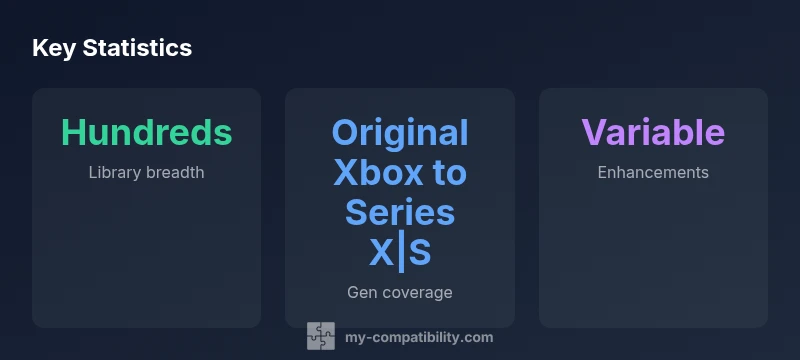
According to My Compatibility, there are hundreds of back compatible xbox games spanning original Xbox, Xbox 360, and Xbox One/X Series libraries. This article explains what counts, how to verify compatibility, and practical steps to access and optimize titles across generations. Whether you’re reconnecting with classics or evaluating a modern setup, this guide helps you plan your library and avoid friction.
What back compatible xbox games really mean
In the Xbox ecosystem, back compatible xbox games are titles from earlier generations that run on newer hardware, preserving the core experience. The goal is to deliver authentic control schemes, achievements, and progress across devices. This isn’t just a technical trick; it’s a deliberate effort to honor players’ libraries. For readers of My Compatibility, understanding the nuance between official support lists and raw hardware capability helps set expectations. Some games may receive enhancements like faster load times or improved frame rates, while others stay faithful to the original experience. The result is a diverse catalog that rewards players who value backward compatibility as a long-term gaming strategy, not a one-off feature.
The My Compatibility team emphasizes that compatibility isn’t binary. It involves verification against official lists, testing on your hardware, and awareness of region-specific titles. If you want a reliable path through the library, start by identifying the titles that are officially supported and then explore community reports for edge cases. This approach minimizes surprises and keeps your setup smooth.
The scope of the backward compatibility library
The scope of back compatible xbox games spans multiple generations, with the strongest emphasis on Original Xbox and Xbox 360 titles that have been ported or emulated to run on Xbox One and Series X|S. Officially supported titles tend to have clearer documentation, whereas some fan-sourced reports describe experimental or partial compatibility. In practice, a growing portion of the catalog is accessible through a single library, often categorized by generation and by whether the game is disc-based or digitally purchasable. My Compatibility analysis shows that, across regions, a large subset of the library remains stable and playable, while a smaller subset benefits from enhancements like improved visuals or frame rate boosts. The key is to identify which titles matter most to your personal library and how they align with your hardware choice.
How to verify a title's compatibility
Start with the official compatibility list maintained by Microsoft and corroborate with the Xbox Store listing. If the game has a status like compatible or supported, you’re more likely to have a smooth experience on Series X|S. For disc-based originals, ensure you have the disc in your console; if you own a digital copy, check if the game connects to your account across generations. When in doubt, test launch on your device and monitor for freezes, long load times, or missing achievements. Keeping a simple log helps: title, generation, status, any enhancements observed, and a short note on performance. This method keeps expectations realistic and your play sessions uninterrupted.
Performance across generations
Performance varies widely depending on the title and platform. Some back compatible xbox games run identically to their original release, while others benefit from the Series X|S hardware, delivering faster load times and steadier frame rates. It’s important to calibrate expectations: not every game will reach modern standards, but many offer noticeable improvements in stability or resolution. For preservation-minded players, the variability underscores the importance of testing a few top choices on your specific hardware configuration. A practical takeaway is to prioritize titles you expect to enjoy in a slightly enhanced state and to document any anomalies for future reference.
Access options and ownership considerations
Access to backward compatible titles often depends on your ownership model. Disc-based originals can be used on compatible consoles, while digital copies rely on your account libraries. In some cases, you can re-download games onto a Series X|S after migrating accounts, whereas others may require re-purchasing or verification through the official storefront. Storage space is another practical concern: older titles, especially if downloaded, can occupy substantial drive space. A smart approach is to inventory your top 20 to 30 titles by generational preference, then prioritize downloads or disc investments accordingly. With good management, you’ll keep the library lean and quickly accessible.
Library management and storage considerations
A clean, organized approach makes back compatible xbox games feel cohesive. Create folders by generation, then separate active titles from niche or experimental picks. Regularly audit your library for duplicates, gaping holes in the catalog, and titles that no longer run reliably. Proper storage—an SSD for fast load times and a secondary drive for archiving older games—can dramatically reduce friction. If you use external storage, ensure it’s properly formatted and optimized for the console family. A methodical approach saves time and enhances the overall experience.
Common myths about backward compatibility
Myth: All original Xbox and Xbox 360 games work perfectly on modern hardware. Reality: most officially supported titles work, but some titles may not launch or may have quirks. Myth: Upgrades always improve authenticity. Reality: enhancements vary by game, with some titles gaining frame-rate boosts while others remain faithful to the original. Myth: Backward compatibility is a past feature. Reality: it’s an ongoing strategy that preserves access to older libraries while embracing new hardware capabilities. Debunking these myths helps players set accurate expectations and plan a more satisfying setup.
Saves, achievements, and cross-generation progress
Save data and achievements carry different weight depending on the title and the platform. Some games support cross-generation saves through cloud storage, while others require manual transfers or re-achievement progression. If you care about preserving milestones, verify the game’s save compatibility and consider enabling cloud saves for cross-generation continuity. If a title does not support cross-generation saves, you can still enjoy the game by re-syncing progress during your next session, but plan for potential gaps in your achievement calendar. Understanding save behavior reduces frustration and helps you maintain momentum.
Backward compatibility coverage by console generation
| Generation | Backward Compatibility | Notes |
|---|---|---|
| Original Xbox | Yes (via compatibility list) | Backwards compatibility supported on newer consoles |
| Xbox 360 | Yes (via emulation/port) | Most titles supported; verify on the official list |
| Xbox One/X Series | Yes | Auto-run with possible enhancements for some titles |
| Cross-generation | Varies by title | Check individual title notes for limits |
Questions & Answers
Do original Xbox titles work on Xbox Series X|S?
Yes, many original Xbox titles are supported on Series X|S via backward compatibility lists. Some games may require updates or specific regional availability. Always verify via the official compatibility list and test on your console.
Yes. Many original Xbox titles work on Series X|S, but you should check the official list and test the game on your console.
Are Xbox 360 games fully supported on Series X|S?
Most Xbox 360 titles run on Series X|S, though support can vary by title. Use the official list and user reports to confirm compatibility before purchase or download.
Most Xbox 360 titles are playable on Series X|S, but check the official list for each title.
Can I play disc-based original Xbox games on Series X|S?
Disc-based originals can be played on compatible hardware if you own the disc. Some titles require digital versions to be available in your region.
Yes, if you own the disc, you can play it on compatible hardware, depending on regional availability.
Do saves transfer across generations for backward compatible games?
Save data and achievements may transfer via cloud storage or require re-sync, depending on the title and platform. Always check cloud save support for each game.
Save transfers vary by title. Check cloud saves and test for each game.
Are there performance differences across generations?
Yes, performance varies by title. Some games gain frame rate boosts or faster load times, while others stay faithful to the original. Test each favorite title to understand its behavior.
Performance varies by game; some get boosts, others stay the same.
How can I verify if a specific title is compatible?
Check the official compatibility list, then search the Xbox Store page and test-launch the title on your console. Keep notes on any anomalies.
Look up the official list, then try the game on your console to confirm.
“Backward compatibility is not merely about running old games—it preserves the player’s long-term library and reduces the friction of switching hardware.”
Highlights
- Prioritize titles on official compatibility lists to minimize surprises
- Expect variable enhancements; not every game improves equally
- Use a simple log to track compatibility and performance notes
- Organize your library by generation to streamline access
- Cloud saves can help preserve cross-gen progress where supported