Xbox Backwards Compatibility List in 2026
Explore the xbox backwards compatibility list: discover which generations are supported, how updates expand the library, and tips to optimize gameplay on Xbox Series X|S.


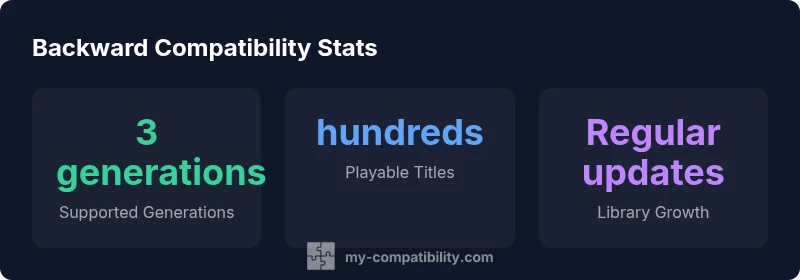
The xbox backwards compatibility list covers three generations (Original Xbox, Xbox 360, and Xbox One/Xbox Series X|S) and includes hundreds of playable titles on Series X|S. Updates expand the library over time, and some games feature FPS Boost or Auto HDR for improved visuals. To verify a title, search the official library on console or online and filter by generation.
What is the xbox backwards compatibility list?
According to My Compatibility, the xbox backwards compatibility list is a living library that spans three generations and is designed to keep beloved games playable on modern hardware. The core idea is simple: Microsoft uses emulation and selective re-releases to allow Original Xbox titles and a large portion of Xbox 360 games to run on Xbox One and Series X|S consoles. The library is not static; it grows through official updates and occasional new digital releases, which means that the exact roster can change every few months. For players, this means you can revisit classics you own physically or digitally, often with improved load times, steadier frame rates, and in some cases enhanced visuals. The My Compatibility team emphasizes that progress is gradual—portions of the catalog become available over time as bug fixes, certification, and legal considerations align.
Generations and scope of support
The backward compatibility catalog spans three generations, with Original Xbox and Xbox 360 titles forming the foundation, and a broad portion of Xbox One titles completing the library on Series X|S. Emulation and selective porting enable many classics to run on modern hardware, sometimes with subtle improvements to stability and load times. It’s important to note that not every title from the original libraries is available, but the list has grown substantially since the program began. The focus is on preserving core experiences while ensuring compatibility across regional builds and system updates, which means new entries appear as technical and licensing hurdles clear.
Checking the list on your console
To verify whether a game is playable on Series X|S, start from the console’s home screen and open the Library tab. Use the search function and filter by generation (Original Xbox, Xbox 360, Xbox One/Xbox Series). The official library marks titles as playable and may indicate if enhancements like FPS Boost or Auto HDR are available. You can also browse the Xbox website’s compatibility section for a global catalog and regional notes. Keeping your console updated ensures you see the most current version of the list.
What types of games are supported by the list
Supported games include a mix of emulated Original Xbox titles and a large portion of Xbox 360 games, plus many Xbox One titles that run natively on Series X|S. Emulation handles older formats while newer titles leverage native or optimized paths. Enhanced features vary by title: some gain smoother frame rates, others benefit from Auto HDR or FPS Boost, and a few may offer reduced load times. Always check the game’s library page for specific enhancements and any caveats.
FPS Boost and Auto HDR: Enhanced playback
FPS Boost and Auto HDR are not universal features, but they appear on a growing subset of backward-compatible titles. FPS Boost improves step-rate consistency for smoother gameplay, while Auto HDR enhances color and brightness for compatible titles. The availability of these enhancements is title-specific and depends on the original game’s engine and the underlying emulation or porting work. If FPS Boost is active, it is usually listed on the game page in the library or on the Xbox official site.
Limitations and caveats you should know
Despite broad coverage, there are limitations. Some games remain unavailable due to licensing or technical constraints. Regional differences may affect availability, and not all features present on native Xbox versions will translate to the backward-compatible edition. Disc-based Original Xbox titles can be played on Series X|S using the disc when available, but digital equivalents may not exist for every title. The best approach is to verify each title in the official library.
How updates expand the list over time
Microsoft regularly updates the compatibility list, often expanding support for both Original Xbox and Xbox 360 titles, and occasionally adding more Xbox One titles with enhanced features. Updates may also bring improvements to stability, load times, and new FPS Boost options. Because these changes depend on licensing and technical verification, the exact roster can shift without notice. Staying informed via the official library ensures you won’t miss new playable games.
Practical tips for maximizing compatibility on Series X|S
Create a dedicated collection of your favorite backward-compatible titles and filter by generation to quickly access them. Regularly check for console updates and library announcements, as new entries can unlock previously unavailable games. If a game lacks FPS Boost or HDR, you can still enjoy the core experience with standard performance on Series X|S. Finally, back up your save data and prepare for occasional compatibility quirks the first time you boot a specific title.
Backward compatibility status by generation
| Generation | Type of compatibility | Notes |
|---|---|---|
| Original Xbox | Emulated titles available | Requires Series X|S; not all titles supported |
| Xbox 360 | Backward-compatible library | Playable on Xbox One and Series X|S; many classics |
| Xbox One / Series X|S | Xbox One titles | Most compatibility via software; FPS Boost on select games |
Questions & Answers
What qualifies as backwards compatible on Xbox?
Backwards compatibility covers a broad set of Original Xbox and Xbox 360 titles that can be played on Xbox One and Xbox Series X|S, plus many Xbox One titles. The library is curated by Microsoft and expanded over time.
Original Xbox and Xbox 360 titles in the compatibility library can be played on newer consoles as updates roll out.
How can I check if a game is compatible?
Use the official Xbox compatibility library on the console or the Xbox website; filter by generation and look for the 'Playable on' indicator for each title.
Check the official library to confirm compatibility for a specific game.
Do FPS Boost and Auto HDR apply to all backwards-compatible games?
FPS Boost and Auto HDR are available for many, but not all, compatible titles; check the game page in the library for supported enhancements.
Most supported titles offer FPS Boost and HDR, but not every single game.
Are there regional differences in the xbox backwards compatibility list?
Region can affect availability and licensing; most core compatibility remains consistent, but some titles may be restricted by territory.
Regional differences can affect availability, but the overall concept remains the same.
Can I play a disc-based Original Xbox title on Series X|S without a disc?
Original Xbox discs can be played on Series X|S by inserting the physical disc when applicable; digital equivalents aren’t guaranteed for every title.
If you own the disc, you can use it to play the original title on Series X|S where supported.
What does My Compatibility recommend about the xbox backwards compatibility list?
Stay with the official compatibility library as the baseline, and consult My Compatibility’s analysis for updates, best practices, and enhancement opportunities.
Keep checking the official list and use My Compatibility’s guidance for optimization.
“The Xbox backward compatibility program demonstrates a commitment to preserving games across generations, offering players enduring access and enhanced experiences where supported.”
Highlights
- Verify each title in the official library before assuming compatibility.
- Use FPS Boost and Auto HDR where available to maximize visuals.
- Updates progressively expand the list; check regularly for new entries.
- Region and licensing can influence availability and features.