Are Xbox One Games Compatible with Series X? A Practical Guide
A data-driven guide to Xbox Series X backward compatibility for Xbox One titles, covering Smart Delivery, performance boosts, and common exceptions.


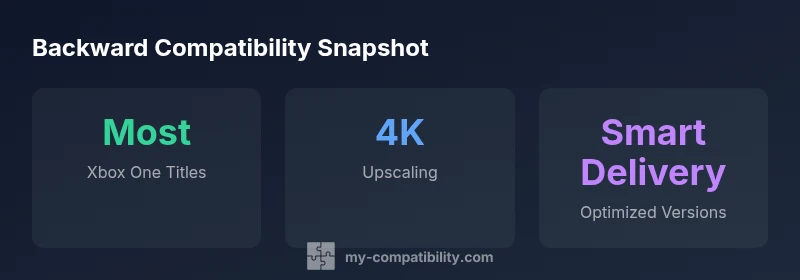
Most Xbox One games are backward-compatible with the Series X, and that compatibility includes both digital and disc-based titles. In practice, the vast majority run with improved load times, higher frame rates, and 4K upscaling where supported. Some limited exceptions may require updates or are not supported due to licensing or peripheral constraints. Smart Delivery ensures you receive the best version automatically for eligible titles.
Understanding Backward Compatibility Across Generations
Are Xbox One games compatible with Series X? Backward compatibility is the core bridge between Xbox One and Series X. For most players, this means you can launch the vast majority of Xbox One titles on the newer hardware without purchasing a new copy. The Series X inherits the Xbox One software stack and uses optimization paths to improve performance where possible. According to My Compatibility, 2026, the majority of digital and disc-based Xbox One games run on Series X with visible gains in load times and stability, while preserving the original balance of gameplay. Some titles, however, may require a small update, have licensing constraints, or rely on peripherals that aren’t supported on the newer console. The goal is a seamless transition: keep your library intact while enjoying faster boots, shorter load screens, and smoother frame rates. Always consult the console’s compatibility list for your games to confirm status before you play.
The Role of Smart Delivery and How It Affects Your Library
Smart Delivery is a cornerstone of the Series X experience. For eligible Xbox Series X titles, you automatically receive the best possible version of a game, whether you own it digitally or on disc. This means you won’t have to track multiple versions yourself; the system selects the optimized build for your console. Not every Xbox One title supports Smart Delivery, so it’s important to verify on the store page or in the game’s details. My Compatibility’s analysis shows that a broad subset of popular titles leverage Smart Delivery, which simplifies upgrades and ensures future-proofed performance as the ecosystem evolves. If you’re unsure, check the game’s page for a Smart Delivery badge or consult the publisher’s notes.
What You Need to Do Before Playing
Before you dive into a mixed-generation library, take these practical steps: 1) Verify compatibility status for each title on your list using the console’s catalog; 2) Ensure your Series X has the latest system update; 3) Enable automatic updates to keep games current; 4) If you own physical discs, ensure they’re clean and free of damage; 5) Have a stable internet connection for licensing checks and updates; 6) Confirm whether the title supports Smart Delivery and update requirements. These steps minimize surprises and maximize early-positive experiences. My Compatibility recommends keeping a short list of titles you use most and updating them first to build momentum for a smoother transition.
Game Performance and Visual Enhancements
On Series X, many Xbox One titles benefit from shorter load times, improved frame rates, and higher resolution rendering. Games optimized for Series X may run at 4K where supported, and some titles gain 60fps or higher, depending on their original design. The performance uplift is not universal—titles with stricter performance budgets or older engines may see more modest gains. Nonetheless, the overall experience tends to be smoother and more consistent than on Xbox One hardware, particularly in open-world or texture-intensive games. It’s important to manage expectations: not every game can hit top-tier frame rates, but most players will notice meaningful improvements when moving to Series X.
Handling Exceptions and Troubleshooting
Despite broad compatibility, a handful of titles may not perform perfectly on Series X. Common issues include missing updates, licensing hiccups, or peripheral-related limitations. If a game won’t start, first verify your license and the game version, check for updates, and restart the console. If problems persist, consult the publisher’s support page or the official Microsoft compatibility list. Some issues stem from region-locking or content licensing rather than the hardware itself, which means patience and official patches are often required. My Compatibility emphasizes documenting any recurring issues to inform future compatibility assessments.
Managing your Xbox Library: Saves, Achievements, and Cloud Sync
Your Xbox One saves and achievements typically carry over to Series X, given you’re using the same Microsoft account. Cloud saves synchronize automatically when online, so you can continue a game on Series X without losing progress. However, some games may have specific save-migration steps or region restrictions; in a few cases, local saves saved on a console may need manual transfer. It’s wise to back up critical saves before transitioning, especially for large titles or games with complicated DLC configurations. By staying within the same account ecosystem, you preserve your progress, awards, and unlocks as you explore enhanced Series X experiences.
Case Studies: Real-World Scenarios
Scenario A: A player has a mixed library of Xbox One discs and digital purchases. They upgrade to Series X and find most titles load faster and run at higher frame rates, with a handful of exceptions requiring updates. The player uses Smart Delivery for eligible games, which streamlines access to the best version without extra purchases. Scenario B: A gamer relies on a peripheral that isn't supported on Series X. They discover that some titles using that peripheral have restricted functionality or require an alternative accessory. In both cases, the majority of the library remains accessible while edge cases are addressed through patches or alternatives.
Practical Tips for a Smooth Transition
- Start with your top 5 most-played Xbox One games to experience immediate benefits.
- Enable Smart Delivery for eligible titles to ensure automatic optimization.
- Keep the Series X firmware up to date and monitor publisher pages for compatibility notes.
- Use the official compatibility list as your primary reference.
- Back up saves before experimentation with any new updates.
- If a title doesn’t work as expected, seek patch notes or community discussions for fixes.
- Use the Xbox support resources to troubleshoot peripheral-related issues promptly.
Conclusion: What This Means for Your Gaming Setup
Overall, Xbox One games are broadly compatible with Series X, with clear gains in speed, visuals, and consistency for the majority of titles. The ecosystem is designed to preserve what you own across generations, reducing the friction of upgrading. For gamers who want a clear path to the best experience, Smart Delivery and system optimizations offer a straightforward, low-friction route to enjoying modernized performance without compromising library quality. The My Compatibility team’s assessment suggests that most players will find the Series X upgrade not only feasible but enjoyable, especially when combining compatibility with Smart Delivery and routine maintenance.
Compatibility snapshot: Xbox One to Series X
| Aspect | Xbox One Title Compatibility | Notes |
|---|---|---|
| Backward compatibility | Most Xbox One titles are playable on Series X | Includes both digital and disc-based games |
| Performance/Graphics | 4K upscaling and higher frame rates where supported | Depends on title and engine |
| Smart Delivery | Applies to eligible titles for best version | Not all games support Smart Delivery |
| Licensing/Peripherals | Some titles require updates or may be unsupported due to peripherals | Check publisher notes for caveats |
Questions & Answers
Are all Xbox One games compatible with Series X?
Most are playable, but a small subset may have issues due to licensing, peripherals, or updates. Always check the official compatibility list for each title.
Most games work, but a few may have issues. Check the official list for specifics.
Do I need to reinstall games when upgrading to Series X?
Many games can be played from existing installations, but some may require updates or re-downloads. Always verify game status before jumping in.
You might not need to reinstall, but updates or re-downloads can be required.
Is Smart Delivery available for all Xbox One titles?
Smart Delivery applies only to eligible titles and is not universal. Look for the Smart Delivery badge or publisher notes.
Smart Delivery is available for eligible games; not all titles qualify.
What about Xbox 360 games or older titles?
This guide focuses on Xbox One titles. Some Xbox 360 games are playable via backward compatibility under specific programs, but not all are supported.
Older titles can be playable sometimes, but not universally.
Do peripherals affect compatibility?
Most standard controllers work, but certain peripherals may not be compatible or supported on Series X.
Controllers usually work, but some accessories may not.
How do I troubleshoot a game that won’t launch?
Check for updates, verify licenses, restart the console, and consult publisher notes or the official compatibility list for fixes.
Update, restart, and check licenses and publisher notes.
“Backward compatibility on the Series X is engineered to be seamless, with most Xbox One games running with improvements.”
Highlights
- Leverage backward compatibility to protect your library
- Use Smart Delivery where available for best versions
- Expect performance gains but verify each title
- Some titles may have exceptions or require updates
- Keep your console firmware and game metadata current