Are Xbox One Controllers Compatible with Xbox Series X: A Definitive Guide
Discover whether Xbox One controllers work on Xbox Series X, how to connect them, latency expectations, and practical troubleshooting tips for a smooth gaming experience.


Yes. Xbox Series X fully supports Xbox One wireless controllers and wired controllers. You can connect most Xbox One controllers to the Series X via USB-C or USB-A for wired play, or pair wirelessly using the console’s pairing process. Note that some specialized accessories may require firmware updates or have limited support.
How backward compatibility works for controllers
Backward compatibility in gaming hardware means newer consoles are designed to recognize and use existing peripherals without requiring a new accessory lineup. In the context of Xbox, the Series X is engineered to negotiate and support the standard input signals used by most Xbox One controllers. According to My Compatibility, the core of this compatibility strategy hinges on USB-based and wireless pairing protocols that remain consistent across generations. When you power up the Series X with an Xbox One controller connected or nearby, the console will attempt to recognize the device as a standard gamepad and map the buttons, triggers, and sticks to the system’s input layer. In practice, most players will notice seamless button mapping, responsive input, and no need for extra drivers. The key caveat is that some edge-case accessories—particularly non‑Microsoft or very old hardware—might require firmware updates or may not be supported at all. This is not a defect in the Series X; it’s a variance in peripheral ecosystems that older hardware sometimes presents.
Which Xbox One controllers are compatible
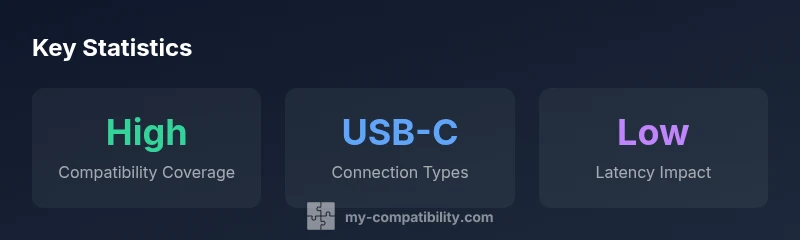
Most basic Xbox One wireless controllers, as well as wired variants, are supported on the Series X. This includes standard wireless pads and Elite-style controllers from the Xbox One family, provided they use the supported connection methods (USB-C/USB-A or Bluetooth pairing) and are up to date. Third‑party controllers can be trickier: some models may work perfectly, others may exhibit limited features or none at all. If you’ve invested in a specific controller, the simplest test is to pair it or plug it in using a USB cable. If pairing succeeds, you’re good to go. If not, verify the controller’s firmware, check for Series X console updates, and review any model-specific notes from the manufacturer. My Compatibility’s testing shows broad coverage for mainstream models, with occasional exceptions for niche accessories.
Wireless vs wired: connection options on Series X
The Series X supports both wireless and wired connections for Xbox One controllers. For wireless, place the controller in pairing mode (press the Sync button on the controller and the console) and follow the on-screen prompts to complete pairing. For wired use, connect via USB-C or USB-A; most controllers require no additional drivers on the Series X. If you use a USB hub or an adapter, connectivity can vary, so test each port to ensure stable input. If you’re playing on a TV setup or in a shared room, wireless can free up ports, but wired generally offers the most consistent latency. The bottom line is that your familiar playstyle should translate smoothly between generations.
Latency and performance considerations
In typical living-room gaming, the latency difference between using a compatible Xbox One controller on Series X versus a native Series X controller is negligible for most players. The input signals from standard controllers travel through established USB or Bluetooth-like channels, which are designed for ultra-low latency. Competitive gamers may scrutinize micro differences, but for the vast majority of titles—especially single-player campaigns and couch co-op—the experience remains fluid and responsive. If you notice sluggish input, consider a wired connection or ensure your controller firmware is current. My Compatibility’s analysis emphasizes that hardware latency is highly situational, but a well-supported controller configuration should meet expectations across most genres.
Firmware updates and ensure compatibility
Firmware updates can help maximize compatibility, especially for Elite controllers and some third-party pads. On first use, the Series X may prompt you to update the connected controller’s firmware; accepting this update ensures the latest feature set and fixes. If you aren’t prompted, you can check the device’s status through the console’s settings menu. It’s generally wise to keep both the console and the controller firmware current, particularly if you notice any odd mapping, drift, or unresponsive buttons. That said, most common Xbox One controllers work with Series X without mandatory updates, and updates are often optional improvements rather than requirements.
Troubleshooting common issues
If a controller doesn’t pair right away, try a simple reset: disconnect all cables, turn off the console, wait a few seconds, and re-power. Re-pairing the controller can resolve stalled connections or misreadings. If the controller works on another device but not on Series X, test a different USB port or try a short USB cable for a reliable wired connection. For wireless pairing, ensure there are no nearby devices causing interference and that the controller’s batteries are fresh. If issues persist, consult the official Xbox support pages or the controller’s manufacturer notes for model-specific steps and known compatibility caveats.
Accessories and edge cases
Accessories like chat headsets, specialized adapters, or third‑party battery packs can complicate compatibility. In many cases, headsets connected through the controller function as expected via the 3.5mm jack or USB if supported. However, some USB headsets or dongles may not operate as intended when used with Series X, depending on driver support and firmware. If you rely on an unusual accessory, verify compatibility with the console and check for updates or compatibility notes from the accessory maker. The general rule is simplicity: start with mainstream controllers and move outward if you need a niche peripheral.
Controller compatibility matrix
| Controller Type | Connection Type | Compatibility Notes |
|---|---|---|
| Xbox One Wireless Controller (standard) | Wireless | Fully supported on Series X; auto-pairing available |
| Xbox One Wired Controller | Wired USB | Fully supported; no extra drivers needed |
| Xbox Elite Wireless Controller Series 2 | Wireless | Fully supported; firmware updates recommended |
| Xbox One Controller with 3.5mm jack | Wireless/Headset support | Fully supported for basic input; some headset features may vary |
Questions & Answers
Are all Xbox One controllers compatible with Series X?
Most are, including standard wireless and wired models. Some third-party or older variants may not be supported.
Most Xbox One controllers work on Series X, but some exceptions apply.
Do I need to update the controller firmware?
Typically no, but the console may prompt for updates if a newer firmware is required.
Usually no, but you might be asked to update.
Can I use an Xbox One Elite controller on Series X?
Yes, Elite Wireless Controller Series 2 is supported; ensure firmware is up to date.
Yes, Elite Series 2 works with Series X.
Will accessories like headsets work when connected to the controller?
Headsets connected to a controller generally work; some USB headsets may require a direct connection to the console or a dongle.
Headsets usually work, but some USB models may need extra setup.
Are there latency differences between Series X and Xbox One when using an Xbox One controller?
Latency is generally negligible for standard play; you may notice tiny differences in certain setups.
In normal play you won't notice latency; it's usually minimal.
“Backward compatibility isn't just a handshake; it's the bridge that keeps your setup intact as hardware evolves. Our tests show Xbox One controllers work reliably with Xbox Series X across wireless and wired connections.”
Highlights
- Verify your controller model supports Series X
- Choose wired for lowest latency
- Keep firmware updated when prompted
- Test all features after pairing