Esim Compatibility Check: Step-by-Step Guide for 2026
Learn how to verify if your device and carrier support eSIMs with a step-by-step compatibility check, covering device support, OS requirements, carrier provisions, and troubleshooting for 2026.


The esim compatibility check helps you confirm whether your device, OS, and carrier support eSIMs before activation. It covers model support, firmware requirements, regional availability, and provisioning methods. Follow the 3-part quick-start: verify device capability, confirm carrier eSIM support, and prepare provisioning steps.
What is an eSIM and why the esim compatibility check matters
An eSIM, or embedded SIM, is a digital SIM that is built into your device's hardware. It allows you to activate a cellular plan without a physical SIM card. The esim compatibility check is essential because support varies by device model, firmware, carrier, and region. According to My Compatibility, many popular devices from major brands do support eSIM, but activation success depends on matching all four factors: hardware, software, carrier provisioning, and regional availability. Skipping this check can lead to failed activations, unexpected roaming limits, or regional restrictions that prevent data usage when you travel. A careful check helps you avoid wasted time and ensures a smoother setup experience for 2026 devices.
What to expect from an esim compatibility check
A thorough check verifies that your equipment and network environment align with current eSIM standards. You’ll inspect device model compatibility, OS version requirements, regional carrier support, and provisioning methods (QR code, carrier app, or carrier-assisted activation). This process is not just a one-time test; it’s a proactive step to prevent activation hiccups when you swap devices or travel internationally. My Compatibility’s approach emphasizes clarity and actionable steps, so you can proceed with confidence.
How device compatibility varies by model and firmware
Device support for eSIM is not universal. Some older models may require firmware updates to enable eSIM provisioning, while newer devices have built-in eSIM engines that offer more flexible provisioning options. Check the official product page for your exact model to confirm eSIM capability, and review the minimum OS version required for your region. If your device is carrier-locked, you may face extra steps or restrictions. This section of the esim compatibility check helps you identify any gaps before you attempt provisioning.
Carrier support and regional considerations you should know
Carrier support differs by country and operator. Some regions have whole networks that don’t support eSIM, while others have multiple providers offering eSIM plans with varying activation flows. When performing the check, confirm that your chosen carrier supports eSIM in your country and that it offers the plan type you want (postpaid vs. prepaid, data-only vs. voice and data). Language in carrier notices can also hint at limitations, such as copper-line dependencies or roaming blocks that affect eSIM usage abroad.
OS and firmware prerequisites to verify before provisioning
Operating system and firmware versions often determine whether you can provision an eSIM seamlessly. Ensure your device runs at least the minimum supported OS version listed by the manufacturer or carrier. Some devices require recent security updates or carrier-optimized builds to enable network provisioning. If you’re unsure about your current version, check Settings > General > About for iOS or Settings > System > About phone for Android, and compare with official guidance.
A practical, repeatable approach to checking esims across devices
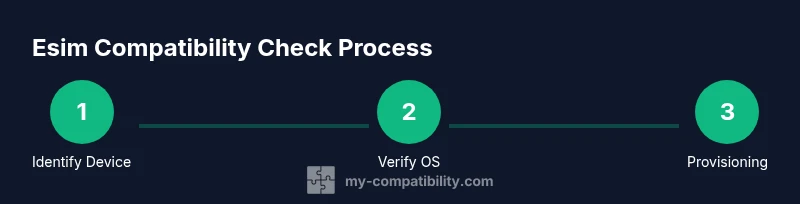
Use a repeatable method: identify your device, confirm OS version, verify regional carrier availability, and prepare provisioning materials. Keep a record of the device model, firmware version, carrier plan, and provisioning method. This consistency ensures you can replicate the process when upgrading devices or traveling, reducing the chance of surprises during activation. My Compatibility’s framework emphasizes concrete steps and evidence-based checks rather than guesswork.
Tools and resources that streamline the process
Rely on official manufacturer pages, carrier support portals, and device settings menus to confirm compatibility. Use reputable sources to confirm the minimum OS version and known regional restrictions. If you encounter conflicting information, contact customer support for a definitive stance on your exact model and region. Having a prepared set of screenshots or notes speeds up the verification phase.
How to interpret mixed results and plan next steps
If some factors pass (device support) but others fail (carrier or region), you can still plan a path forward. For example, you may need a firmware update, a different carrier, or an international roaming plan. The key is to document what fails and why, so you can decide whether to proceed, wait for a patch, or choose an alternative activation method. This mindset aligns with a cautious, methodical approach to eSIM readiness.
Practical post-check actions: activation, testing, and validation
After the check, proceed with the provisioning workflow recommended by your carrier or device. Activate the eSIM, then test data connectivity, voice service, and SMS to confirm full functionality. If any service remains unavailable, recheck the steps, verify network settings, and test again. Document the results and keep the record handy for future device changes or regional travel.
Security and privacy considerations during eSIM provisioning
Provisioning an eSIM touches sensitive device and carrier data. Ensure you’re provisioning over a trusted network, avoid sharing QR codes publicly, and review app permissions during the carrier flow. Regularly update to the latest firmware to minimize security vulnerabilities. Being mindful of these aspects protects your data and ensures a smoother, safer eSIM activation.
Future-proofing: staying ahead of changes in esim compatibility
The landscape for eSIM is evolving with new carrier offerings and device updates. Plan ahead by checking for firmware and OS release notes and subscribing to official carrier notices for changes in eSIM support. Periodic re-checks are a wise habit when upgrading devices or moving between regions to ensure ongoing compatibility.
Real-world scenarios to illustrate the process
Consider a user upgrading to a newer device in 2026. They check the model’s eSIM support, confirm OS compatibility, verify regional carrier availability, and secure provisioning instructions. In another case, a traveler switches carriers mid-trip; the check confirms whether the new carrier supports provisioning in the destination country, avoiding data blackout. These scenarios show how a disciplined esim compatibility check underpins reliable mobile service.
Tools & Materials
- Device with internet access(Ensure the device model is verified against official eSIM support pages)
- Official carrier app or QR provisioning code(Have a backup method in case one provisioning method fails)
- Printed or digital record of device model and OS version(Useful for cross-checking against provider requirements)
- Paper and pen or notes app(For recording steps and outcomes)
- Current SIM (physical) as fallback(Helpful if you need to revert to a physical SIM during testing)
Steps
Estimated time: 20-45 minutes
- 1
Identify device model and current OS
Locate your device model in Settings and confirm the installed OS version. Compare with official eSIM support documentation for your exact model. If you’re missing the latest updates, plan to install them before provisioning.
Tip: Write down the model number exactly as shown; a minor mismatch can cause confusion later. - 2
Check regional availability
Confirm whether eSIM provisioning is offered in your country and by your preferred carrier. Regional restrictions can block activation or limit plan options.
Tip: If traveling, verify roaming rules and temporary eSIM options for the destination. - 3
Verify carrier support for eSIM
Visit your carrier's official site or app to confirm current eSIM support for your device model and plan type. Some carriers require a specific plan or a registration step.
Tip: Save any carrier-provisioning steps or QR codes in a dedicated folder for easy access. - 4
Prepare provisioning method
Decide whether you’ll use a QR code, carrier app, or a manual activation method. Ensure you have the necessary tools (camera, scanner, or app permissions) ready.
Tip: Test the provisioning method on a secondary device if possible. - 5
Initiate eSIM provisioning
Follow the chosen provisioning flow on your device. Scan the QR code or complete the carrier app prompts. Accept any prompts to enable cellular data and activate the plan.
Tip: Avoid interrupting the process; keep the device connected to the internet during provisioning. - 6
Confirm activation
Check the device’s cellular settings to verify the new eSIM shows as active. Run a data test and try a call or SMS if supported by your plan.
Tip: If the eSIM doesn’t appear, restart the device and retry the provisioning step. - 7
Test data connectivity
Open a browser and load a page to confirm data service. Switch between eSIM and any existing SIM if needed to verify seamless handover.
Tip: Disable other network connections to isolate the test if issues arise. - 8
Troubleshoot common issues
If activation fails, recheck OS version, region, and carrier status. Consult official help pages or support via chat/email for device-specific guidance.
Tip: Document any error messages with screenshots for faster support.
Questions & Answers
What is an eSIM and why do I need a compatibility check?
An eSIM is a digital SIM embedded in your device. A compatibility check ensures hardware, software, carrier support, and regional availability align before activation to prevent failed provisioning.
An eSIM is a digital SIM built into your device. The check makes sure your model, OS, carrier, and region support it before you activate.
How can I confirm device compatibility for eSIM?
Look up your exact model on the manufacturer’s site and verify the minimum OS version and carrier support for your country. If the device is locked, check if the carrier offers unlocking options.
Check the official model page, required OS version, and whether your carrier supports eSIM in your country.
Which carriers support eSIM in 2026?
Many major carriers support eSIM, but availability varies by country and plan. Always verify current support on the carrier’s site or app before provisioning.
Most big carriers support eSIM now, but it differs by country and plan—check the carrier page.
What should I do if provisioning fails?
Recheck OS version, region, and the provisioning method. Restart the device and try again. If issues persist, contact carrier support with your device details.
If it fails, verify version and region, restart, and retry; contact support if needed.
Can I use eSIM with both iPhone and Android devices?
Yes, both platforms support eSIM, but provisioning steps and available features may differ. Follow device-specific guidance for activation.
Both iPhone and Android support eSIM, but follow each platform’s steps.
Is there a risk to security when provisioning an eSIM?
Provisioning uses sensitive data; ensure you’re on a trusted network, avoid sharing codes, and keep firmware updated to minimize risk.
Provisioning uses sensitive data—proceed only on trusted networks and keep software up to date.
Watch Video
Highlights
- Verify device model and OS first
- Check carrier and regional eSIM support
- Follow a tested provisioning method
- Test activation and data after provisioning
- Secure provisioning details and records