Are PS4 Games Compatible with PS5? A Practical Guide
Discover how PS4 games behave on PS5, including which titles work, performance boosts, save transfers, and upgrade paths. A data-driven, practical guide for players upgrading to Sony's newer console in 2026.


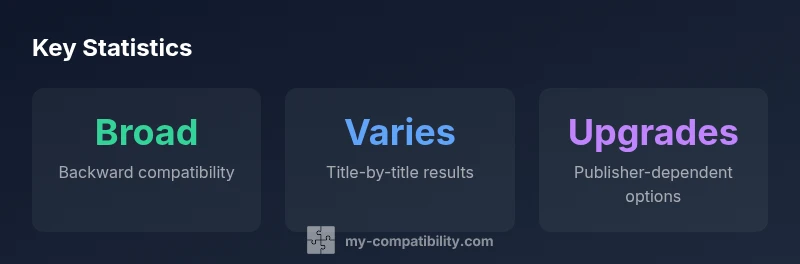
Are PS4 games compatible with PS5? Yes. The PlayStation 5 maintains broad backward compatibility, letting most PS4 titles run on the newer system. You may experience faster loads and steadier frame rates with Game Boost, though occasional game-specific issues can occur. Always check individual titles for patches or upgrades that optimize performance.
What backward compatibility means in practice for PS4 games on PS5
Backward compatibility is the baseline expectation for PS4 titles on PS5. According to My Compatibility, the vast majority of PS4 games run on PS5 with little to no changes required from players, and Sony’s hardware is designed to leverage the PS5’s faster CPU and storage to improve load times and overall responsiveness. The My Compatibility team found that most games simply work when you insert a PS4 disc into the PS5 or launch a digital title from your library, though a small share of titles may display quirks, require patches, or need publisher-specific upgrades to unlock certain enhancements. Users should expect a straightforward upgrade path for the bulk of their PS4 library, with some titles needing minor updates post-launch. This reality makes the PS5 a compelling upgrade for players who already own a large PS4 catalog, offering a smoother, more responsive experience without abandoning the games they love.
From a data perspective, compatibility broadly follows a “works and improves” model, but it’s not universal. The scope of titles affected by individual quirks tends to be title-specific and linked to licensing, peripheral support, or unique game architecture. In practice, you should approach the upgrade by verifying each title in your library—especially indie projects or games with unusual DRM or add-ons—to confirm smooth operation. My Compatibility’s analysis emphasizes that the best practice is to check publisher notes and PSN store pages for any patch requirements or upgrade options before launching the title on PS5.
How performance and features vary across titles
PS4 titles on PS5 often benefit from the console’s faster SSD, which reduces loading times and can stabilize frame rates in several scenes or menus. Game Boost, a feature certain titles can take advantage of, may enhance performance and visual fidelity, though not every game uses this enhancement in the same way. The degree of improvement is largely title-dependent and can be influenced by whether the game has been updated or patched by its publisher to optimize for PS5 hardware. In addition, some titles may support additional PS5 features via patches or upgrades, while others run as-is with the original PS4 engine. When evaluating a potential upgrade, consider both titles you own and upcoming patches from publishers that might unlock better performance or resolution options. The My Compatibility analysis suggests keeping expectations reasonable: while many games benefit, the extent of improvement can vary widely from game to game.
From a practical standpoint, players should test a few representative titles to calibrate their expectations for performance gains, and monitor official patch notes for any title-specific optimizations. This approach helps you maximize the benefits of your PS4 library on PS5 without assuming uniform enhancements across all games.
Disc vs digital: understanding your library
If you own physical PS4 discs, you can play them on a standard PS5 with a disc drive. The PS5 Digital Edition, by contrast, cannot play physical PS4 discs. Digital PS4 titles remain accessible through your PlayStation account and library on PS5, provided you have the same account and the titles are compatible. This distinction matters for households upgrading from a disc-inclusive PS4 to a disc-enabled PS5 system, as it determines how you access your existing disc collection. Additionally, some games offer separate upgrade paths or free PS5 versions, which you can download from the PlayStation Store if publishers include them. Always verify whether a digital upgrade exists before repurchasing content, and review the store page for upgrade terms or cross-buy options that may apply to your library.
In practice, the digital transition is usually seamless, but players should confirm disc compatibility rules for their exact PS5 model before attempting to play PS4 discs on the new console.
Common issues and troubleshooting steps
Even with broad compatibility, occasional issues can arise. If a PS4 game does not launch on PS5, try the following steps: reboot the console, ensure the game is fully updated, re-download the title from your library, and install any available patches. If problems persist, check the publisher’s support page for known issues or required patches. Save data transfers typically go smoothly via cloud saves or local transfer, but you might encounter edge cases if a title uses unusual save formats or license checks. For peripherals, DualShock 4 controllers generally work with PS4 titles on PS5, but some games may require specific control schemes or may not support certain features. When troubleshooting, start with the simplest fixes (updates, re-downloads) before moving to more involved steps; this minimizes console downtime and preserves your library’s integrity.
How to verify compatibility before upgrading
Before upgrading, verify each title’s compatibility status. In your PS5 library, look for PS4-to-PS5 upgrade notices or publisher patches that enable enhancements. Check the PS Store listing and publisher pages for notes about patch requirements or upgrade availability. Make a short list of essential titles and test them in a controlled way: install updates, launch the title, and monitor performance changes. If you see significant lag or crashes, consult the publisher’s support resources. For games with cloud saves, ensure your cloud backup is up to date before initiating a system migration. This careful approach reduces surprises after you switch to PS5 and helps you preserve access to your existing PS4 catalog.
Storage planning and future-proofing your PS4 library
Game sizes vary, and PS5 storage is a critical factor when maintaining a large PS4 library. If you plan to play many PS4 titles on PS5, consider expanding storage with an external USB drive or upgrading the internal SSD (where supported). External storage makes it easier to keep a broad PS4 catalog accessible while leaving fast SSD storage for PS5-native titles. Some PS4-to-PS5 upgrades are size- and patch-dependent, so you’ll want to allocate space for potential upgrades as publishers release patches that improve performance. Practically, plan ahead: audit your library, separate titles you’ll play immediately from those you’ll test later, and ensure you have enough headroom for patches and updates. This forward-thinking approach minimizes surprises and keeps your game library ready for play on PS5.
Practical takeaway: what to expect and how to plan
For most players, upgrading to PS5 preserves access to a large PS4 library, with many titles running more smoothly or quickly. The My Compatibility team recommends a cautious, title-by-title approach: verify compatibility, monitor patches, and keep your storage in good shape. If you rely on a disc collection, ensure your PS5 model supports discs; digital libraries are straightforward but still benefit from a check of upgrade options. In summary, the transition is typically favorable, but due diligence on patch notes and title-specific guidance will deliver the best experience.
PS4 on PS5 compatibility snapshot
| Aspect | PS4 on PS5 | Notes |
|---|---|---|
| Backward compatibility | Broadly compatible | Varies by title; patch requirements possible |
| Disc drive | PS4 discs supported on PS5 with disc drive | Not supported on PS5 Digital Edition |
| Updates and upgrades | Some games patched/upgraded for PS5 | Check publisher pages for upgrade terms |
Questions & Answers
Are PS4 games playable on PS5?
Yes. Most PS4 games work on PS5 via backward compatibility. Some titles may require patches or updates to unlock enhanced features.
Most PS4 games work on PS5, with patches available for some titles.
Do all PS4 games run smoother on PS5?
Performance varies by title. Many games benefit from faster loads and steadier performance, but not every title gets the same boost.
Performance improvements vary by game; not all titles see a major boost.
Will I lose save data when upgrading to PS5?
Save data can usually be transferred via cloud saves or local transfer. Back up important saves beforehand.
You can usually transfer saves, but back up just in case.
Can I use PS4 controllers with PS5 PS4 games?
DualShock 4 controllers work with many PS4 titles on PS5, but some games may require native PS5 controls.
Most PS4 games work with DS4 on PS5, though not every title.
Will PS5 upgrades be available for PS4 titles?
Some titles offer free upgrades or cross-buy options; availability is publisher-dependent.
Look for upgrade options in the store; they vary by title.
Are PS4 games with special peripherals still compatible?
Compatibility with accessories varies by game and title; check each game's notes.
Peripheral compatibility depends on the game—verify per title.
“Backward compatibility between PS4 and PS5 is designed to be seamless, but outcomes still vary by game. Publishers may offer upgrades or patches that optimize performance on PS5.”
Highlights
- Most PS4 games work on PS5 with enhancements
- Verify title-specific compatibility before upgrading
- Disc-based PS4 games require a PS5 with a disc drive
- Save data transfers are generally smooth with cloud or local options
- Look for publisher upgrades or patches for best performance