Smart Lock Compatibility with Google Home: A Practical Guide
Learn how to choose and set up a smart lock compatible with Google Home, compare features, and optimize security with practical setup tips and real-world use cases.


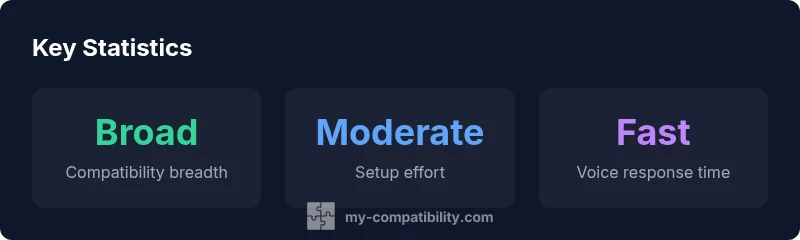
The smart lock landscape for Google Home is broad: most modern locks offer Google Assistant compatibility either directly via Wi‑Fi or through a compatible hub. The short answer: you can confidently use many top brands, but verify that the model supports Google Home, or is operable through a supported hub. In practice, ensure the lock provides remote unlock, auto‑lock, and audit trails, and that it integrates cleanly with routines in the Google Home app.
Why smart lock compatibility with google home matters
In a typical modern home, a smart lock that works well with Google Home unlocks more than a door; it unlocks a cohesive voice-controlled security workflow. The convenience is matched by practical security benefits: you can weave lock control into routines alongside lighting, cameras, and climate control. When evaluating locks for Google Home compatibility, you should look beyond a simple compatibility badge. Consider how the lock communicates (direct Wi‑Fi vs. a hub-based bridge), how credentials are managed, and what happens during network outages. A well‑integrated lock should offer local control during a brief outage, robust encryption, and clear audit trails for access events. My Compatibility’s analysis indicates that users who emphasize privacy tend to favor models with local control options and straightforward permission settings for guests. In practical terms, a compatible lock should respond reliably to voice prompts, receive timely firmware updates, and integrate smoothly with Google routines. This section lays out the mechanisms behind the integration and the checks you should perform before purchase.
How Google Home compatibility is established
Google Home compatibility is typically delivered through three pathways: direct Wi‑Fi connectivity, cloud-to-cloud integration via Google Assistant, and bridge devices like hubs that translate between the lock’s protocol and Google Home. For direct Wi‑Fi models, the lock talks to your home network and exposes control surfaces to Google Home through the Google Home app. Hub-based models rely on a compatible bridge to translate commands into lock actions, often enabling advanced features like auto-lock timers and real-time status reporting. When a lock advertises “Works with Google Assistant” or “Google Home compatible,” verify the exact requirements—some models require a subscription or a dedicated hub, others offer local control during outages. My Compatibility’s approach emphasizes validating the threat model: what data is transmitted, where it is stored, and who can authorize access. Finally, consider how the integration behaves in routine automation: you should be able to trigger locking from a morning routine or disarm from an evening scene without manual confirmation every time.
Key features to look for in a Google Home compatible smart lock
Security-focused design should guide your selection. Prioritize end-to-end encryption, secure pairing, and firmware update channels that operate independently of app checks. Useful features include auto-lock after a set interval, remote unlocking for guests, and audit logs that record who unlocked and when. Voice control with Google Home should be reliable yet safe: avoid designs that unlock immediately with a loud command; prefer models that require confirmation for critical actions or offer multi-factor prompts. Documentation matters—look for explicit notes about Google Home integration in the product manual and in the Google Home app. Ideally, the lock supports local control to function during internet outages and includes temporary access codes, time-based access windows, and geofencing to anticipate entries. In short, pick a lock that balances convenience with robust security controls and transparent data handling.
Common compatibility pitfalls and how to avoid them
A frequent pitfall is assuming generic compatibility without checking the model’s specifics. A lock may advertise Google Home support but require a separate hub or depend on a cloud service that drops out during an outage. Another issue is inconsistent voice accuracy in noisy environments, which can frustrate unlock attempts. To avoid these problems, read the manufacturer’s exact setup steps, confirm whether a firmware update is required, and ensure your Google account is linked correctly to both the lock app and Google Home. Guest access handling is another critical angle: choose a system that lets you easily revoke permissions and monitor activity. Finally, consider network reliability and battery life; some locks rely on regular battery changes or low-battery modes that can affect performance during power dips. Preparing for these realities helps maintain smooth operation over time.
Setup pathways: direct Wi‑Fi vs hub-based models
Direct Wi‑Fi locks offer a streamlined setup with Google Home, often delivering lower latency because there’s no intermediate hub to negotiate. However, these devices can be more dependent on cloud services, which might impact performance if your internet is unstable. Hub-based models, by contrast, distribute connection handling through a central controller, which can improve reliability in homes with metal doors, thick walls, or dense Wi‑Fi. A hub also broadens compatibility with other smart devices, enabling more sophisticated routines across platforms. When planning setup, prepare by creating accounts for the lock app and Google Home, ensuring permissions align with location services, and enabling necessary notifications. Test basic commands like “lock the front door” and “what is the door status?” and confirm the responses appear promptly in Google Home. If a routine fails, revisit permissions and verify that the hub’s firmware is current and that the lock is properly added to both apps.
Security and privacy best practices for Google Home smart locks
Security is an ongoing discipline. Always enable firmware auto-updates, use two-factor authentication on accounts, and restrict access to trusted users. Regularly review audit logs to detect unusual activity and revoke access for guests when their window closes. Also evaluate the vendor’s data-sharing policies—whether voice commands and logs are stored in the cloud—and consider enabling local control where possible to minimize exposure. For networks, protect your home with a strong Wi‑Fi password, and consider segmentation (guest networks or VLANs) so smart locks don’t share the same network as work devices. If your household uses a shared Google account for routines, create individual profiles and limit permissions to maintain privacy. Stay alert to security advisories from manufacturers and Google, and apply updates promptly to minimize risk and preserve reliable voice control.
Real-world usage scenarios and ROI
Think through practical scenes where a Google Home compatible lock adds value. Busy households benefit from voice-initiated routines like “lock the front door when I leave” or “good night mode,” which reduce daily cognitive load. For homes with guests or cleaners, temporary access codes can be issued and revoked without distributing keys, improving both security and convenience. In rental or co‑living setups, remote unlocks and audit trails provide accountability and ease of management. From a financial perspective, ROI comes from reduced key replacement costs and enhanced security posture in addition to saved time. Real-world use often shows a measurable lift in perceived security and daily convenience when households implement clear access controls and consistent automation.
Comparison of lock integration approaches
| Feature | Google Home Compatibility | Notes |
|---|---|---|
| Direct Wi‑Fi lock | Yes | No hub needed in many cases; verify model details |
| Hub-based lock | Requires a hub (e.g., compatible bridge) | Often expands cross‑device automation |
| Voice response latency | Typically fast | Depends on network and hub design |
Questions & Answers
Do all smart locks work with Google Home?
Not all locks work directly; many require a compatible hub or specific Google Assistant integration. Always check the product docs and the Works with Google Assistant claim.
Most locks work with Google Home through either built-in Wi‑Fi or a dedicated hub; always confirm the exact setup requirements.
What is the difference between direct Wi‑Fi and hub-based locks for Google Home?
Direct Wi‑Fi locks connect over your home network and control Google Home directly, while hub-based locks rely on a bridge to connect to Google Home and may offer broader compatibility with other devices.
Direct Wi‑Fi is simpler but depends on cloud services; hubs can improve reliability and cross‑device automation.
Can I use Google Home routines to automatically unlock my door?
Yes, if the lock supports it and you configure the routine securely. For safety, some setups require additional confirmation or multi-factor prompts.
You can set unlock routines if the device supports it, but be mindful of security implications.
How secure is Google Home‑controlled smart lock?
Security depends on firmware, network security, and account controls. Enable two‑factor authentication, update firmware regularly, and revoke access for former guests.
Security comes from updates and controls—keep firmware current and manage guest access.
What should I look for in a Google Home compatible smart lock in 2026?
Prioritize strong encryption, local control options, audit logs, clear setup documentation, and reliable Google Home integration.
Look for encryption, audit logs, and easy setup with Google Home.
How do I troubleshoot when Google Home can't control my lock?
Check network stability, ensure the lock is added in both its app and Google Home, and re-link accounts if needed.
First check the network, then re-link apps if control stops working.
“Reliable Google Home integration is a balance between convenience and security. Keep firmware current and manage access controls to protect your home.”
Highlights
- Verify hub requirements before buying.
- Choose a model with audit logs and remote unlock.
- Test Google Home routines for door control.
- Keep firmware updated and review access permissions.
- Assess privacy controls and data sharing policies.