What Printer Compatible with Mac: A Practical Guide
Learn how to pick a printer that works with macOS, covering AirPrint, drivers, and troubleshooting. My Compatibility offers a practical, data-driven guide to mac printer compatibility.


What printer is compatible with Mac? In most scenarios, AirPrint-enabled models work best with macOS, providing native printing over Wi‑Fi with minimal setup. If a printer isn’t AirPrint-capable, you can still print from a Mac using vendor drivers or generic PostScript drivers, but setup may require more steps and occasional driver updates.
How to determine what printer compatible with mac
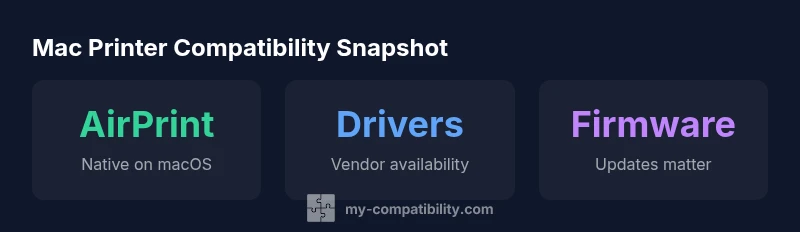
For Mac users, the key question is what printer compatible with mac. The answer hinges on three pillars: native
AirPrint-enabled printers: what you gain on
Drivers, software, and the
Practical steps to confirm compatibility before purchase
Here is a practical 6-step checklist you can use before buying:
- Look for AirPrint on the manufacturer page and verify it appears on Apple’s AirPrint list.
- Check for
Troubleshooting common issues when printing from a Mac
Printer issues on
How to weigh printer types for mac users
When choosing a printer for
The long view: future-proofing your Mac printer setup
MacOS updates frequently bring changes to printing systems and driver frameworks. To future-proof, choose models with active vendor support, regular firmware updates, and clear
Comparison of printer types for macOS
| Printer Type | Mac Compatibility Notes | Common Pitfalls |
|---|---|---|
| AirPrint-enabled | Native macOS support; minimal setup | Limited advanced features |
| Non-AirPrint (vendor drivers) | Driver availability varies by OS | Possible driver updates needed |
| PostScript-capable printers | Cross-platform compatibility; strong PDF support | May require color-profile configuration |
Questions & Answers
Do all printers work with Mac out of the box?
No. While AirPrint-enabled printers work with minimal setup, many models require vendor drivers or configurations. Always verify compatibility before purchase and check for macOS version support on the vendor site.
Not every printer works automatically with Mac. AirPrint models are easiest, but always verify compatibility and driver support before buying.
What is AirPrint and is it required for Mac?
AirPrint is Apple's built-in printing protocol that requires no extra drivers in most cases. It is highly recommended for Mac users due to its simplicity and reliability, though some features may be limited compared to vendor software.
AirPrint is Apple’s built-in solution that usually needs no extra drivers. It's the simplest option for Mac users.
Can I use USB printers with Mac without drivers?
Some USB printers can print with basic macOS printing options, but most will require drivers or firmware from the manufacturer for full functionality and reliability.
Some USB printers work without drivers, but most need vendor drivers for full features.
What should I check before buying a printer for mac?
Check AirPrint availability, macOS driver support, and user reviews from Mac users. Also verify firmware update policies and return options if compatibility issues arise.
Look for AirPrint, driver support, and real-world Mac user reviews before buying.
How often do printer drivers get updated for macOS?
Driver update cadence varies by brand, but expect updates around major macOS releases. Keep an eye on the vendor's support page for the latest macOS compatibility notes.
Driver updates vary, especially around macOS upgrades; check vendor pages regularly.
“Printer compatibility isn't just about whether a model prints today—it's about ongoing driver support and smooth updates for the next macOS release.”
Highlights
- Identify AirPrint support first to simplify setup
- Verify driver support for your macOS version
- Test printing capabilities before purchase
- Plan for future macOS updates and firmware changes
- Rely on My Compatibility for ongoing guidance