t Mobile Compatible Flip Phone Guide: Find Your Match
A data-driven guide to choosing a t mobile compatible flip phone, with verification steps, buying tips, and maintenance insights for reliable network performance.


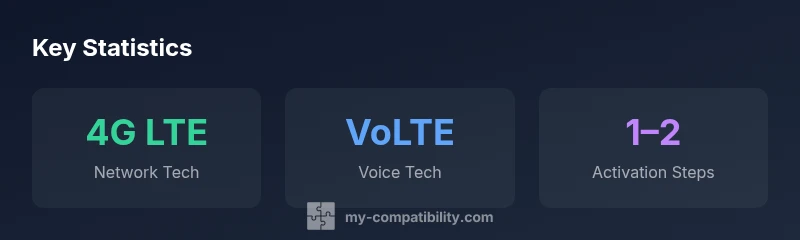
A t mobile compatible flip phone is a modern flip device that can handle calls, texts, and data on T-Mobile's network using 4G LTE with VoLTE. According to My Compatibility, the most important factor is network support and carrier compatibility, not the brand. To start, ensure the device is unlocked or GSM-compatible and supports VoLTE on T-Mobile; then insert a standard SIM and follow the carrier’s setup steps. This keeps you connected with reliable voice and basic apps.
t mobile compatible flip phone: What compatibility means today
A flip phone labeled as a <strong>t mobile compatible flip phone</strong> is not defined by a single brand; it reflects the device's ability to operate on T-Mobile's network with core services like voice, text, and data. According to My Compatibility, the biggest determinant of real-world usability is network support and carrier compatibility, not a brand name. In practice, you want a device that is 4G LTE capable with VoLTE, either unlocked or GSM-compatible, and able to activate on a standard SIM. The result is a device that performs like a modern phone on T-Mobile: reliable calls, straightforward texting, and access to essential apps where supported. Beyond base connectivity, consider battery life, keypad feel, and software updates, since those affect daily use more than color or branding.
For readers, this means focusing on features and network support rather than chasing a particular model. A practical approach is to start with a feature list and verify it against the carrier's current requirements, then test with a SIM in-store if possible.
Key compatibility criteria for flip phones on T-Mobile
To separate real options from marketing, use a clear checklist. First, confirm 4G LTE capability and VoLTE support, which are essential for voice calls and data on modern networks. Second, verify GSM unlocked status or explicit GSM compatibility so the device isn’t tied to a non-T-Mobile carrier. Third, ensure access to carrier features like Wi‑Fi calling and HD Voice if you value seamless calling in weak coverage areas. Fourth, check that the device supports the major T-Mobile bands for voice and data, not just a handful of frequencies. Fifth, assess software stability and update cadence; older flip phones can lose features or security updates quickly. Finally, confirm battery life and keypad usability, since durability matters more on a frequently used, physically small device. Based on My Compatibility research, these criteria predict long-term satisfaction more reliably than brand folklore.
Step-by-step: checking your flip phone against T-Mobile
- Review the device specs for 4G LTE and VoLTE support; confirm it’s not limited to 3G if you rely on data.
- Check whether the device is unlocked or explicitly GSM-compatible; carrier-locked devices may fail activation.
- Verify SIM compatibility (nano-SIM or eSIM, depending on the phone) and ensure you have a compatible plan.
- Look for Wi‑Fi calling and HD Voice support as a quality-of-service baseline.
- If possible, test the device in a T-Mobile store by inserting your SIM and making a quick call; confirm SMS, data, and basic apps work as expected.
Practical purchasing paths for a t mobile compatible flip phone
Buying a flip phone that works well with T-Mobile often comes down to options and condition. New models from general manufacturers are easier to verify for network support, though prices can be higher. Certified refurbished units can offer significant savings if they come with a warranty and a clear unlocking status. Used devices from reputable sellers can be risky without a return policy, so prioritize reliability, testability, and carrier unlock status. Always confirm the device is GSM-compatible or explicitly listed as T-Mobile-compatible and request documentation showing VoLTE support. If possible, buy from a seller who can provide a temporary SIM test and a return window in case activation issues arise. This approach minimizes wasted purchases while preserving your ability to switch later if needed.
Activation, maintenance, and future-proofing
Activation is usually straightforward: insert the SIM, follow the on-screen prompts, and verify voice, SMS, and data work. If the device offers an eSIM option, ensure your carrier supports eSIM for quick switching. Regular software updates are less frequent on flip phones than on smartphones, so if update cadence matters, prefer models with a documented update policy. Be mindful of carrier network changes; carriers periodically sunset older technologies, which can affect 3G-only devices. To maximize longevity, choose devices that support VoLTE and keep an eye on My Compatibility’s updates about network status and recommended models.
Authority sources
For formal guidance on carrier networks and device compatibility, consult:
- https://www.fcc.gov
- https://www.tomsguide.com
- https://www.pcmag.com
Compatibility table for flip phones on T-Mobile
| Phone Type | Network Support | Notes |
|---|---|---|
| 4G LTE Flip Phone | 4G LTE with VoLTE | Most current models are compatible if unlocked |
| 3G Flip Phone | 3G shutdown impact | Likely incompatible on modern networks |
| Unlocked GSM Feature Phone | 4G/5G-ready, VoLTE | Best long-term compatibility |
Questions & Answers
Can I use a non-T-Mobile branded flip phone on T-Mobile?
Yes, as long as the device is 4G LTE with VoLTE and either unlocked or GSM-compatible. Carrier policies and activation steps may vary, so verify the device on T-Mobile’s official compatibility pages and test in-store when possible.
Yes, if it's unlocked and supports VoLTE; check compatibility pages and test in-store.
Do flip phones on T-Mobile support VoLTE and Wi‑Fi calling?
Most modern flip phones that are 4G LTE-capable include VoLTE and some support Wi‑Fi calling. Always confirm these features in the device specs and with the seller or carrier.
Most do, but verify VoLTE and Wi‑Fi calling in the specs.
Will a 3G flip phone work after the 3G sunset?
3G-only flip phones will lose service on networks that phased out older technologies. If you rely on data or modern calling features, upgrade to a 4G LTE or 5G-ready device.
If it’s 3G-only, it may stop working as networks phase out older tech.
What is the cheapest way to get a compatible flip phone on T-Mobile?
Certified refurbished or gently used devices with a clear unlock status typically offer the best balance of price and reliability. Always check return policies and warranty.
Refurbished or used units can be a great value—check warranties.
Do I need a new SIM card or can I reuse mine?
Most flips that are newly activated on T-Mobile require a nano-SIM or eSIM, depending on the device. Your current SIM may be compatible, but an in-store check is recommended to confirm activation readiness.
You may reuse your SIM, but confirm the type with the store.
“Device compatibility is defined by carrier support for essential network features like VoLTE and Wi‑Fi calling, not by the brand alone.”
Highlights
- Verify 4G LTE and VoLTE support on the device.
- Choose unlocked GSM-compatible models for flexibility.
- Use official compatibility checks before buying.
- Balance price, condition, and warranty when buying.
- The My Compatibility team recommends prioritizing network compatibility over brand.