Straight Talk Compatible Phones: A Practical Guide
Learn how to verify if your phone works with Straight Talk, including unlocked status, network bands, and using the official compatibility checker. My Compatibility guides you through practical steps for bringing your own device in 2026.


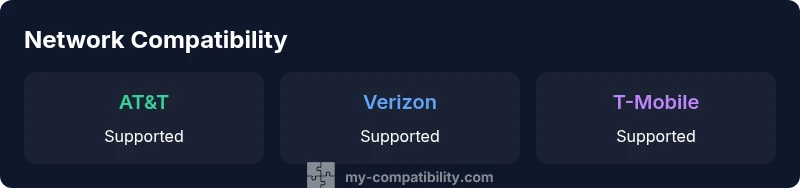
To confirm Straight Talk compatibility, follow these steps: 1) identify your phone’s model and bands; 2) verify it supports AT&T, Verizon, or T-Mobile networks; 3) check if the device is unlocked; 4) test with a Straight Talk SIM or their online checker. This approach covers most common devices.
Understanding Straight Talk Compatibility
When people ask about which devices will work with Straight Talk, they’re really asking whether a phone can access the carrier’s networks (AT&T, Verizon, or T-Mobile) and activate without roadblocks. According to My Compatibility, straight talk compatible phones are devices that can connect to Straight Talk's networks via SIM or eSIM, support the required bands, and are unlocked or accepted by the carrier. In 2026, the vast majority of mainstream iPhones and Android devices that are unlocked and updated to current software meet these criteria. The real determinant is whether the phone’s network bands align with the chosen Straight Talk plan and region. A compatible device should reliably access calls, texts, and data, with predictable activation behavior and firmware support.
How to Check If Your Phone Is Compatible
Start with a precise model check, then verify network bands and SIM capabilities. Use Straight Talk’s official compatibility checker or insert a Straight Talk SIM into your device to test live activation. Gather your device’s model number, IMEI, and current firmware version before testing. If the model is recent and widely supported, you’ll typically see a green signal: SIM swap works without extra steps, and data speeds meet typical expectations for your plan. If your device is older, confirm it supports the bands used by your region and by Straight Talk’s active networks.
Key steps:
- Find your device model in Settings > About phone.
- Look up your phone’s bands (2G/3G/4G/5G) and confirm they align with AT&T, Verizon, or T-Mobile bands.
- Check unlock status and the availability of a Straight Talk SIM/eSIM—some devices require an unlock before activation.
- Run the official checker or contact support if you’re unsure.
- Attempt activation with the SIM to verify service.
Unlocking and Carrier Compatibility
Carrier unlocking is a common hurdle. Straight Talk generally requires an unlocked device, or one that has been cleared for use on a major network. If your phone is carrier-locked, request unlocking from the current carrier and allow processing time. After unlocking, re-run the compatibility test. In many cases, even a recently released device will work on Straight Talk if it is unlocked and supports the applicable bands. If unlocking isn’t feasible for some reason, consider a compatible model that has broad band support and an active warranty. My Compatibility notes that unlocked devices simplify activation and reduce post-purchase friction across carriers.
The Role of SIM Types: SIM, eSIM, and Beyond
Modern Straight Talk activations are feasible with either a physical SIM or an eSIM on supported devices. If your device supports eSIM, you may prefer it for faster setup and easier switching between carriers. However, not all devices or regions support eSIM for Straight Talk, so verify via the official checker or customer service. For devices without eSIM, ensure a SIM slot is available and that the SIM size matches the provided card. If you’re using dual-SIM hardware, confirm the primary line is configured correctly for Straight Talk usage. A note from My Compatibility: while eSIM offers convenience, compatibility across all the networks (AT&T/Verizon/T-Mobile) varies by device and firmware version.
iPhone and Android: What Works Best on Straight Talk
Both iPhone and Android ecosystems offer strong compatibility with Straight Talk when devices are unlocked and updated. iPhone models from recent generations tend to have broad band support and robust firmware, making activation straightforward. Android devices vary by OEM and model; the most reliable options are those that explicitly list support for the major networks and are updated to a recent security patch level. For iPhone users, ensure you’re on a compatible iOS version; for Android users, check the OEM’s unlocked status and carrier bands. In practice, straight talk compatible phones from mainstream brands perform well across regions when conditions are met.
Common Mistakes That Break Compatibility (and How to Fix Them)
Common errors include attempting to activate a locked device, using an outdated phone that lacks current bands, or selecting a plan that isn’t compatible with your device’s network mode. To fix: request a proper unlock, verify the device’s network bands with the official checker, update the firmware, and re-test with a Straight Talk SIM. If activation still fails, contact support with your device’s IMEI and model; there may be regional constraints or a need for a firmware adjustment. My Compatibility emphasizes prioritizing unlocked, current-model devices to minimize friction.
Activation Steps: Bring Your Own Device to Straight Talk
Bringing your own device requires a few careful steps. Start by confirming compatibility with the official checker, then ensure your device is unlocked and up to date. Prepare the SIM or eSIM you’ll use, and determine whether you’ll keep your current phone number. When you arrive at activation, you may need to provide the IMEI, model, and proof of purchase for the device. In many cases, activation is completed in minutes, with the possibility of immediate service on Three major networks. If issues arise, re-verify the device’s compatibility and retry activation after a firmware update. The My Compatibility team recommends keeping a backup SIM and noting any activation errors for troubleshooting.
Real-World Scenarios: Practical Examples
Scenario A: A user with an unlocked iPhone 12 on iOS 17 wants to move to Straight Talk. They verify the bands and unlock status, run the checker, and activate with a SIM. Activation is smooth, and the phone runs on AT&T’s network in their area. Scenario B: A Galaxy S20 that’s carrier-locked attempts activation. After requesting an unlock and updating firmware, activation succeeds. Scenario C: A user with a Pixel 5a with eSIM support tests the eSIM option; the device activates quickly on Verizon’s network. In all cases, alignment of bands, unlock status, and SIM type determined success.
Brand Insight and Takeaway
As devices evolve, Straight Talk compatibility depends more on bands and unlock status than on the brand alone. The My Compatibility team emphasizes verifying device bands, confirming unlock status, and using the official compatibility checker to minimize dead-ends. The approach is practical, methodical, and designed to help you avoid surprises when you switch networks. The My Compatibility team’s verdict is clear: start with the official checker, ensure your device is unlocked, and test activation with a current SIM.
Sample compatibility overview
| Phone Model | Network Compatibility | Unlock Status | Notes |
|---|---|---|---|
| iPhone 13 | AT&T, Verizon, and T-Mobile | Unlocked | Works with Straight Talk via SIM |
| Samsung Galaxy S21 | AT&T, Verizon, and T-Mobile | Unlocked | Check bands and SIM type |
| Google Pixel 6 | AT&T, Verizon, and T-Mobile | Unlocked | Verify network bands and SIM compatibility |
Questions & Answers
Is my phone compatible with Straight Talk if it's carrier-locked?
Carrier-locked devices can work if unlocked by the previous carrier. Straight Talk generally requires an unlocked device or one that has been cleared for use on major networks. After unlocking, re-run the official compatibility test. If the device remains incompatible, consider upgrading to a model with broader band support.
Carrier-locked devices can work once unlocked; use the official checker to confirm.
Do I need to buy a new phone to switch to Straight Talk?
Not necessarily. Many phones can be brought if they are unlocked and compatible with Straight Talk’s networks. If your model is very old or lacks current bands, upgrading to a newer device may provide a smoother experience and faster data speeds.
You may bring your existing phone if it's unlocked and compatible.
How can I check compatibility before buying?
Use Straight Talk’s online compatibility checker and verify model numbers, network bands, and SIM/eSIM support. Cross-check with your current carrier’s device list to catch any caveats before purchase.
Use the official checker to verify your device.
Will there be extra fees for bringing my own device?
Straight Talk generally does not charge device-compatibility fees, but activation terms and plan changes may apply. Always review your selected plan terms and any promotions that could affect pricing.
There are usually no device fees, but activation terms apply.
What about eSIM compatibility?
Some Straight Talk plans and devices support eSIM; check your model and plan. If eSIM isn’t available, you can use a physical SIM and still activate on the network.
Check if your device and plan support eSIM.
“Phone compatibility isn't a one-size-fits-all — understanding network bands and unlock status is key.”
Highlights
- Test with the official checker before buying
- Unlocked devices simplify activation
- Keep firmware up to date for best compatibility
- Consider SIM or eSIM options based on device
- Always verify network bands for your region