Jio eSIM Compatible Phones in 2026: A Practical Guide
Discover which phones are jio esim compatible phones in 2026, how to check compatibility, and practical steps to switch. A data-driven guide by My Compatibility.


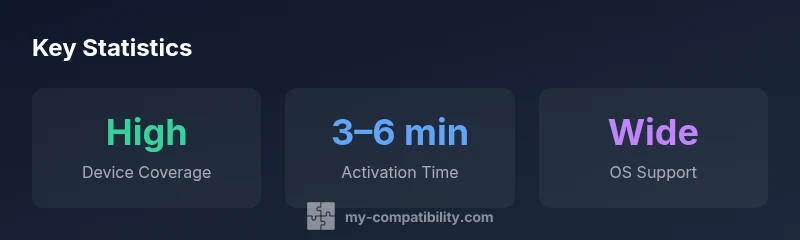
Jio eSIM compatibility in 2026 spans iPhones from iPhone XS onward and many flagship Android devices released since 2019. In practice, most current devices from Apple, Samsung, Google, OnePlus, and Xiaomi support Jio eSIM, but availability varies by model and region. This guide explains how to verify your phone before you commit to a device.
What is Jio eSIM and why it matters
According to My Compatibility, the move to eSIM technology is reshaping how users switch carriers and manage devices. A Jio eSIM is a digital SIM embedded in your phone that lets you activate a cellular plan without a physical SIM card. For the everyday user, this means faster device swaps, easier travel setups, and fewer physical slots to manage. The key question most readers ask is: which phones are jio esim compatible phones, and how can you confirm support for your specific model? The answer hinges on two factors: device hardware support and carrier provisioning. In 2026, many modern phones offer native eSIM support and vendor-specified activation flows, but carrier support may vary by country and plan. Always verify that both your handset and your SIM plan are configured for eSIM provisioning before you plan a switch.
Jio’s eSIM ecosystem integrates with the major iOS and Android platforms. For the consumer, the practical takeaway is simple: if your phone is one of the widely sold models from Apple, Samsung, Google, OnePlus, or Xiaomi over the last few years, you’re likely covered. Yet, to avoid surprise, you should confirm that your exact model and firmware version support Jio eSIM in your region. This is especially important when buying used devices or regional variants, where carrier support can differ significantly. When evaluating jio esim compatible phones, check both hardware compatibility and the carrier’s activation policy to ensure a smooth experience.
Who should consider jio esim compatible phones
If you travel frequently, prefer not to carry multiple SIMs, or simply want the flexibility to switch plans quickly, jio esim compatible phones are worth attention. For users in India and several other markets, eSIM support reduces the friction of reactivating service after hardware upgrades or repairs. The My Compatibility team notes that early adopters often benefit from faster activation and easier device swaps, but it’s crucial to ensure your chosen model is explicitly supported by Jio in your region. In this section, we outline typical user profiles who benefit most from jio esim compatible phones and explain how to confirm compatibility across devices from Apple, Google, Samsung, and other major brands.
Which devices are typically jio esim compatible phones
Most modern flagship and many mid-range devices offer native eSIM support. On iOS, Apple began enabling eSIM in iPhone models from XS onward, and every subsequent generation has maintained robust eSIM functionality. On Android, many devices from Samsung, Google, OnePlus, Xiaomi, and others include their own provisioning flows for eSIM. When assessing jio esim compatible phones, look for terms like "eSIM, Digital SIM, or Embedded SIM" in the specifications. It’s important to verify not just the presence of eSIM but also the carrier’s ability to provision the eSIM profile in your country. If you own a device released after 2019, there’s a strong chance it’s compatible, but always double-check with Jio’s official guidance for your model.
How to verify jio esim compatibility on your phone
To verify compatibility, start with your device settings. On iPhone, go to Settings > Cellular > Add cellular plan; on many Android devices, go to Settings > Network & internet > eSIM or Mobile network > Add plan. If your phone lists Jio as a carrier option or supports an eSIM provisioning flow, you’re likely compatible. You should also confirm that your device runs a recent OS update, since carrier support and eSIM activation features are often tied to firmware versions. For peace of mind, visit Jio’s official site or support pages and search for your exact model in the eSIM compatibility table. Keep a screenshot or a short note of your model number, firmware version, and carrier policy in case you need assistance.
Regional and carrier nuances for jio esim
Carrier policies differ by country, and even within India, there can be regional variances in eSIM provisioning. Jio’s eSIM support is strong in major markets, but some regional variants or older devices may require a firmware update or a SIM swap before eSIM activation. If you’re traveling or moving between regions, verify that your device’s IMEI is eligible for regional eSIM provisioning and that your plan supports eSIM in the destination country. My Compatibility’s guidance emphasizes that validation with both device and network settings reduces activation hiccups and ensures a smoother onboarding to jio esim compatible phones.
Activation steps for jio esim on popular devices
Activation workflows differ by platform but share a common pattern. On iPhone, after adding the plan, you’ll typically see a final confirmation screen to label the eSIM and assign it to a line. On Android, you’ll often scan a QR code provided by Jio or enter activation details in the provisioning screen. Have your Jio eSIM QR code or activation details ready, along with your account credentials, device model, and firmware version. Ensure you are connected to Wi-Fi during activation to download eSIM profile data and complete the provisioning. If you encounter an error, try rebooting the device and retrying the activation, or contact Jio support with your phone’s model and OS version.
Troubleshooting and common issues
If activation fails, first verify that you are provisioning on a device that is listed as jio esim compatible phones for your region. Next, confirm you have a stable internet connection and that your OS is up to date. Some users experience issues when attempting to activate on devices with regional variants or older firmware; updating to the latest version often resolves the problem. If you still see an error, remove any partially added profiles, reset the network settings, and reattempt activation. Finally, if the device is older or not explicitly supported in your region, consider sticking to a physical SIM or upgrading to a model listed as compatible.
Choosing the right device: buyer's checklist
When evaluating jio esim compatible phones, start with official compatibility lists maintained by Jio and the device manufacturer. Verify the exact model number and firmware version, ensure the phone is unlocked or compatible with multi-network profiles, and check for regional restrictions. Look for phones that have a clear, vendor-supported eSIM process and readily available carrier provisioning. Create a short checklist: (1) model name and variant, (2) current OS version, (3) firmware update availability, (4) confirmed Jio eSIM support in your region, and (5) backup options in case activation runs into issues. This approach improves the odds of a smooth transition to jio esim compatible phones.
Representative cross-section of device categories for Jio eSIM compatibility
| Device Type | Typical eSIM support | Notes |
|---|---|---|
| iPhone models (XS and later) | Yes | Check iOS version and carrier policy |
| Flagship Android phones (recent) | Yes | Samsung Galaxy, Google Pixel, OnePlus, and more |
| Mid-range Android phones (recent) | Often yes | Regional variation; verify with carrier |
| Older devices (pre-2019) | Unclear/No | Typically not supported without upgrades |
Questions & Answers
What is Jio eSIM?
Jio eSIM is a digital SIM profile stored on a phone that lets you activate a cellular plan without a physical SIM card. It enables quick carrier changes and easier travel setups, provided your device and region support it.
Jio eSIM is a digital SIM profile on your phone that lets you activate service without a physical SIM card. If your device supports it, switching carriers is quick and easy.
Which iPhone models support Jio eSIM?
iPhones from XS onward generally support eSIM. To confirm, verify your model and iOS version with Jio’s official guidance for your region.
Most iPhones since XS support eSIM, but check your exact model and iOS version with Jio’s guidance.
Do all Android phones support Jio eSIM?
No—support varies by model and region. Look for models explicitly listing eSIM in their specifications and verify with Jio.
Not all Android phones support eSIM. Check your model’s specs and confirm with Jio.
How do I activate Jio eSIM on my device?
In general, go to Settings > Cellular or Network, select Add plan or eSIM, and follow the on-screen instructions using the QR code or activation details provided by Jio.
Open settings, choose Add plan or eSIM, and follow the steps with your Jio QR code.
What if my device isn’t listed as compatible?
If your device is not listed, it may not support Jio eSIM in your region. Consider upgrading to a model that is explicitly supported.
If your device isn’t listed, you’ll likely need a different model that supports Jio eSIM.
Can I use Jio eSIM on multiple devices?
Each device must be provisioned separately with its own eSIM profile. Check with Jio for multi-device policies in your plan.
Each device needs its own eSIM profile; confirm with Jio for multi-device options.
“eSIM technology streamlines switching carriers and devices, and for jio esim compatible phones, activation is usually fast when both hardware and carrier support align.”
Highlights
- Verify model and region before buying.
- Check Settings for eSIM options and Jio provisioning.
- Keep your OS up to date to enable eSIM features.
- Use official carrier guidance to avoid activation issues.
- Consider devices explicitly listed as jio esim compatible phones in your region.