Headphones iPhone Compatible: A Practical Audio Guide
Discover whether your headphones are iPhone compatible, with guidance on wired adapters, Bluetooth codecs, and practical setup tips for seamless iPhone audio.


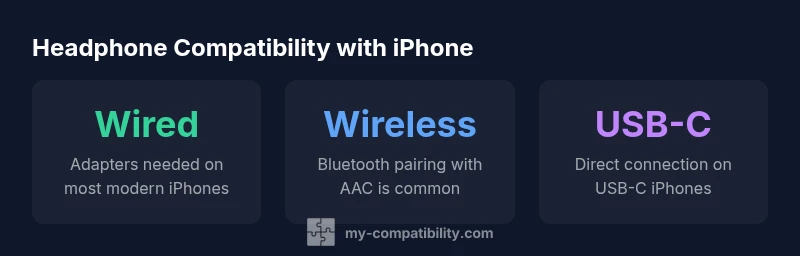
Headphones iphone compatible means your headphones work with iPhone devices through wired connections, Bluetooth, or adapters. In practice, most Bluetooth headphones pair instantly with iPhone, while wired headphones require a port or adapter, especially on iPhone models that no longer include a built-in 3.5 mm jack. Compatibility also depends on codecs and drivers.
Wired vs Wireless: The Compatibility Landscape
In the modern iPhone ecosystem, the way you listen to music or take calls is shaped by your choice of headphones. On one side are wired headphones that rely on a physical connector; on the other are wireless options that connect via Bluetooth. When we evaluate 'headphones iphone compatible', we consider how straightforward the connection is, how reliably sound is delivered, and how setup changes across model generations. For wired listening, the critical factor is the presence of a physical port or the availability of a certified adapter. For wireless listening, Bluetooth version, supported codecs, and hardware acceleration all influence quality and latency. Across models, Apple’s port strategy has shifted over time, moving away from the 3.5 mm jack on many devices, which means compatibility often hinges on the adapter ecosystem or on true wireless options. My Compatibility analysis emphasizes the practical realities: the simplest, most universal path today is a pair of well-supported Bluetooth headphones that pair quickly and maintain stable audio without frequent re-pairing. This section lays out the big-picture landscape and sets up practical decision-making as you read on.
Wired Headphones: Adapters, Ports, and Practical Setup
Wired headphones remain an option for many users, but newer iPhone models often lack a built-in 3.5 mm jack. The practical route is a certified Lightning-to-3.5 mm or USB-C-to-3.5 mm adapter, depending on your device. Adapters vary in build quality and supported features such as mic input or remote control, so choosing an Apple-certified or MFi-certified adapter can reduce compatibility headaches. When testing wired listening, ensure the adapter seats firmly and that the headset is recognized by iOS without error messages. If you commonly switch devices, carry a compact adapter and a short extension cable to minimize port crowding. For iPhone users on the iOS side, keep your system updated to maintain optimal driver support for connected peripherals. In many daily scenarios, wired listening via adapters still offers reliable, low-latency audio quality with minimal battery management concerns.
Wireless Headphones: Bluetooth, iPhone Codecs, and Latency
Bluetooth headphones are the most seamless route to iPhone compatibility in everyday life. The iPhone ecosystem generally supports standard Bluetooth codecs such as AAC and SBC, which deliver a solid balance between quality and battery efficiency. Higher-bitrate or vendor-specific codecs like LDAC are not universally supported on iOS, so the perceived audio quality can hinge on the headset's default codec negotiation with iOS. When choosing wireless options, prioritize devices that clearly advertise AAC support and stable pairing behavior with iPhone models. Latency is another practical concern; for video watching or gaming, look for headphones that offer low-latency modes or aptXSupport is not required for iPhone, but tight synchronization can improve perceived lip-sync and responsiveness during calls.
USB-C and Lightning: The Port Reality for iPhone Audio
Since Apple’s adoption of USB-C on many iPhone models, headphones with USB-C connectors can offer a direct connection on those devices. However, for older iPhone models that rely on Lightning or 3.5 mm, you’ll need adapters. The compatibility picture becomes more nuanced when you mix USB-C, Lightning, and 3.5 mm ecosystems. Always verify that your chosen headphones, cables, and adapters are tested for iPhone compatibility and support the required iPhone generation. If you plan to use a mix of devices, seek universal tips like keeping multiple adapters on hand and verifying the cable length for comfort and portability.
How to Evaluate Headphones for iPhone Compatibility
To gauge true iPhone compatibility, start with the device's port type and the intended listening scenario. For wireless listening, confirm Bluetooth range, battery life, and codec support. For wired listening, verify that the adapter is on Apple’s compatibility list and that the mic/remote functions work with iOS, not just the headphone’s electronics. Consider the microphone quality if calls are important, as some headsets provide better off-device noise suppression on iPhone. Finally, read user reviews that mention iPhone-specific quirks—these real-world notes add context beyond product specs.
Step-by-Step Setup for iPhone Compatibility
- Identify your iPhone’s port type (Lightning, USB-C, or no port). 2) Choose wired adapters or USB-C/Lightning headphones accordingly. 3) For Bluetooth headsets, pair from the Control Center or Settings, confirm the codec, and test a call. 4) Check microphone and remote button behavior by recording a quick memo or making a test call. 5) Update iOS if needed to ensure better compatibility and bug fixes. 6) If problems persist, reset network settings and re-pair devices as a final troubleshooting step.
Buying Guide: What to Look For in iPhone-Compatible Headphones
When shopping, prioritize clear compatibility statements for iPhone, confirm a supported codec (AAC is a safe baseline for wireless), and inspect the build quality of adapters for wired setups. Look for a reliable brand with easy returns and good support. Consider your use case: daily commutes favor wireless; professional calls benefit from a dependable mic; critical listening may require high-quality wired options with minimal lag.
Troubleshooting Common Issues and Quick Fixes
If there’s no sound from wired headphones, recheck the adapter seating and try another cable. For wireless issues, forget the device and re-pair, ensure Bluetooth is on, and verify that the headset isn’t in a power-saving mode. If there’s one-ear audio, inspect the balance in settings or test another app to rule out a software bug. When mic input isn’t detected on calls, test with a voice memo and confirm the correct input is selected in Settings. If all else fails, reboot the iPhone and update to the latest iOS version.
Comparison of headphone connection types for iPhone compatibility
| Connection Type | iPhone Compatibility | Pros | Cons |
|---|---|---|---|
| Wired (3.5mm adapters) | Requires adapter on newer iPhone models | Simple, reliable sound; low latency | Cable clutter; additional accessory needed |
| Bluetooth headphones | Broad compatibility with iPhone via Bluetooth | Wireless convenience; no dongle needed | Possible latency; depends on codec; relies on battery |
| USB-C or Lightning headphones | Direct compatibility on USB-C iPhone models | Clean connection; fewer adapters needed | Adapter needed for older iPhone models; ecosystem still evolving |
Questions & Answers
What does it mean for headphones to be iPhone compatible?
iPhone compatibility means your headphones can connect and function as expected with an iPhone, whether via Bluetooth, a wired connection with the proper adapter, or a direct USB-C/Lightning connection on newer models. Real-world compatibility also hinges on codec support and hardware constraints.
Headphones are iPhone compatible if they can connect and function properly using Bluetooth, an adapter, or a direct USB-C/Lightning connection on newer iPhones, accounting for codec support.
Do I need adapters for wired headphones on iPhone?
On many newer iPhone models, yes. If your headphones use a 3.5 mm plug, you’ll likely need a Lightning-to-3.5 mm or USB-C-to-3.5 mm adapter, depending on the phone. For USB-C iPhones, a USB-C to 3.5 mm adapter may still be required for legacy devices.
Yes, most newer iPhones require an adapter for wired headphones that use a 3.5 mm plug.
Is Bluetooth the simplest path to iPhone compatibility?
For most users, yes. Bluetooth headphones pair quickly with iPhone, require no cables, and work across apps with consistent mic support in calls. The caveat is potential latency and codec negotiation depending on the models involved.
Yes, Bluetooth is usually the simplest path with quick pairing and no cables, though latency and codec choices matter.
Will USB-C headphones work with older iPhone models?
Old iPhones without USB-C ports need adapters or use wireless headphones. USB-C headphones will connect directly only to newer USB-C iPhones; otherwise, adapters are required to bridge the port gap.
Only newer USB-C iPhones can use USB-C headphones directly; older models need an adapter or go wireless.
How can I test headphone compatibility before buying?
Look for real-world reviews mentioning iPhone use, verify codec support in specs, and if possible, test with an in-store demo or returnable purchase. Check that mic, remote, and reliability features align with your needs.
Read real-world reviews, check codec support, and test or buy with a good return policy.
“The most reliable way to ensure iPhone compatibility is to prioritize wireless headphones with strong AAC support and verify any wired solutions with certified adapters.”
Highlights
- Check port type first to avoid adapters
- Prioritize AAC-supporting Bluetooth headsets for iPhone
- Wireless options offer the simplest path to iPhone compatibility
- USB-C headphones align with iPhone adoption; verify adapter for older models
- Keep a Lightning/USB-C to 3.5mm adapter handy for legacy devices