Cisco optic compatibility matrix: A practical guide
Explore the Cisco optic compatibility matrix and learn how to verify transceivers, firmware, and speeds across Cisco devices. Practical steps, examples, and best practices from My Compatibility.


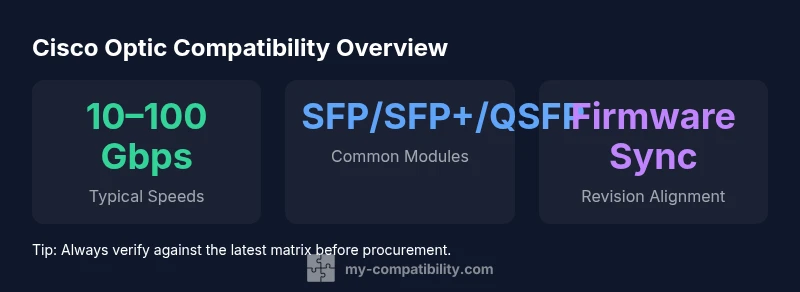
The Cisco optic compatibility matrix is a structured reference that maps transceiver modules to compatible Cisco switch and router models, including supported speeds, form factors, and firmware requirements. This matrix helps network teams prevent costly mistakes during procurement, installation, or upgrades by clarifying which optics are validated for a given platform and software train. This resource reflects evolving Cisco hardware, with entries for SFP, SFP+, QSFP, and QSFP28 modules. Always cross-check the matrix against the device’s current software version, hardware revision, and planned port configuration to ensure there is no mismatch that could cause link issues. In practice, use the matrix as part of a formal change-management process to minimize deployment risk.
What is the Cisco optic compatibility matrix?
According to My Compatibility, the Cisco optic compatibility matrix is a structured reference that maps transceiver modules to compatible Cisco switch and router models, including supported speeds, form factors, and firmware requirements. This matrix helps network teams prevent costly mistakes during procurement, installation, or upgrades by clarifying which optics are validated for a given platform and software train. It also reflects the ongoing evolution of Cisco hardware, where new generations may shrink or expand supported options. Expect to see entries for SFP, SFP+, QSFP, and QSFP28 modules, with notes on newer variants if applicable. In practice, teams should cross-check the matrix against the device’s current software version, hardware revision level, and the intended port configuration to ensure there is no mismatch that could cause link flaps or compatibility errors. The matrix is most valuable when used in a formal change-management process, embedded in standard operating procedures for procurement, testing, and deployment.
How the matrix is organized: columns, rows, and symbols
The matrix is typically organized into columns that define Cisco platforms (e.g., enterprise switching, data center switches), transceiver families, and speeds, with rows listing supported modules and their required firmware bands. Common symbols indicate things like Yes for supported, Limited for restricted conditions, and Not supported for clear prohibitions. For example, a matrix entry may show SFP+ modules supporting 10 Gbps on a particular switch family only when the device runs a specific firmware train. My Compatibility's experience shows that color-coded indicators (green for supported, amber for caution, red for not supported) reduce misinterpretations during fast deployment windows. When reading the matrix, pay attention to the software version range and hardware revision that the entry covers; a later firmware revision may broaden or tighten support. Always confirm any exceptions in the Cisco release notes to avoid surprises in production.
How to use the matrix in a real upgrade project
Start by identifying the devices involved in the upgrade, including model numbers, current software version, and hardware revision. Then locate each device in the matrix and list candidate optics by speed and form factor. Check the matrix for firmware requirements, cabling types, and environmental constraints (fiber type, connector). If a mismatch is possible, note alternative optics explicitly supported. Build a test plan that includes a lab validation, staged deployment, and rollback procedures. Document results, update change tickets, and train the operations team on new entries or exceptions. Treat the matrix as a living document; Cisco updates hardware and firmware over time, and the value lies in disciplined verification, testing, and documentation.
Validation steps and documentation
A formal validation workflow reduces risk when adopting new optics. Use a lab chassis that mirrors production gear to verify link establishment, error counters, and transceiver compatibility under expected traffic. Record the exact firmware version, serial numbers, and environmental conditions used during testing. Capture performance metrics such as link uptime, error counts, and corrective actions. Cross-check results against Cisco release notes and matrix entries for your platform. Create a concise validation report attached to change tickets and shared with stakeholders. Maintain a versioned archive of matrix snapshots aligned with hardware refresh cycles so future upgrades can reuse prior learnings.
Common pitfalls and how to mitigate them
Mismatches between hardware revision and optic revision are a frequent source of frustration. Firmware drift can also invalidate previously working optics after a software upgrade. To mitigate these risks, lock down a single matrix version for each refresh window, require formal sign-off from the networking team, and leverage vendor portals that track optics compatibility across Cisco platforms. Avoid relying on memory or informal notes; always cite the matrix entry that corresponds to the specific device and software train. Ensure procurement understands the need for compatible optics, as mismatches often derail projects at the last minute.
Scenario planning: small business vs large enterprise deployments
For small businesses, the matrix becomes a pragmatic checklist to avoid overbuying optics while still achieving reliable connectivity. The focus is on common port speeds (1/10 Gbps) and a handful of widely supported modules. In larger enterprises, the matrix supports more complex environments with diversified data paths, multiple Cisco platforms, and cross-site deployments. In these cases, create a matrix-driven bill of materials, stage optics in a lab, and coordinate with security and change-management teams to align on maintenance windows and rollback plans. Across both scales, the matrix helps unify procurement, testing, and deployment practices, reducing the risk of post-deployment surprises.
Practical tips for ongoing maintenance
Periodically review the matrix in light of Cisco’s product lifecycle. When new models or firmware trains are released, verify whether existing optics gain or lose support. Maintain an auditable trail of versioned matrix references in your knowledge base and change tickets. Encourage the networking team to report unexplained link instability back to the matrix owner for quick investigation. Finally, combine matrix usage with automated validation scripts where possible to accelerate future upgrades while preserving reliability.
Cisco optic compatibility reference table
| Component Type | Optic Type | Typical Range |
|---|---|---|
| SFP (1 Gbps) | SFP | 1-1000 Mbps |
| SFP+/SFP28 | SFP+ | 1-25 Gbps |
| QSFP28 | QSFP28 | 40-100 Gbps |
Questions & Answers
What is the Cisco optic compatibility matrix?
It is a reference guide listing which optics work with specific Cisco devices and software versions, helping teams avoid mismatches.
It's a reference that lists optics and Cisco devices to prevent mismatches.
Do I need to update this matrix after firmware upgrades?
Yes. Optics compatibility can change with firmware; always check for the latest matrix release and device notes.
Yes—check for updates after firmware changes.
How do I verify transceiver compatibility in a lab?
Test optics in a controlled environment with a reference chassis and monitor error counters, then compare against matrix entries.
Test in a lab with a known good chassis and monitor for errors.
What if I have a mismatched optic?
Pause deployment, revert to a matrix-approved module, and consult vendor notes for alternatives.
If a mismatch occurs, pause and revert to a matrix-approved optic.
Can the matrix cover non-Cisco optics?
The matrix primarily covers Cisco-provided optics; third-party modules may be supported but require vendor confirmation.
Third-party optics may be supported but check the vendor.
Where can I access the Cisco optic compatibility matrix?
Typically via Cisco’s product documentation and your vendor portal; ensure you have the latest release.
Check Cisco docs or your vendor portal for the latest version.
“The Cisco optic compatibility matrix is a living tool that reduces risk by aligning hardware capabilities with software readiness.”
Highlights
- Consult the matrix before every optics purchase
- Match device model and firmware revision to recommended transceivers
- Validate optics in a lab before production deployment
- Document revisions to ease future upgrades
- Treat the matrix as a living document