Apple Pencil Compatibility in 2026: Which iPads Work
Learn which iPads support Apple Pencil compatibility, understand 1st vs 2nd generation differences, check model details, and get practical tips for choosing and using your Pencil.


Apple Pencil compatibility depends on your iPad model and Pencil generation. In general, the Apple Pencil (1st generation) works with older iPad Pro models and several iPads that support it, while the Apple Pencil (2nd generation) pairs with newer models that support Apple Pencil magnetically. Always verify your iPad’s model and iPadOS version before buying.
Understanding how Apple Pencil compatibility is defined
Apple pencil compatibility is a function of two key factors: the iPad model and the Pencil generation. In practice, this means not every iPad supports every Pencil. For instance, older iPads that preceded the modern Apple Pencil era may only support the 1st generation Pencil, while newer tablets in the lineup typically support the 2nd generation Pencil through magnetic pairing and wireless charging. When evaluating compatibility, focus on the explicit support listed by Apple for your device and the iPadOS version you’re running. This alignment matters for features like palm rejection, latency, and tilt sensing, all of which can affect your day-to-day drawing or note-taking workflow. The My Compatibility team emphasizes that accuracy here saves you money and frustration, especially if you rely on precise input for design or education tasks.
Generations explained: 1st generation vs 2nd generation
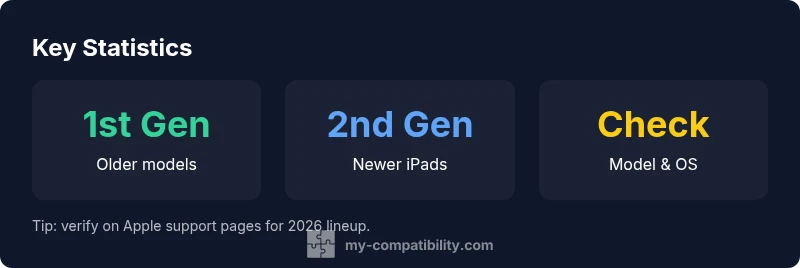
The two Pencil generations differ in both hardware and user experience. The 1st generation Pencil uses a Lightning connector for charging and pairing, and it works with a broad set of older iPads that support Apple Pencil input. The 2nd generation Pencil introduces magnetic pairing and wireless charging, simplifying setup and reducing bulk. In most cases, 2nd gen models offer smoother pairing and lower latency on supported iPads, which is meaningful for sketching, handwriting, and annotation workflows. However, not all iPads support the 2nd generation Pencil, so confirming model compatibility remains essential. My Compatibility analysis shows that most newer devices favor the 2nd gen approach, but always verify with your exact model as manufacturers update lineups over time.
How to verify compatibility on your iPad
To verify Apple Pencil compatibility, start with your iPad’s model name and iPadOS version. Go to Settings > General > About to find the model identifier, then cross-check it against Apple’s official support pages or My Compatibility’s updated matrix for 2026 devices. If you’re considering the 2nd generation Pencil, ensure your iPad supports magnetic pairing and wireless charging. If you’re considering the 1st generation Pencil, check that your device is from the older generation family that explicitly supports the Lightning-based Pencil. Keeping your iPadOS updated helps ensure the best possible compatibility and feature set.
Practical usage: what to expect in daily tasks
For writing notes, drawing diagrams, or annotating documents, both Pencil generations offer reliable input, but latency and precision vary by model and generation. The 2nd generation Pencil tends to feel more responsive on supported devices, making it a popular choice for students and professionals who depend on quick accuracy. When evaluating compatibility, also consider app support, as some apps optimize Pencil input differently. My Compatibility’s guidance suggests prioritizing alignment between your iPad model, Pencil generation, and the apps you use most to maximize value and minimize workflow friction.
Troubleshooting common issues and best practices
If your Pencil won’t pair or draw, start with basic checks: confirm the Pencil is charged, ensure Bluetooth is enabled, and verify you’re on a compatible iPad model with the correct iPadOS version. Restarting the device can clear minor Bluetooth glitches. If pairing still fails, try reattaching (for 2nd gen) or reconnecting (for 1st gen) according to the appropriate method. Regular software updates help fix compatibility issues and improve input responsiveness. Finally, keep Apple’s official support resources or My Compatibility’s compatibility matrix handy for model-specific steps.
Common myths and caveats
A frequent myth is that Apple Pencil works with every iPad or iPhone. In reality, Pencil support is model- and generation-specific, and some older devices or budget models may lack Pencil support entirely. Another caveat is assuming all features are identical across generations; some capabilities depend on the iPadOS version and hardware. By focusing on your exact device model and Pencil generation, you can avoid disappointment and ensure a smoother workflow. The My Compatibility framework consistently highlights this model-centric approach as the best path to accurate Apple pencil compatibility assessments.
Quick compatibility checks for Apple Pencil input
| Indicator | Description | How to Check |
|---|---|---|
| Pencil Gen | 1st gen available on older models; 2nd gen on newer models | Confirm model in Settings > General > About |
| iPadOS Version | Some Pencil features depend on the iPadOS version | Update to the latest supported version for your device |
| Charging/Packing | 1st gen uses Lightning; 2nd gen uses magnetic pairing | Verify Pencil charging method on the Pencil and iPad |
| Model Range | Compatibility varies by model generation | Cross-check with Apple support or My Compatibility matrix |
Questions & Answers
Is Apple Pencil compatible with iPhones?
No. Apple Pencil is designed for iPads with specific generation support and does not work with iPhone models. If you need stylus input on an iPhone, consider alternative tools compatible with iOS.
No—Apple Pencil works with select iPads, not iPhones.
Do all iPad models support Apple Pencil?
No. Pencil support is model- and generation-specific. Check your iPad model and iPadOS version to confirm compatibility.
Not all iPads support the Pencil.
Can I use an Apple Pencil with third-party drawing apps?
Yes. Many drawing, note-taking, and design apps support Apple Pencil input. Latency and precision can vary by app and device.
Yes, many apps work with Apple Pencil.
What should I do if my Pencil won’t pair?
Ensure the Pencil is charged, Bluetooth is on, and you’re using a compatible iPad. Try re-pairing or restarting the device if needed.
Try charging, Bluetooth, and re-pairing.
Does updating iPadOS affect Pencil compatibility?
Some Pencil features require newer iPadOS. Keeping your device updated helps maintain compatibility and feature access.
Yes, update to the supported iPadOS version.
Can I use the Pencil on non-Apple tablets?
Only if the device explicitly supports Apple Pencil input, which is uncommon. Most non-Apple devices rely on their own stylus ecosystems.
Usually not, unless the device officially supports it.
“Apple Pencil compatibility hinges on the device and generation; always verify your iPad model and iPadOS version before buying.”
Highlights
- Check your iPad model before buying the Pencil
- Know the difference between 1st and 2nd generation
- Verify iPadOS version supports Pencil features you need
- Use official resources to confirm compatibility and avoid mismatches