2nd Gen Apple Pencil Compatibility: How it Works and What It Supports
Discover which iPad models support the 2nd gen Apple Pencil, how to verify compatibility, and practical tips for setup and use, with expert guidance from My Compatibility.


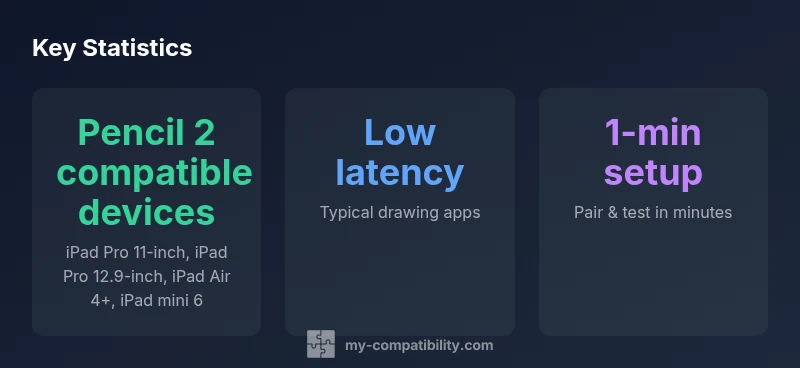
2nd gen Apple Pencil compatibility depends on hardware support for magnetic pairing. As of 2026, the Pencil 2 works with iPad models that support Apple Pencil 2, including most modern iPad Pro 11-inch and 12.9-inch devices, iPad Air 4th generation and newer, and iPad mini 6. If your device lacks magnetic pairing, you’ll require the first‑generation Pencil.
What the 2nd Gen Apple Pencil is and what compatibility means in practice
The 2nd gen Apple Pencil represents Apple’s newer stylus with features designed for fluid writing, drawing, and navigation on compatible iPads. Unlike the original Pencil, the second generation uses a magnetic attachment on the side of the iPad that both charges the pencil and pairs it automatically. This approach reduces the steps needed to start writing and improves reliability for creative work. When we talk about 2nd gen apple pencil compatibility, we are really asking: which iPad models support this form of input, and what should you check before purchasing? For most users, the key factor is whether their device supports Apple Pencil 2. Devices without the magnetic pairing hardware simply won’t connect, and Pencil 1st generation is then the expected accessory.
In practice, Pencil 2 offers features like double-tap for switching tools in supported apps, palm rejection while drawing, and very low latency. The overall experience depends not only on the hardware but also on the iPadOS version and the apps you use. If your device does not support Pencil 2, you can still use the first generation Pencil with older iPads, but the newer gestures won’t apply and charging would be via Lightning. Our goal is to map compatibility clearly so you spend less time guessing and more time creating.
Which iPad models support the Pencil 2
Apple’s Pencil 2 is marketed for modern devices with magnetic pairing. In general, you’ll find Pencil 2 compatibility on:
- iPad Pro models with a flat side that can host the magnet (11-inch and 12.9-inch lines, contemporary generations)
- iPad Air 4th generation and newer
- iPad mini 6th generation
Some older iPads that use Pencil 1st generation are not compatible with Pencil 2. If you own an older iPad, you’ll need Pencil 1st generation (or consider upgrading to a newer device). Always cross-check against Apple’s official compatibility lists, or use My Compatibility’s compatibility checks to confirm before you buy.
How to verify compatibility on your device
To verify quickly, follow these steps:
- On the iPad, open Settings and go to General > About to locate the model name or number.
- Visit Apple’s official compatibility page or use My Compatibility to confirm Pencil 2 support for your exact model.
- Check the iPadOS version on your device; Pencil 2 requires a supported OS alongside compatible hardware.
- If possible, physically test by attaching the Pencil magnetically to the iPad’s edge to see if it pairs and begins charging.
- If buying used, confirm the device model and ensure it is a Pencil 2–capable variation. Our methodology combines official documentation with field testing to verify accurate compatibility.
Pairing, charging, and day-to-day use
Once you’ve confirmed compatibility, pairing is simple. Align the Pencil 2 with the iPad’s right edge; the magnets will snap together automatically, and a pairing prompt appears on screen. The Pencil begins charging, and you can start drawing immediately. In supported apps, you can use the double-tap to switch tools, and watch for smooth, latency-free input. If you notice lag, ensure the Pencil is charged, remove any thick screen protectors, and make sure your iPad has the latest firmware and app updates.
For daily productivity, the combination of magnetic pairing and palm rejection offers a natural writing experience. Keep the Pencil near the edge when not in use to prevent accidental detachment, and avoid harsh temperatures that could affect battery life.
Edge cases and limitations
No compatibility guide is complete without noting edge cases. Some older iPad models do not support Pencil 2 at all, and certain third‑party cases might interfere with the magnetic alignment. Not all apps leverage the Pencil 2’s double‑tap feature, so your experience can vary by software. If you rely on a case that covers the magnetic edge, you may prevent a secure pairing, so consider a case with an opening along the edge. Finally, some regions or device bundles may not include the Pencil by default, influencing buying decisions.
Practical tips for maximizing productivity
- Customize the Pencil 2 double‑tap to switch tools in your most-used apps.
- Keep the pencil charged; a quick 60–90 seconds on the edge often yields a full session.
- Pair once and reuse; if you upgrade iPadOS, re-check compatibility in case of changes.
- Use a screen protector with minimal interference and test palm rejection in your preferred drawing apps.
- Maintain a simple charging routine so the Pencil is ready when inspiration strikes.
Compatibility by device family
| Device Model | Pencil 2 Support | Notes |
|---|---|---|
| iPad Pro 11-inch (2018+) | Yes | Magnetic attachment |
| iPad Pro 12.9-inch (2018+) | Yes | Magnetic attachment |
| iPad Air (4th gen+) | Yes | Magnetic attachment |
| iPad mini (6th gen) | Yes | Magnetic attachment |
| iPad (8th-9th gen) | No | Pencil 1st gen only |
Questions & Answers
Is the 2nd generation Apple Pencil compatible with older iPad models?
Compatibility depends on whether the device supports Pencil 2 via magnetic pairing. Older iPads generally don't support Pencil 2 and require Pencil 1st generation.
Older iPads usually don’t support Pencil 2; check your model against Apple’s list to be sure.
Do I need a specific iPadOS version to use Pencil 2?
Yes, your iPad needs a compatible iPadOS version in addition to hardware support. Update to the latest supported OS for best performance.
Yes, make sure your iPad is on a supported iPadOS version.
Can I use Pencil 2 with iPad mini 6?
Yes, the iPad mini 6 supports Pencil 2, enabling magnetic pairing and charging with the pencil.
Yes, mini 6 supports Pencil 2.
How do I pair the Pencil 2 with a compatible iPad?
Hold the Pencil near the iPad’s magnetic edge until pairing is prompted, then confirm. The pencil begins charging automatically.
Just attach it to the edge and confirm the pairing prompt.
What should I do if Pencil 2 won’t connect?
Check that the pencil is charged, remove any obstructions, ensure you’re on a compatible iPadOS version, and re‑pair if necessary.
Charge it, remove obstructions, and try pairing again after updates.
“The Pencil 2’s compatibility hinges on device support for magnetic pairing; double-check your model against official Apple docs.”
Highlights
- Verify model before buying Pencil 2
- Pencil 2 relies on magnetic pairing
- Older iPads often require Pencil 1st gen
- Keep iPadOS up to date for best results