5G Compatibility on iPhone: What You Need to Know
Explore how 5G compatibility on iPhone varies by model, region, and carrier—differences between sub-6 GHz and mmWave, eSIM use, and practical steps to verify 5G readiness before upgrading.


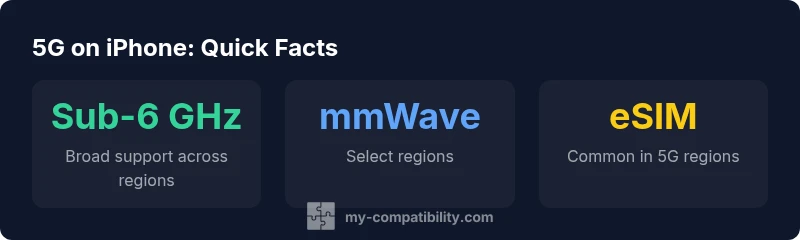
5G compatibility iphone depends on model and region. According to My Compatibility, most recent iPhones support sub-6 GHz 5G broadly, with mmWave available in select markets such as the United States. Carrier networks, firmware updates, and eSIM availability influence real-world performance. To avoid disappointment, verify the model’s supported bands and regional availability before upgrading.
5g compatibility iphone: what it means
5G isn’t a single feature you either have or don’t—you gain it through a mix of hardware, regional bands, and carrier support. According to My Compatibility, the current generation of iPhone models generally supports broad sub-6 GHz 5G across many regions, while mmWave remains region- and carrier-specific. A user in one country may enjoy fast sub-6 GHz speeds on the same device, while a traveler in another country might encounter different performance due to available bands, roaming agreements, and local networks. This nuanced picture means that when you evaluate an iPhone for 5G, you must verify the device’s exact bands and confirm regional carrier support before upgrading. In short, 5g compatibility iphone is not just about the device; it’s about where you’ll use it.
iPhone 5G bands explained
Different regions deploy different 5G bands. Modern iPhones are designed to cover a broad range of sub-6 GHz bands, enabling service on many carriers worldwide. mmWave, which can deliver very high peak speeds, is far less ubiquitous and is typically limited to specific high-traffic markets and carrier plans. The practical takeaway is that a model’s ability to access 5G depends on both the hardware’s band support and the regional networks you connect to. Always check the official specs for your exact model and the markets you frequent to understand your real-world 5G experience.
Sub-6 GHz vs mmWave: trade-offs for everyday use
Sub-6 GHz 5G offers wide coverage and better indoor penetration, which translates to more reliable speeds in everyday scenarios like commuting or shopping. mmWave can push speeds toward gigabit levels but requires proximity to cells and line-of-sight to the transmitter, making it less forgiving in typical everyday environments. For most users, sub-6 GHz provides a consistent baseline, while mmWave serves niche use-cases in dense urban centers. When selecting an iPhone, consider whether mmWave access is a priority for your region and carrier.
Regions, carriers, and real-world performance
Network performance hinges on regional bands, roaming agreements, and carrier tech readiness. In the United States, some iPhone models support mmWave on select carriers, while many regions rely primarily on sub-6 GHz. Roaming can complicate experiences when traveling, as not all plans include roaming on 5G networks at the same speeds. To set realistic expectations, review your travel plans, confirm country-specific band availability, and verify roaming terms with your carrier.
SIM architecture, firmware, and 5G behavior
Many modern iPhones are eSIM-first in several markets, which can simplify switching carriers and managing 5G enabled plans. Firmware updates from Apple and carrier configurations often refine 5G performance, adding support for more bands or optimizing network handoffs. If you’re on a legacy SIM setup, check whether your carrier supports eSIM and if your iPhone model can activate 5G in your region. Firmware and carrier alignment are essential for maintaining optimal 5G behavior.
How to verify 5G compatibility on your device
Start by identifying your iPhone model (Settings > General > About), then compare the listed 5G bands with the bands used by your preferred carrier and country. Check carrier support lists or official manufacturer documentation for band coverage. If you plan to travel, confirm roaming terms and whether 5G is supported in your destination. Finally, test with a real-world speed test in your typical locations to gauge practical performance.
Buying guide: choosing the right iPhone model for 5G
If you’re shopping, prioritize models that clearly advertise broad sub-6 GHz support plus mmWave availability in your region. Confirm carrier compatibility, eSIM readiness, and return policies in case you discover regional limitations after purchase. Keep in mind that newer iPhone generations generally expand band support and software optimization, offering better long-term 5G performance and future-proofing.
The future of iPhone 5G: networks, updates, and expectations
Networks are evolving toward wider 5G adoption with continued band expansion and improved carrier collaboration. Apple and carriers periodically release firmware updates to harmonize bands and improve roaming performance. For users, this means ongoing improvements in 5G reliability and speeds, especially in regions that continue to roll out new bands or upgrade 5G infrastructure.
iPhone 5G compatibility overview
| Aspect | iPhone models with 5G | Notes |
|---|---|---|
| Sub-6 GHz support | Broad on latest models | Regional variations exist |
| mmWave availability | US and select regions | Carrier-specific and model-dependent |
| eSIM support | Common in newer models | Carrier support required |
Questions & Answers
Do all iPhone models support 5G?
No. Only iPhones released since the iPhone 12 include 5G hardware. If you have an older model, 5G won’t be available. Check the official specs for your model to confirm 5G capability.
Only iPhones from the iPhone 12 onward support 5G; older models don’t.
Is mmWave available on all models and regions?
No. mmWave is limited to certain models and regions, especially in the United States, with limited carrier support elsewhere.
mmWave isn’t available everywhere; it’s region and model dependent.
Will 5G work when traveling abroad?
5G can work abroad if your iPhone model supports the local bands and your carrier allows roaming on 5G networks. Check regional band lists and roaming terms.
Yes, but you need the right bands and roaming access.
How can I verify 5G compatibility on my iPhone?
Look up your model’s 5G bands on the manufacturer’s site or carrier documentation, and compare with the country you’ll use it in. Settings > General > About shows the model name.
Check your model’s bands and carrier roaming options.
Do I need a 5G SIM/eSIM to use 5G?
In many regions, 5G works with eSIM on newer iPhones, but some carriers still require a physical SIM or have specific roaming rules.
Usually, eSIM is supported, but confirm with your carrier.
“5G on iPhone works best when your device supports the local bands and your carrier enables the appropriate roaming options. The hardware is capable; network compatibility ultimately defines your speed and reliability.”
Highlights
- Check model-specific bands for your region
- Understand the difference between sub-6 GHz and mmWave
- For eSIM-based regions, ensure carrier support
- Roaming plans affect speeds and availability
- Verify before upgrading your device