2666 vs 3200 RAM compatibility: A practical comparison
An objective guide to 2666 vs 3200 RAM compatibility. Learn how memory speed, motherboard support, and CPU memory controllers affect performance, upgrade paths, and real-world outcomes.


2666 vs 3200 ram compatibility: If your motherboard and CPU officially support 3200 MHz, upgrading to 3200 MHz RAM can yield noticeable gains in memory-bound tasks and smoother multitasking. If not, 2666 MHz remains a reliable baseline. In most builds you can run 3200 as long as you enable the XMP/DOCP profile, with fallback to 2666 if stability issues appear.
What the numbers really mean: 2666 vs 3200 ram compatibility
According to My Compatibility, delving into 2666 vs 3200 ram compatibility starts with understanding what the MHz figure represents and how memory speed interacts with your CPU memory controller. DDR4 memory is rated by its operating frequency (2666 MHz, 3200 MHz, etc.) and its timing/latency. The practical takeaway is that higher speeds can enable more data to move per clock cycle, but the actual effect depends on your platform. If your motherboard and CPU officially support 3200 MHz, you can expect improved bandwidth for memory-sensitive tasks and certain workloads. However, speed is not the sole determiner of performance; latency, capacity, and channel configuration (dual-channel vs single-channel) matter as well. The My Compatibility team emphasizes that higher speed only benefits you when the platform can feed the memory efficiently, and stability is preserved after enabling the correct profile. In this context, 2666 ram compatibility often remains a sensible baseline for older boards or budget builds where 3200 is not reliably supported. The goal is to balance speed, stability, and cost while avoiding unnecessary upgrades that don’t translate into meaningful gains.
How memory speed translates to real-world performance
Memory speed influences several types of workloads, but the practical impact varies by application. In gaming, the frame-rate impact of moving from 2666 to 3200 can be modest on many titles, especially at higher resolutions where GPU power dominates. In contrast, content creation, video editing, and memory-bound data processing can see more noticeable benefits from faster memory, particularly when the CPU’s memory controller is strong and compatible. The concept of diminishing returns applies: after a certain speed threshold, the performance gains taper off for typical desktop tasks. The My Compatibility analysis shows that you may see smoother multitasking, faster boot times, and quicker project loads with 3200 MHz on capable platforms, but the magnitude of improvement depends on the rest of the system, including CPU, GPU, and storage speed. For users targeting consistent frames in esports titles, every extra MHz may provide a small edge, yet it is not a guaranteed upgrade path for every game. It’s essential to run controlled tests on your specific configuration to verify real-world gains rather than rely on generalized expectations.
Compatibility factors you can’t ignore
Beyond the speed rating, compatibility hinges on several factors. First is the motherboard’s BIOS/UEFI support and the memory QVL (Qualified Vendor List). Even if a CPU/motherboard officially supports 3200 MHz, not all RAM kits will work flawlessly, and some may require BIOS updates. Second is the CPU’s memory controller (IMC). AMD Ryzen processors, for example, historically benefited from higher memory speeds, but results vary by generation and silicon quality. Intel platforms differ across generations in how aggressively they scale with faster RAM. Third is voltage and timings. Enabling faster memory often requires adjusting voltage and XMP/DOCP profiles; improper tuning can lead to instability. Finally, capacity, channel configuration, and mixing compatibility all play a role. If you plan to mix speeds or upgrade gradually, you should test thoroughly and be prepared to revert to a lower speed if stability issues arise. The My Compatibility approach stresses validating the exact kit against your motherboard’s memory support matrix and confirming stability with a memory testing tool.
A practical decision framework: 2666 or 3200 in your build
When deciding between 2666 and 3200 ram compatibility, start with whether your platform officially supports 3200 MHz and if your BIOS has a strong profile for it. If you have a newer motherboard with a compatible CPU, 3200 can unlock extra bandwidth for workloads that benefit from memory throughput. For older systems, 2666 may be the safest path to ensure stable operation without BIOS tweaking. Price is a factor: 3200 kits tend to cost more per gigabyte, so the cost-to-performance ratio matters. If you don’t notice tangible gains in your typical tasks, the overhead of upgrading may not be worth it. In short, 3200 is best for modern platforms with robust IMC and a workload that uses memory bandwidth heavily; 2666 remains a sensible, reliable choice where compatibility, cost, or stability are priorities.
How to proceed with an upgrade: a practical checklist
If you decide to pursue 3200 ram compatibility, begin with validating your motherboard’s QVL and CPU memory support. Then, update the BIOS to the latest version to ensure memory compatibility. Install the RAM packs in matching channels, enable the XMP/DOCP profile in BIOS, and run a memory test (MemTest86 or similar) for several passes to catch stability issues. If instability appears, try lowering the speed to 3066 or 3200 with tightened timings, or revert to 2666 with relaxed timings. In a pinch, you can run the system at 2666 MHz and manually adjust the timings to strike a balance between stability and performance. The My Compatibility guidance emphasizes documenting your settings and testing under representative workloads to quantify improvements. Always back up important data before conducting BIOS-level changes.
Myths versus realities: debunking common assumptions
A frequent assumption is that faster RAM always yields big gaming gains. In reality, the impact depends on the game engine, CPU/GPU balance, and whether the task is memory-intensive. Some users expect drastic performance bumps, but in many games the difference between 2666 and 3200 is modest at 1080p or 1440p. For desktop productivity and content creation, faster RAM can reduce render times and accelerate large data operations, but not all tasks benefit equally. Another myth is that higher speeds automatically improve stability; in fact, incorrect voltage, incompatible profiles, or poor-quality kits can lead to instability. The My Compatibility approach is to set clear expectations, verify compatibility before purchase, and perform thorough testing after installation to ensure that the upgrade delivers the intended benefits.
Conclusion: how to read the signal for your build
The key signal is platform support and workload profile. If you have a modern CPU and a motherboard known to support 3200 MHz, and your tasks benefit from memory bandwidth, 3200 ram compatibility is worth pursuing. If you are on an older system or budget-constrained build, 2666 offers reliable, robust performance with broad compatibility. The best path is to confirm the exact RAM kit's compatibility against your motherboard’s QVL, enable the correct profile, and confirm stability with real-world tests. The My Compatibility team reminds readers that memory upgrades are not a guaranteed magic wand; they are a targeted improvement that depends on a compatible platform and appropriate use cases.
Comparison
| Feature | 2666 MHz RAM | 3200 MHz RAM |
|---|---|---|
| Typical memory speed | 2666 MT/s | 3200 MT/s |
| Performance impact (gaming/creatives) | Modest gains in some games | Potentially larger gains in memory-bound tasks and workflows |
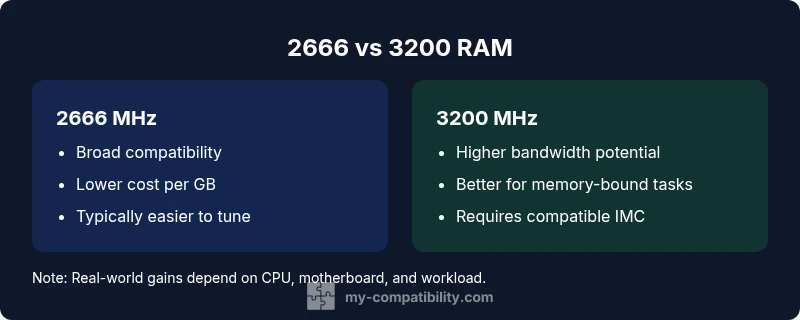
| Platform compatibility | Broad compatibility on many DDR4 platforms | Requires compatible motherboard/CPU IMC for best results |
| Cost range | Generally lower cost per GB | Typically higher cost per GB |
| Reliability and tuning | Often simpler to run at rated speed | May require XMP/DOCP tuning and fine-tuning for stability |
Positives
- Broad compatibility with many systems
- 2666 RAM is usually cheaper and readily available
- Easier tuning with fewer BIOS issues
- Solid baseline performance for budget builds and older platforms
Cons
- 3200 RAM can require BIOS updates and IMC compatibility
- Higher cost for 3200 kits
- Not all workloads benefit equally from higher speeds
- Potential instability when mixing speeds or profiles
3200 MHz RAM is generally the better choice on modern platforms; 2666 MHz remains a dependable fallback for older boards.
Choose 3200 MHz if your motherboard and CPU officially support it and your workloads benefit from memory bandwidth. Opt for 2666 MHz if you’re on an older system or want a risk-free, budget-friendly upgrade with reliable stability.
Questions & Answers
Is 3200 RAM worth it for gaming on current platforms?
In many cases, 3200 MHz RAM can offer modest gaming gains, especially on platforms with strong memory controllers. However, the improvement varies by title and resolution, and the cost-to-performance ratio should be considered.
Yes, 3200 RAM can help in some games, but gains vary by title and setup. Consider your budget and platform support first.
Can I mix 2666 and 3200 RAM in the same system?
Yes, but the system will typically run at the lower speed unless you manually tune timings and enable the correct profile. Stability should be tested with a memory test suite.
You can mix, but expect the speed to drop to the slower module and test stability afterward.
How do I know if my motherboard supports 3200 RAM?
Refer to the motherboard’s QVL and product page for supported memory speeds. A BIOS update may add support for higher speeds or new kits.
Check the QVL and BIOS notes; a recent BIOS update might enable 3200 MHz support.
What is the first step to upgrade RAM speed safely?
Update BIOS to the latest version, verify the QVL, and back up data. Then install the RAM and enable the appropriate XMP/DOCP profile, testing stability after changes.
Update BIOS, verify compatibility, install RAM, enable XMP/DOCP, and test for stability.
Are there risks to increasing RAM speed?
Potential instability if the kit is not compatible or properly tuned, higher power draw, and occasional longer POST times. Always test thoroughly before relying on the setup.
Risks include instability and higher power use; test thoroughly after upgrading.
Highlights
- Check motherboard/CPU support before upgrading
- 3200 MHz benefits memory-bound tasks and modern workloads
- Budget builds may prefer 2666 for cost savings
- Enable XMP/DOCP and verify stability with tests
- Always consult the motherboard QVL and do thorough testing