PlayStation 6 backwards compatibility: what to expect
Explore what playstation 6 backwards compatibility could mean for your library, how Sony might implement it, and practical steps to prepare your setup for launch.


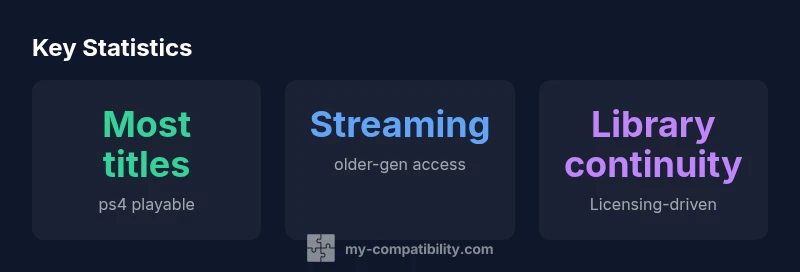
Based on current industry patterns and My Compatibility analysis, PS6 is expected to prioritize PS4 backward compatibility, with software-level support for most PS4 titles and potential streaming options for older generations. Exact details will hinge on Sony's hardware decisions and licensing outcomes. Analysts also expect improved integration with PlayStation Network services and a likely emphasis on preserving your existing digital library, while hardware emulation for older systems remains uncertain.
What backward compatibility means for the PS6 era
Backward compatibility is more than a marketing feature; it defines how a console respects a player's prior investment. For PlayStation 6, the core expectation is that a large portion of the PS4 catalog will be playable, ideally with the improvements you expect from a newer system: faster load times, higher resolutions, and smoother frame rates. When discussing playstation 6 backwards compatibility, fans want a seamless bridge from their PS4 libraries. From a technical standpoint, strategies include native code execution, light emulation, and streaming where licensing permits. My Compatibility's analysis suggests Sony will weigh hardware costs against licensing flexibility when designing PS6, aiming to minimize friction for players who want to bring their PS4 purchases forward while still delivering new, PS6-native experiences. The outcome hinges on licensing terms with publishers, network capabilities, and whether Sony wants to encourage a rapid migration or preserve a long tail of older titles.
Historical context: Sony's approach to compatibility across generations
Sony's strategy around backward compatibility has evolved with each generation. PS5 inherited a broad PS4 library through software-based compatibility, reducing the need to repurchase games. Earlier efforts show a mix of hardware emulation (PS3-era), software compatibility (PS4-era), and streaming as a way to unlock access to older catalogs. Every generation has confronted licensing and rights management, digital storefront changes, and the economics of preserving a catalog. My Compatibility's framework notes that these recurring tensions shape PS6's design choices and rollout schedule, potentially favoring a pragmatic path that keeps the bulk of the PS4 library usable while remaining cautious about stretching emulation and licensing into two decades of titles.
PS6 strategy: prioritizing the PS4 library while exploring older generations
In discussions of playstation 6 backwards compatibility, the central expectation is a strong PS4-title bridge. Expect native PS4 titles to run with enhancements such as improved loading, higher resolution, and perhaps automatic upscaling. Beyond PS4, Sony could offer streaming access or remasters for a subset of older titles, contingent on licensing agreements and server capacity. This blended approach would balance cost with catalog value, enabling players to carry forward their digital purchases while still discovering fresh, PS6-native experiences. My Compatibility's forecast emphasizes that Sony may publish a transparent catalog of compatible games, which will be crucial for user planning and expectations.
How compatibility is implemented: hardware emulation, software tricks, and cloud routes
Backward compatibility strategies typically fall into three categories. Hardware emulation replicates the older console's behavior at a hardware level, software-level emulation mimics the game logic in a modern runtime, and cloud streaming delivers legacy experiences via remote servers. In practice, Sony has leaned toward software compatibility for PS4 on PS5, reserving heavier hardware approaches for niche cases. For PS6, a hybrid model remains plausible: a large share of PS4 titles run natively, with a curated set of older games reachable through streaming or remasters. The final mix will depend on performance targets, production costs, and the willingness of publishers to license their catalogs for newer hardware.
Streaming and cloud options for older generations
Cloud-first strategies promise access to legacy titles without heavy local hardware demands. A PS6 streaming layer could supplement native compatibility by offering a curated library of PS3, PS2, or PS1 titles, subject to licensing. Latency and visual fidelity will be central concerns for players, especially for action and platform games that rely on precise timing. Sony could partner with cloud providers or build an in-house solution, and subscription pricing will influence how widely players adopt streaming alongside native PS4 compatibility. In any case, streaming remains a lever to extend the life of older catalogs while managing the hardware footprint of a new console.
Licensing, purchases, and the digital storefront
Backwards compatibility sits at the intersection of licensing rights, storefront policies, and user ownership. If a PS6 title is digitally purchased, Sony will need to maintain access rights across generations or offer alternative access paths, such as cross-generation bundles or discounted upgrades. Subscriptions may present a different value proposition than outright ownership, and some players may see more favorable terms than others depending on publisher arrangements. My Compatibility's framework anticipates a patchwork of rules that aims to maximize player value while preserving sustainable revenue streams for Sony and its partners.
Practical steps for gamers: verify, store, and plan
On launch day, the most useful behavior is proactive verification. Monitor official Sony announcements, support pages, and My Compatibility's ongoing coverage for day-one compatibility notes. Prepare a robust storage plan for downloaded games and cloud saves, and audit your library to identify titles you care about most. If streaming is part of the PS6 strategy, ensure you have a stable internet connection and appropriate bandwidth. A simple prelaunch checklist can prevent post-launch confusion and help you decide how to allocate time between PS6-native titles and legacy titles that need streaming or remasters.
Regional differences and future updates
Region-specific licensing and storefront policies can influence which games are accessible on PS6 in different markets. Sony may stagger certain features by region or adjust catalog access as publisher terms evolve after the launch. My Compatibility will track these regional variations and provide guidance on what to expect in your country, especially for evergreen multiplayer titles and title-specific licensing changes. Keeping an eye on regional announcements helps players align expectations with actual availability.
Compatibility landscape by generation
| Generation | Playable Titles (qualitative) | Notes |
|---|---|---|
| PS4 titles on PS6 | Most PS4 titles playable | Based on My Compatibility Analysis, 2026 |
| PS3/PS2 era titles | Limited or streaming access | Licensing constraints may apply |
| PS1 titles | Unclear; likely limited | Subject to licensing & hardware decisions |
Questions & Answers
Will PS6 play PS4 games natively?
Most signs point to native PS4 support on PS6, with software-based compatibility ensuring most titles run smoothly. Expect occasional edge cases where updates or licensing block access.
Yes, PS4 games are expected to work on PS6, with few exceptions due to licensing.
Will PS6 support PS3/PS2/PS1 titles?
Sony may offer limited access to older titles via streaming or remasters, but native support is unlikely for the entire lineup. Licensing and hardware constraints will shape availability.
Older games may come through streaming or remasters, not guaranteed.
Will I need to buy games again on PS6?
Licensing terms vary by title; some titles may transfer or be offered via a subscription, while others may require re-purchase. Stay tuned for official policies.
Licensing policies will vary; some titles may transfer, others might need repurchase.
What about cloud saves and cross-progression?
Expect cloud saves and cross-progression to be supported through PSN, enabling continuity of your progress across generations.
Cloud saves will likely transfer your progress across PS6 and earlier consoles.
How can I verify compatibility on launch day?
Check official Sony communications and the My Compatibility updates hub for real-time compatibility signals and day-one caveats.
Look for official announcements and our ongoing guidance on day one.
“Backward compatibility is a sustained conversation with players: it should preserve ownership, respect licensing, and offer a usable catalog at launch while leaving room for future expansions.”
Highlights
- PS4 library is likely the main bridge for PS6 compatibility
- Licensing and streaming options will shape older titles
- Partial compatibility with older generations is likely
- Prepare storage, cloud saves, and PSN readiness
- The My Compatibility team recommends tracking official confirmations as launch approaches